Your sessions
Seeing everywhere you are signed in, and signing out a device you no longer have.
Every browser you sign in from keeps a session. Signing out one you do not recognise takes about a minute.
Before you start
- Know which session is yours. The one you are using is marked This device, and it has no Sign out button of its own.
Reviewing and ending sessions
Find your sessions
Open Settings, press the Security tab and find Active sessions. Each row names the system and browser, such as "iOS · Safari", then its network address and when it was last active. A browser INDEX Club cannot identify reads Web browser.
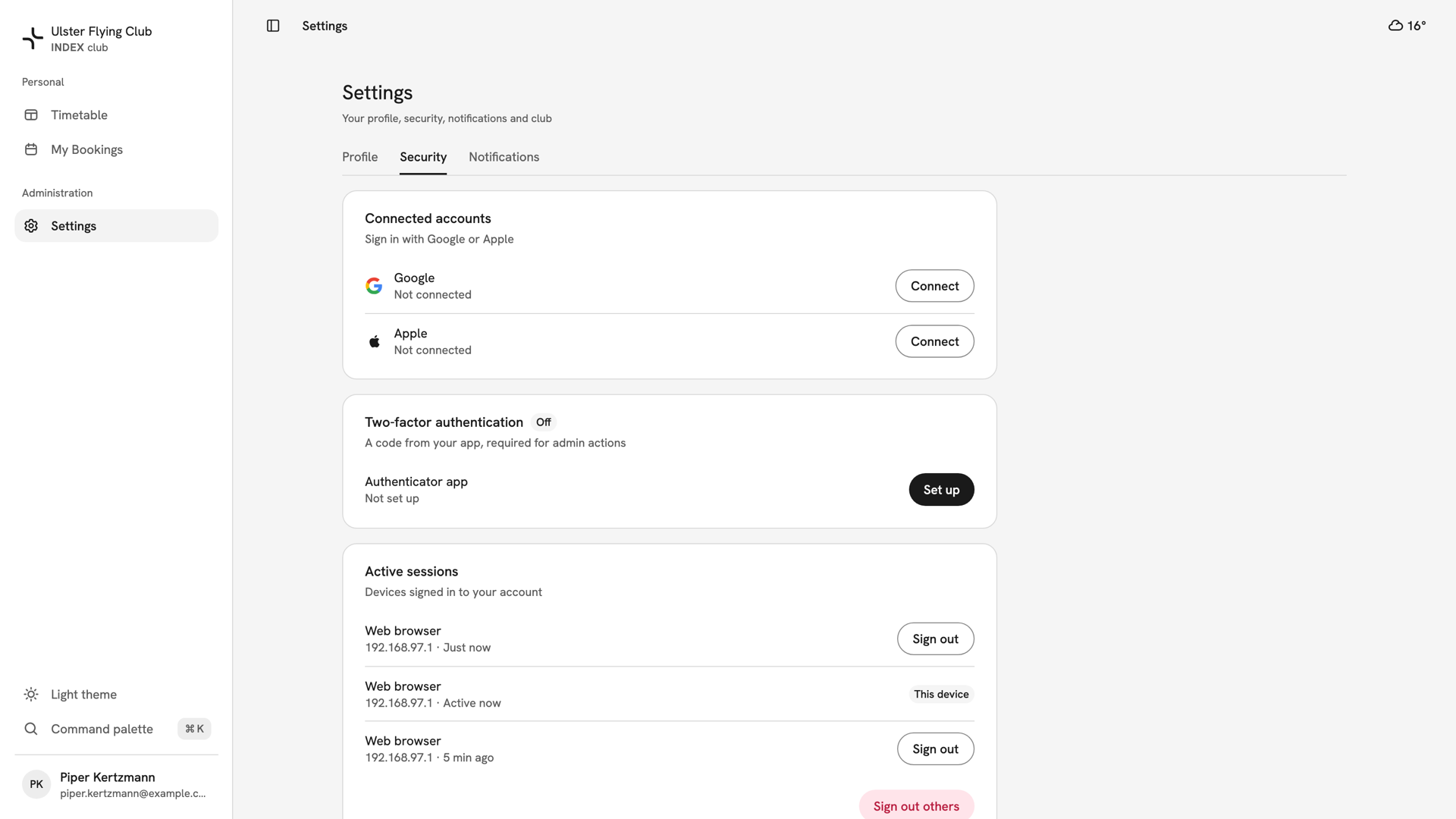
Piper Kertzmann's Active sessions: three browsers, the current one marked This device and active now. Sign out one device
Press Sign out on the row you do not recognise. It acts at once, with no confirmation, and shows Device signed out. You stay signed in here.
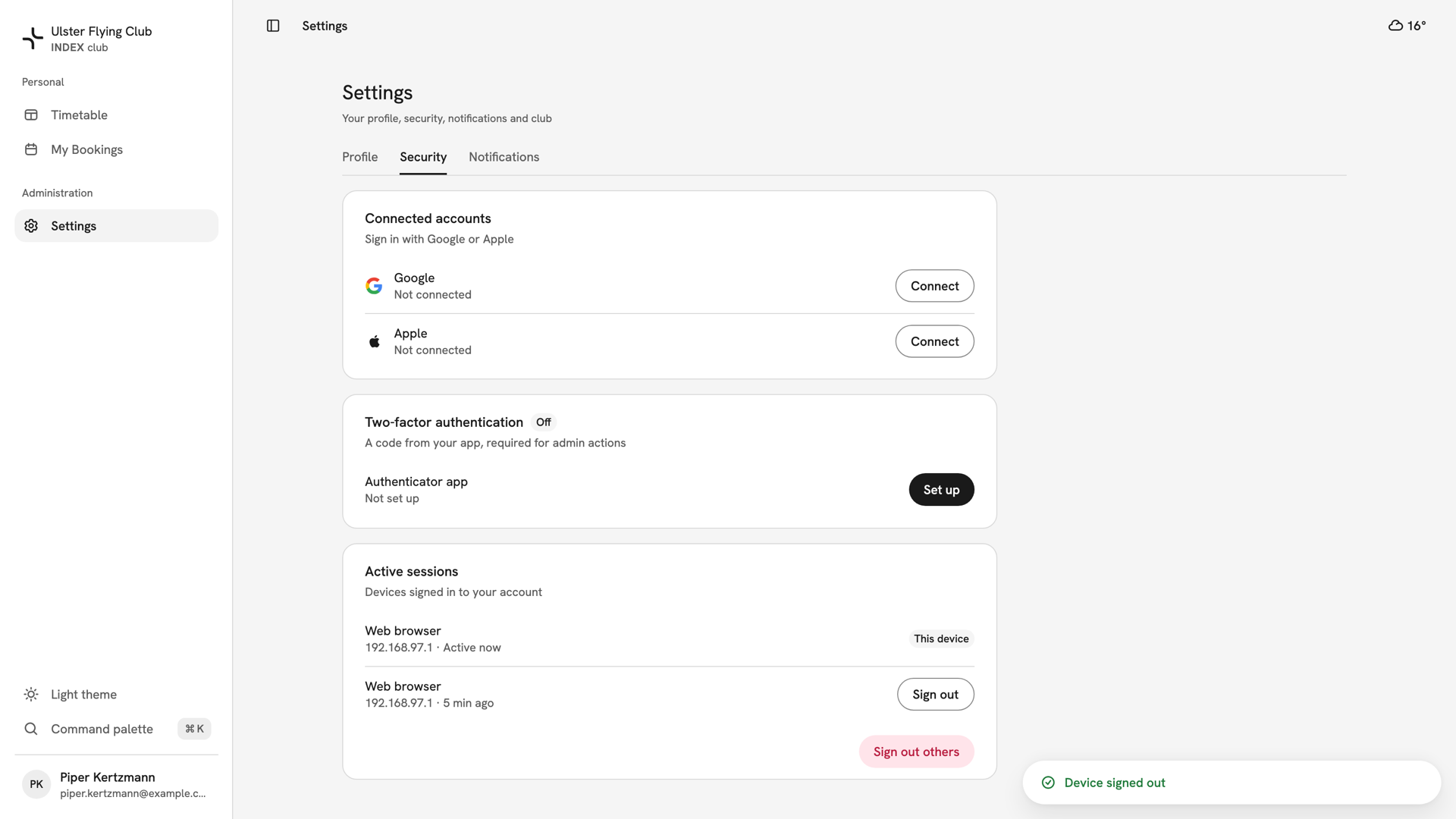
The card after signing out the browser last active just now, with Device signed out and two sessions left. Sign out the rest at once
Press Sign out others under the list, then Sign out others in Sign out other devices?. Every session except this one ends. Use it after losing a phone or laptop.
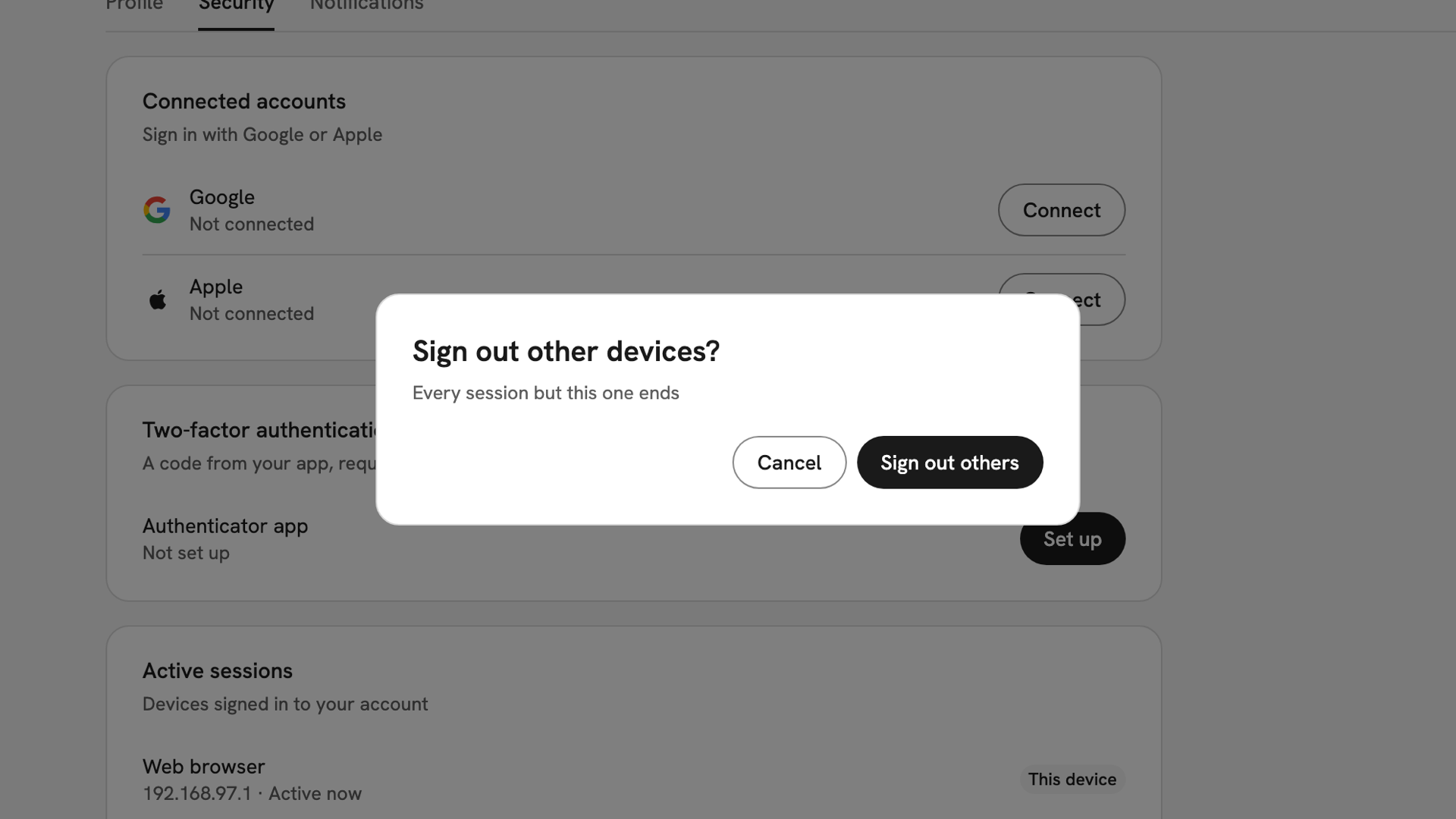
The Sign out other devices? confirmation, with Cancel and Sign out others.
After you have signed a device out
A signed-out browser can keep working for a few minutes, until the access it already holds expires. If you think somebody is using your account now, sign out the others and turn on Two-factor authentication.
If something goes wrong
- A device you signed out still works. Give it a few minutes. If it still works, press Sign out others.
- A row has no Sign out button. That is the device you are using. Press your name at the foot of the sidebar and choose Sign out.
- Signing out here signed you out everywhere. Sign out in the account menu ends every session, not just this one. Sign back in on each device; see Signing in.
- The same browser appears twice. Each fresh sign-in creates a new session. Signing out the older one is harmless.
Still stuck? Nobody at the club can see or end your sessions; this tab is the only place they appear.
Last updated 1 October 2026