Cancelling a booking
Giving a slot back, from your own list to the moment it reopens on the timetable.
Cancel a booking you cannot fly and the slot reopens on the timetable. It takes about a minute.
Before you start
- A live booking of your own. You can cancel a booking you are the member on while it is pending, confirmed or waiting to be rescheduled.
- Notice, for a confirmed slot. Inside the club's cancellation notice window, 24 hours unless your club changed it, only staff can cancel. You can withdraw a pending request at any time.
Giving the slot back
Find the booking
Open My Bookings from the sidebar. The Upcoming tab lists your next slots, soonest first. On a phone, tap the booking and press Manage in the sheet that opens. On the timetable, press the booking and use Manage instead.
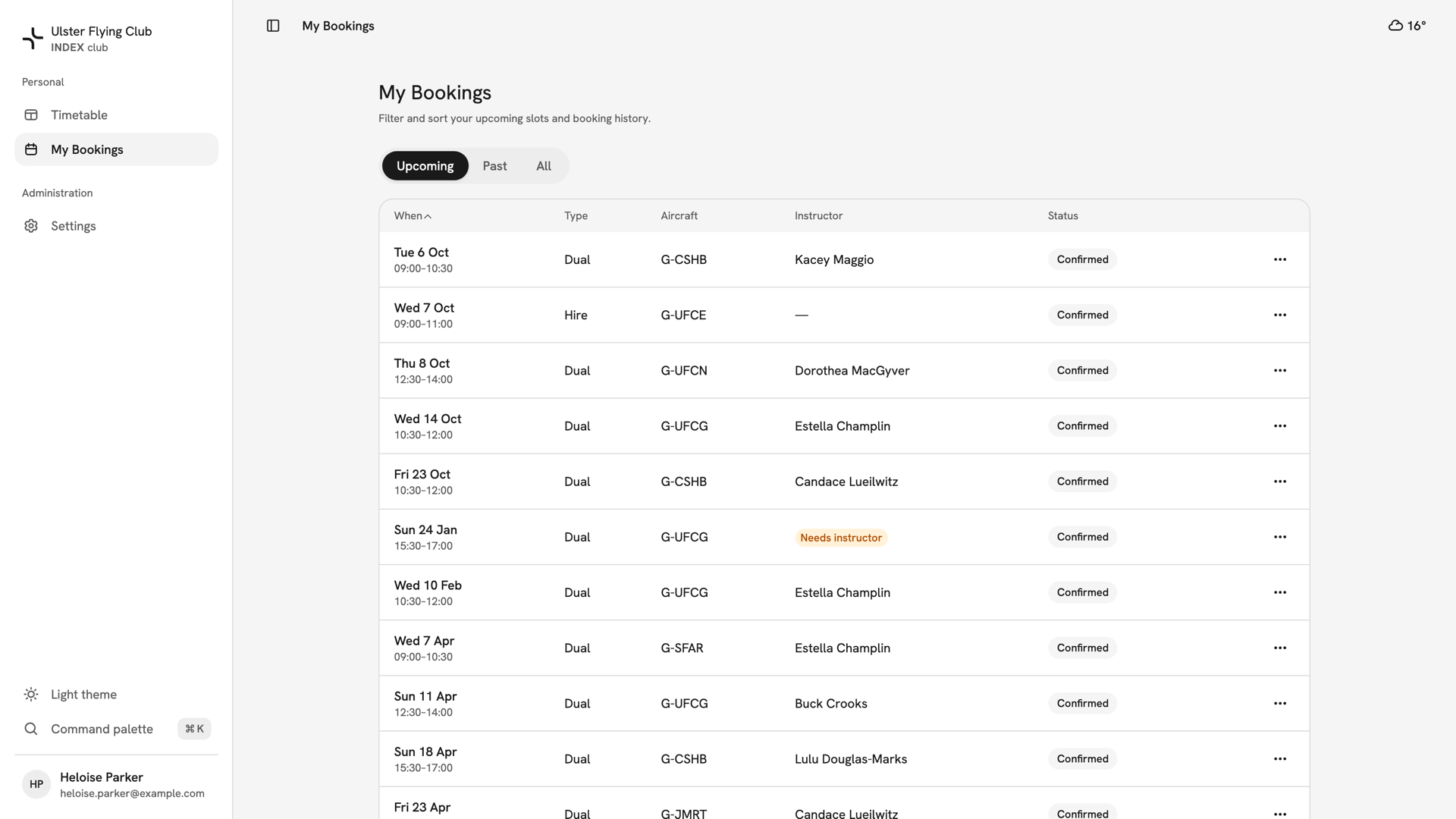
Heloise Parker's Upcoming tab, with the confirmed hire of G-UFCE on Wednesday 7 October second in the list. Open Cancel booking
Press the row's ⋯ menu and choose Cancel booking, in red. On a phone, press Cancel booking under Manage. The dialog shows a Can't be undone tag and reads the booking back. If Cancel booking is missing, the booking is finished, or it is a confirmed slot inside the notice window.
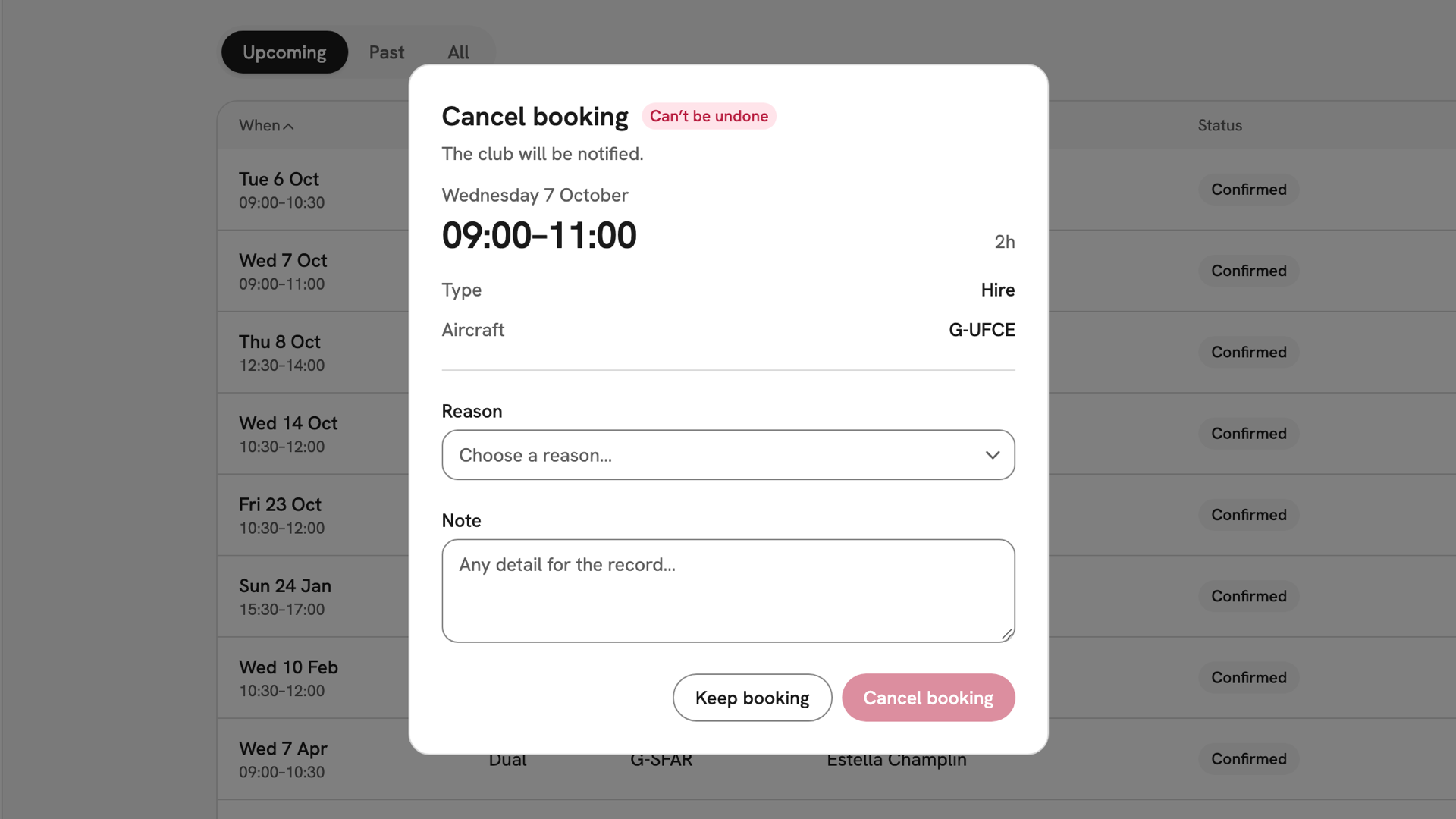
The Cancel booking dialog with the Can't be undone tag, reading back the Hire of G-UFCE, 09:00–11:00 on Wednesday 7 October. Choose a reason
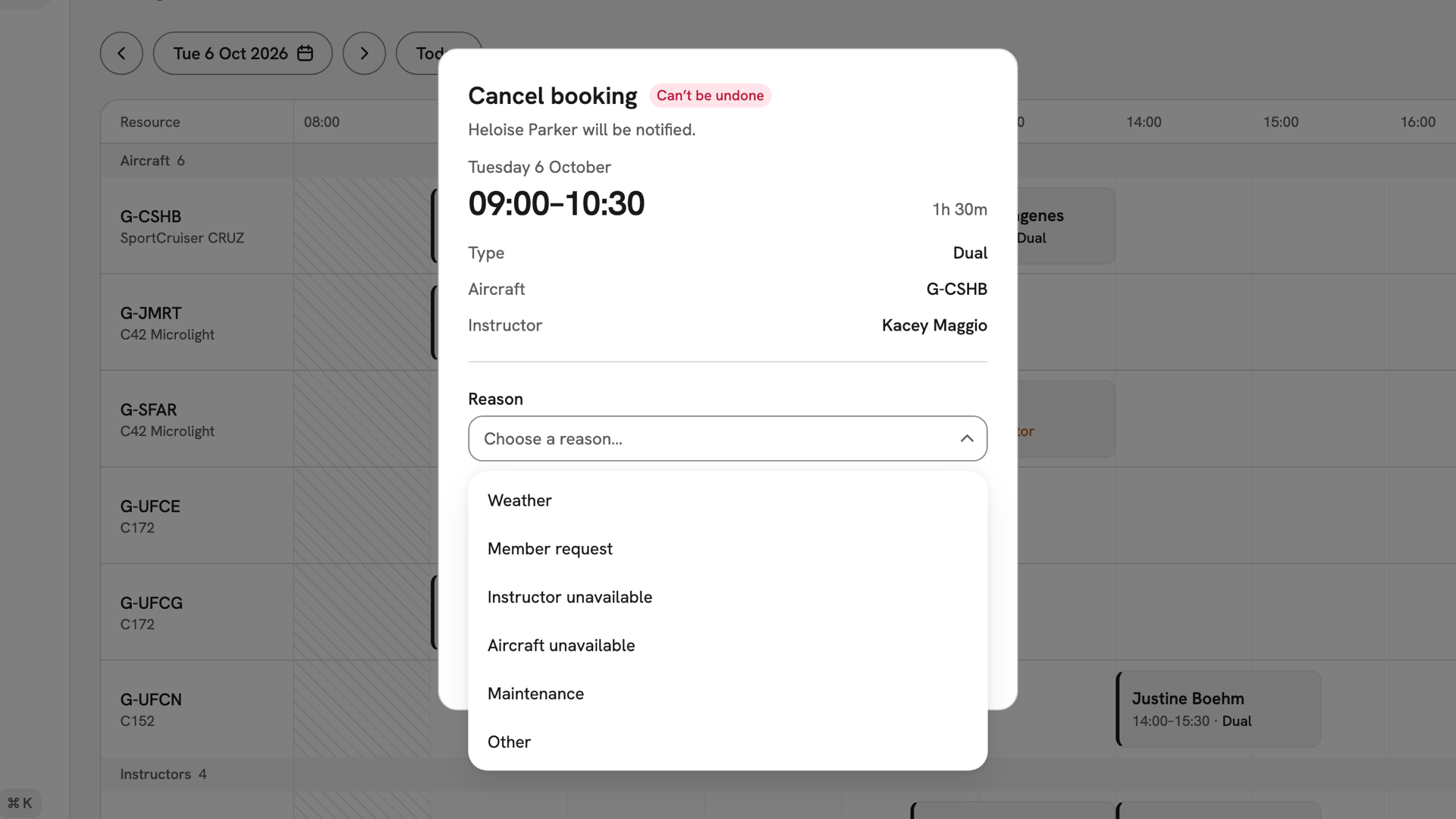
Reason is required, and the red button stays disabled until you choose one. For your own booking, choose Member request or Other. Note is optional. It goes on the club's record, not to anyone as a message.
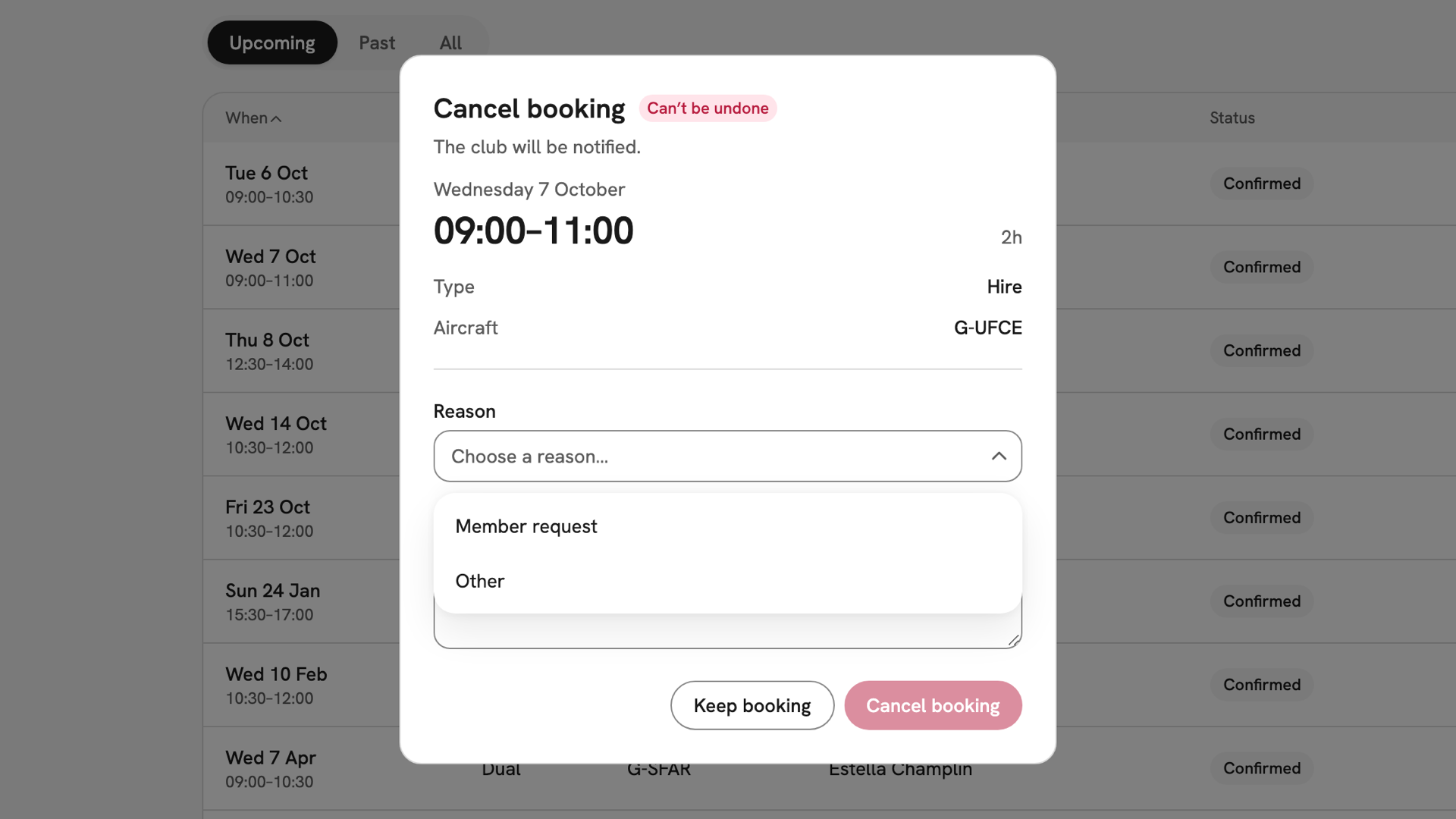
The Reason list open on a member's own cancellation, offering Member request and Other. Confirm
Press the red Cancel booking, or Keep booking to back out. The message "Your booking has been cancelled." appears and the slot reopens on the timetable straight away. The club is told. The booking stays in your list, chipped Cancelled.
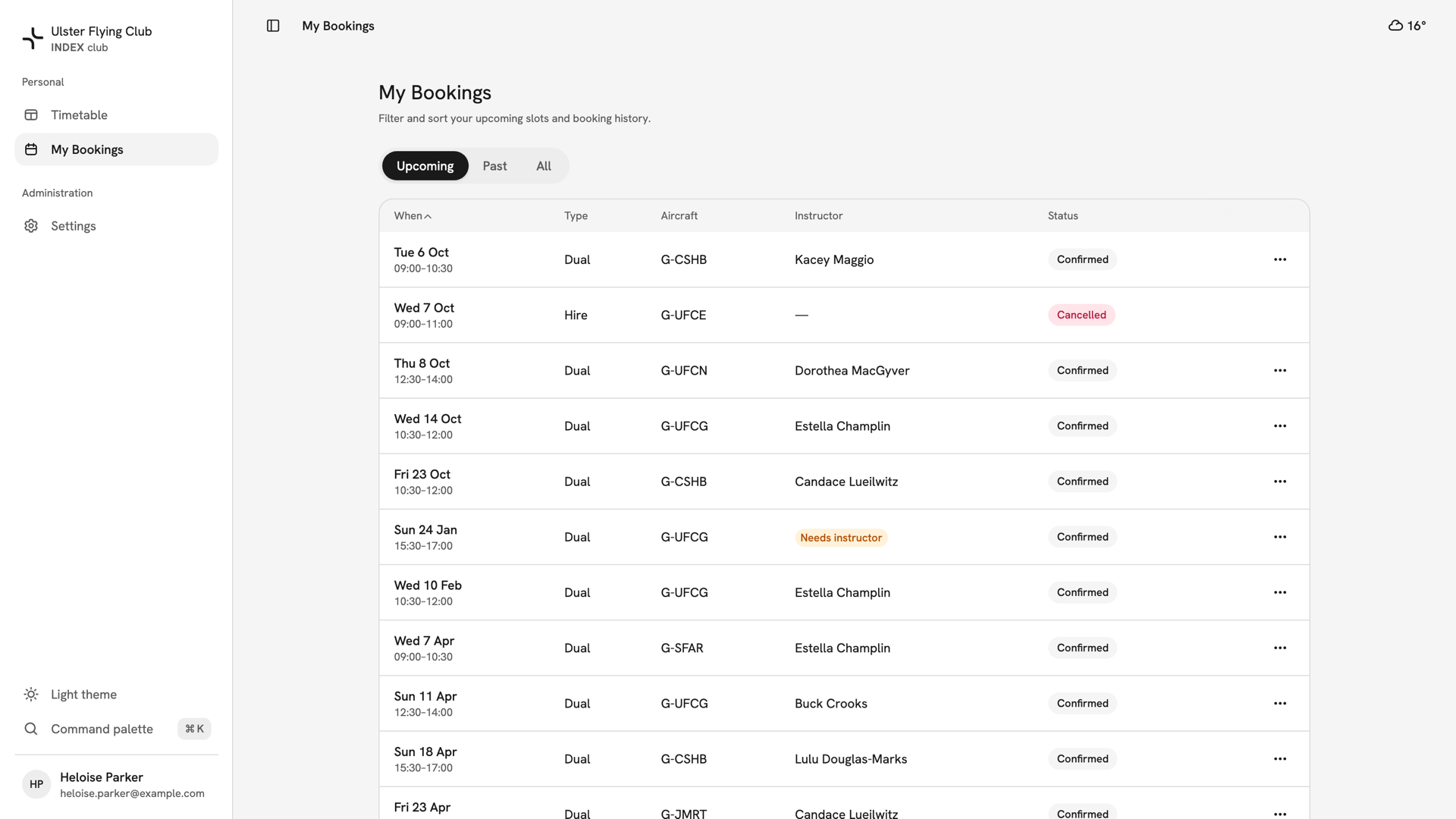
The Upcoming tab after cancelling, with the Wednesday 7 October hire of G-UFCE chipped Cancelled.
After you have cancelled
The booking keeps the reason you gave. To fly again, start at Creating a booking. Staff cancelling someone else's booking choose from a longer list, and the member is told. A Weather cancellation keeps the slot held on the timetable; every other reason frees it.
If something goes wrong
- There is no Cancel booking on my confirmed booking. It starts inside the club's notice window. Contact the club: staff can cancel it at any notice.
- Staff cannot find Cancel booking on a pending request. Pending bookings offer Review instead; decline the request there. See Approving a booking request.
- The reason you want is not in the list. Choose Other and put the detail in Note.
- "Couldn't cancel booking". The booking changed while the dialog was open. Close it, let the list refresh and check its state.
Still stuck? Your club's admins can cancel any booking at any notice, and can tell you whether your old slot is still free.
Last updated 1 October 2026