The audit log
The club's tamper-proof record of what changed, who changed it and when, and what it cannot tell you.
The audit log is the club's record of what changed, who changed it and when. The database writes it, and nobody can edit it.
Who can read it
Owners, admins and Instructor & Admins. Instructors and students do not see Audit Logs in the sidebar, and the database returns nothing to them.
What a row tells you
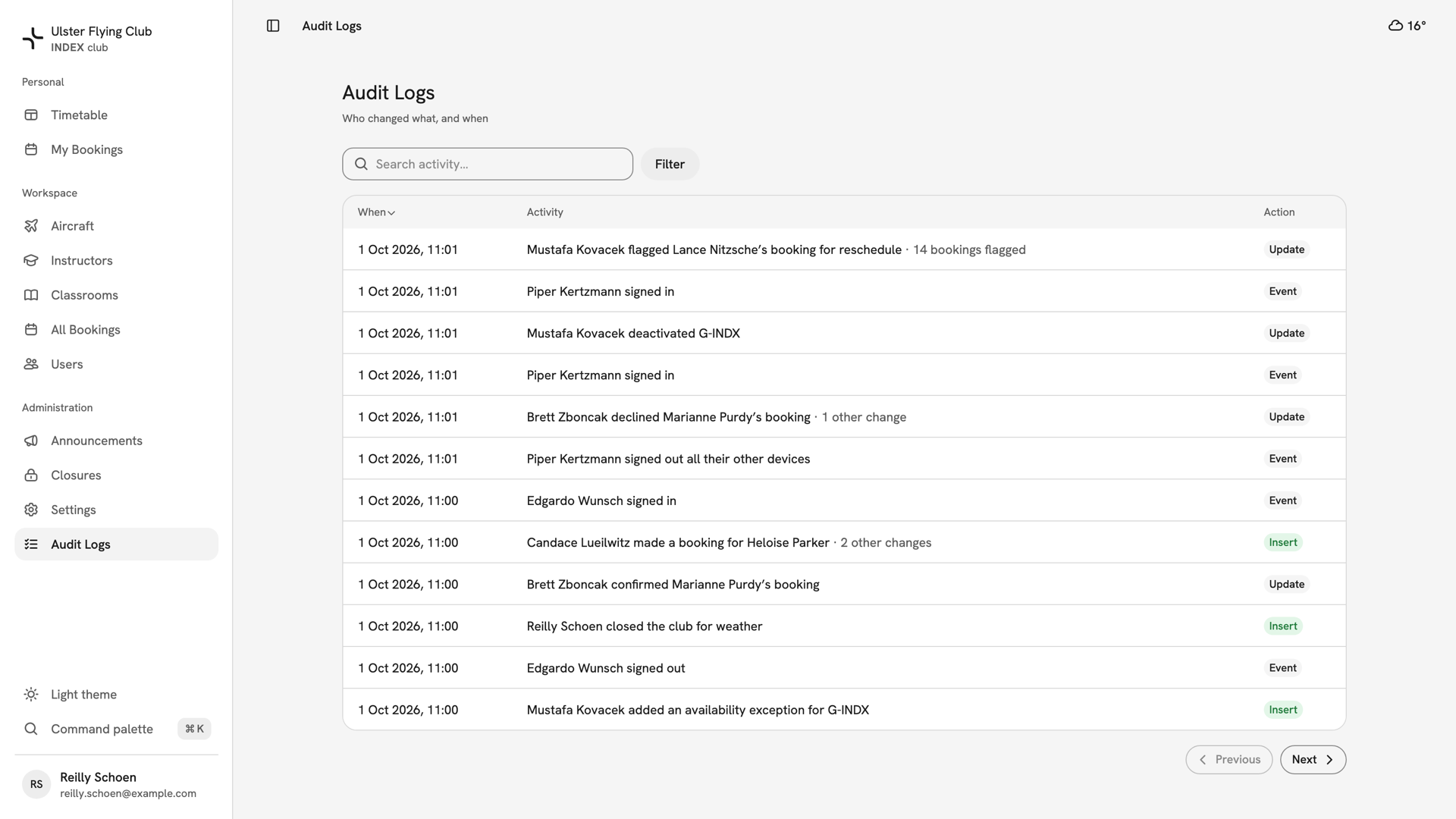
- When — the time on the club clock, wherever you are reading it.
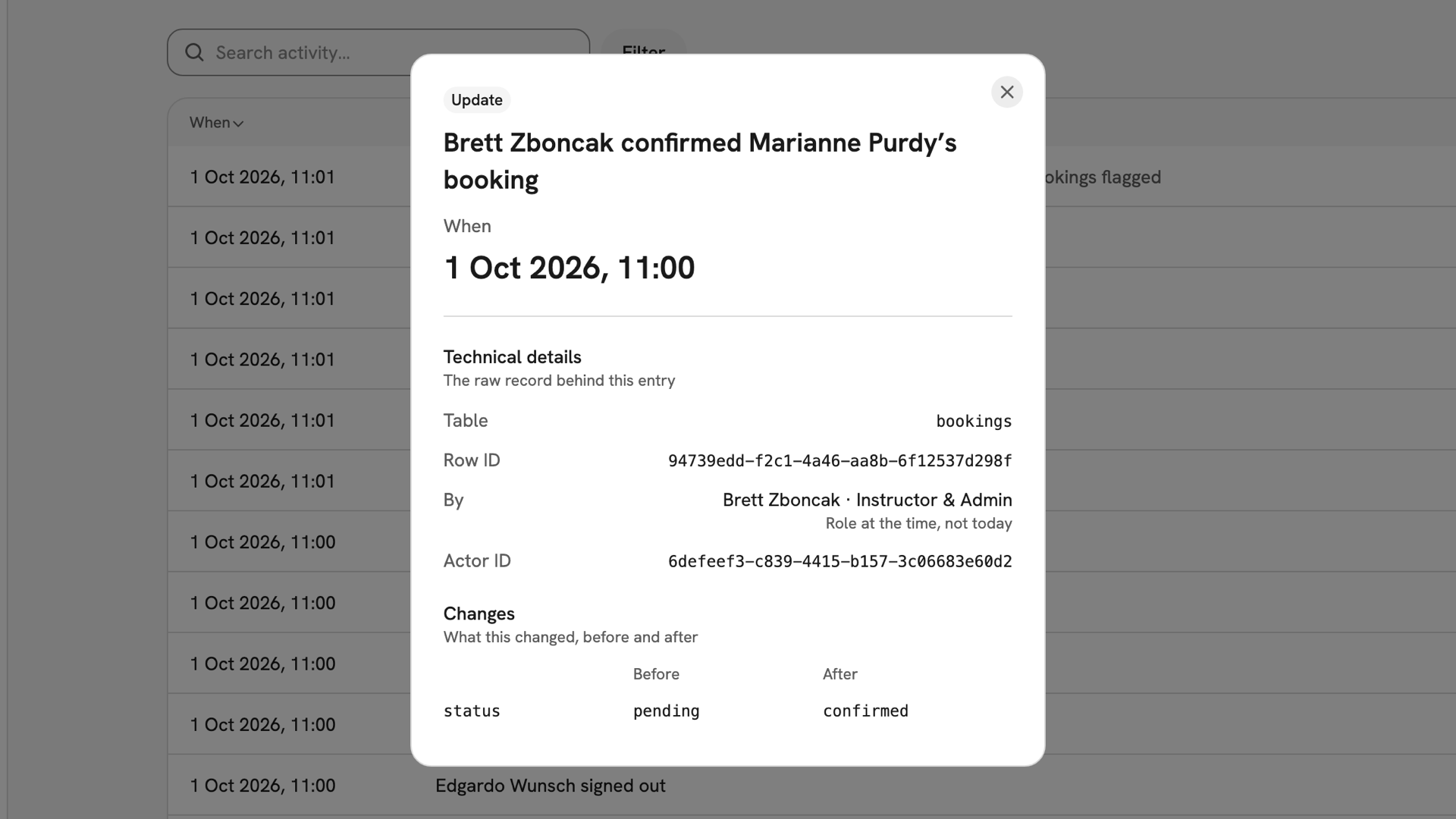
- Activity — a sentence naming who did what, such as "Reilly Schoen closed the club for weather". System means no person made the change.
- Action — Insert, Update, Delete or Event. Events record things like signing in and out and turning on two-factor sign-in.
One action that changed several records is one row. A note after the sentence says how many more it touched, such as "14 bookings flagged".
Press a row to open it. By shows the person's role at the time, not today. Changes shows each field before and after, and Affected records lists the other records the action touched.
Finding something
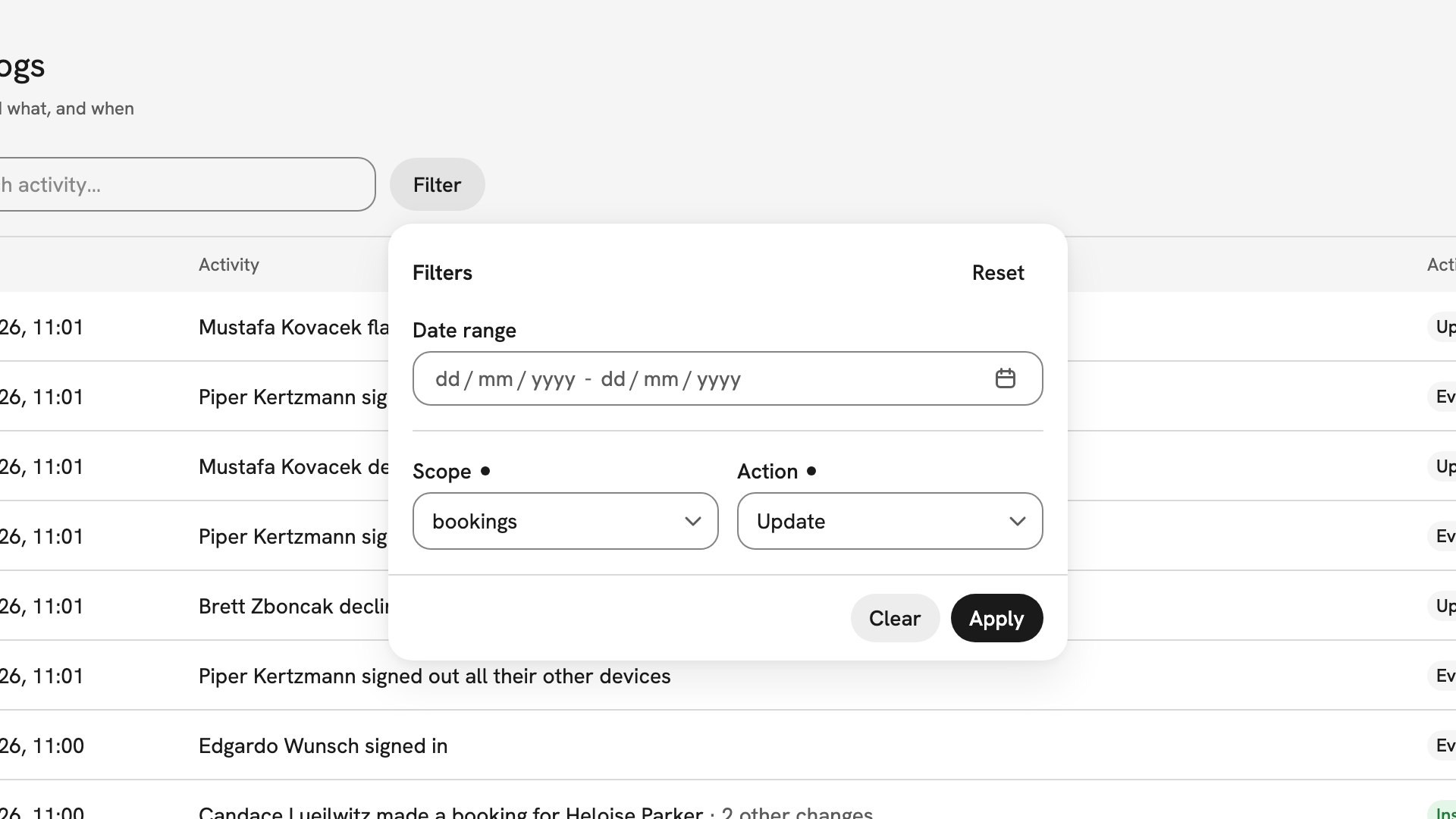
The log is newest first; press When to reverse it. Press Filter, set a Date range, a Scope or an Action, then press Apply. Applied filters show as chips under the search, with Clear all beside them.
The search box matches a person's name, a scope such as bookings, or an exact
row ID. Paging is Previous and Next, twelve rows at a time, and there is
no export.
What it does not record
- Reading. Opening a record, or the log itself, leaves no trace.
- Saves that changed nothing.
- Supporting copies. A few internal fields that only mirror another record are not written twice. A missing entry does not prove nothing happened.
Sign-in and email entries are kept for at least two years, and changes to records for at least five. Nobody, including the owner, can edit or delete an entry.
If something goes wrong
- Audit Logs is not in the sidebar. It is for owners, admins and Instructor & Admins only.
- "No audit entries". Filters or a search are still applied. Press Clear all.
- The search finds nothing. It matches names, scopes and exact row IDs, not words in the sentence. Use Scope and read down the entries instead.
- The role under By looks wrong. It is the role the person held when they made the change, not their role today.
Still stuck? Your club's owner sees the same log you do; there is no fuller version.
Last updated 1 October 2026