Rooms and ground school
The classrooms list, each room's record, and how a room is booked for ground school.
A classroom is bookable in the same way as an aircraft: it has a record and hours, and a booking claims a slot of it. Ulster Flying Club has two, Briefing Room 1 and Briefing Room 2.
Who can open it
Classrooms appears under Workspace in the sidebar for owners, admins and instructor-admins, and they can change any room. Instructors and students cannot browse the rooms, but any member can book one from the booking form.
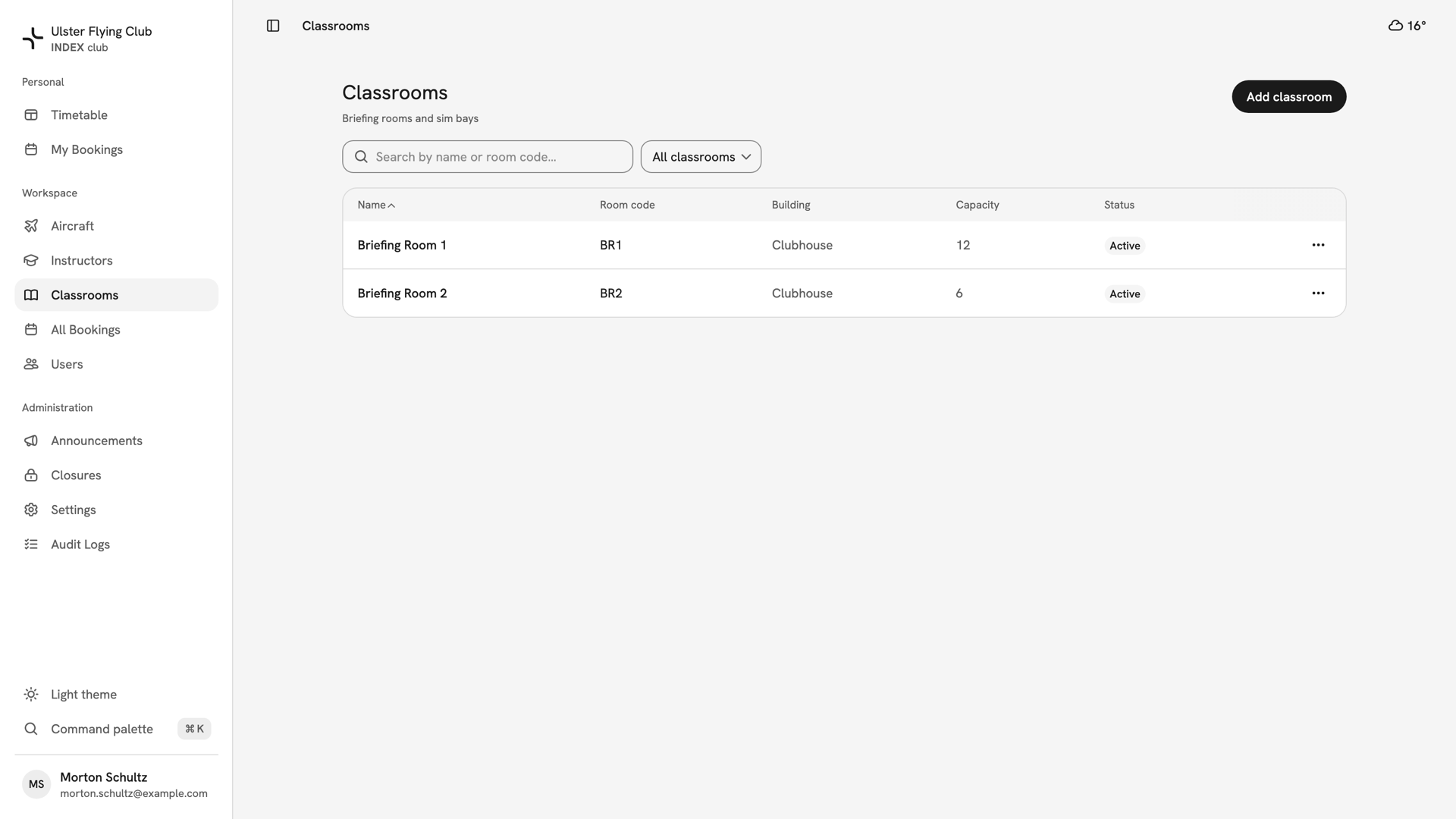
The list
The list has five columns: Name, Room code, Building, Capacity and Status. Search by name or room code, and filter by All classrooms, Active or Inactive. Add classroom creates a room; a name and room code are enough.
One room's record
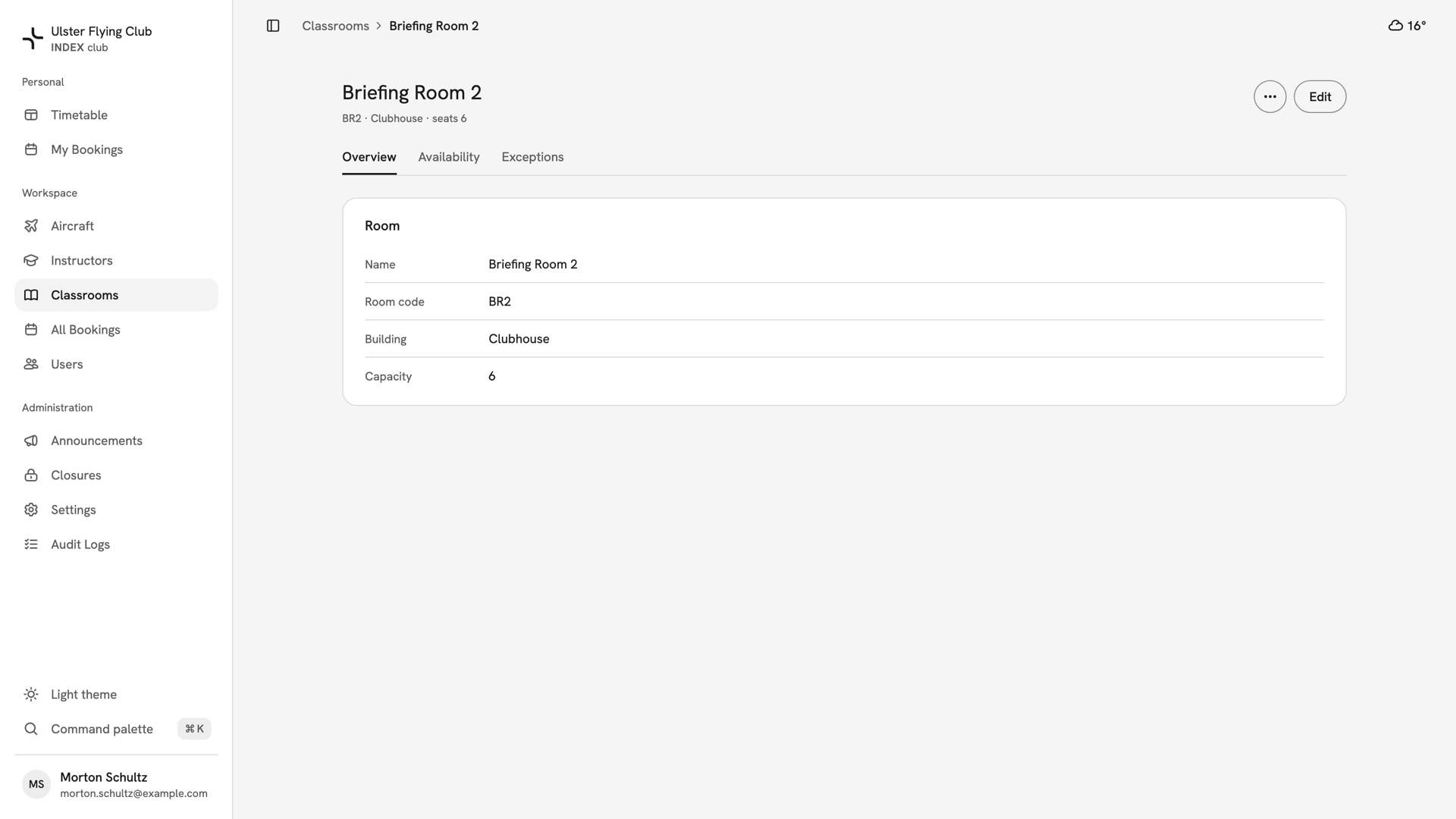
Press a name to open the room. The Overview tab's Room card holds Name, Room code, Building and Capacity. Press Edit to change them; each room code must be unique.
Availability and Exceptions set the room's hours; see Room availability. The ⋯ menu deactivates or deletes the room.
Capacity is for information only. INDEX Club does not count attendees; it only stops two bookings holding the same room at the same time.
Booking a room
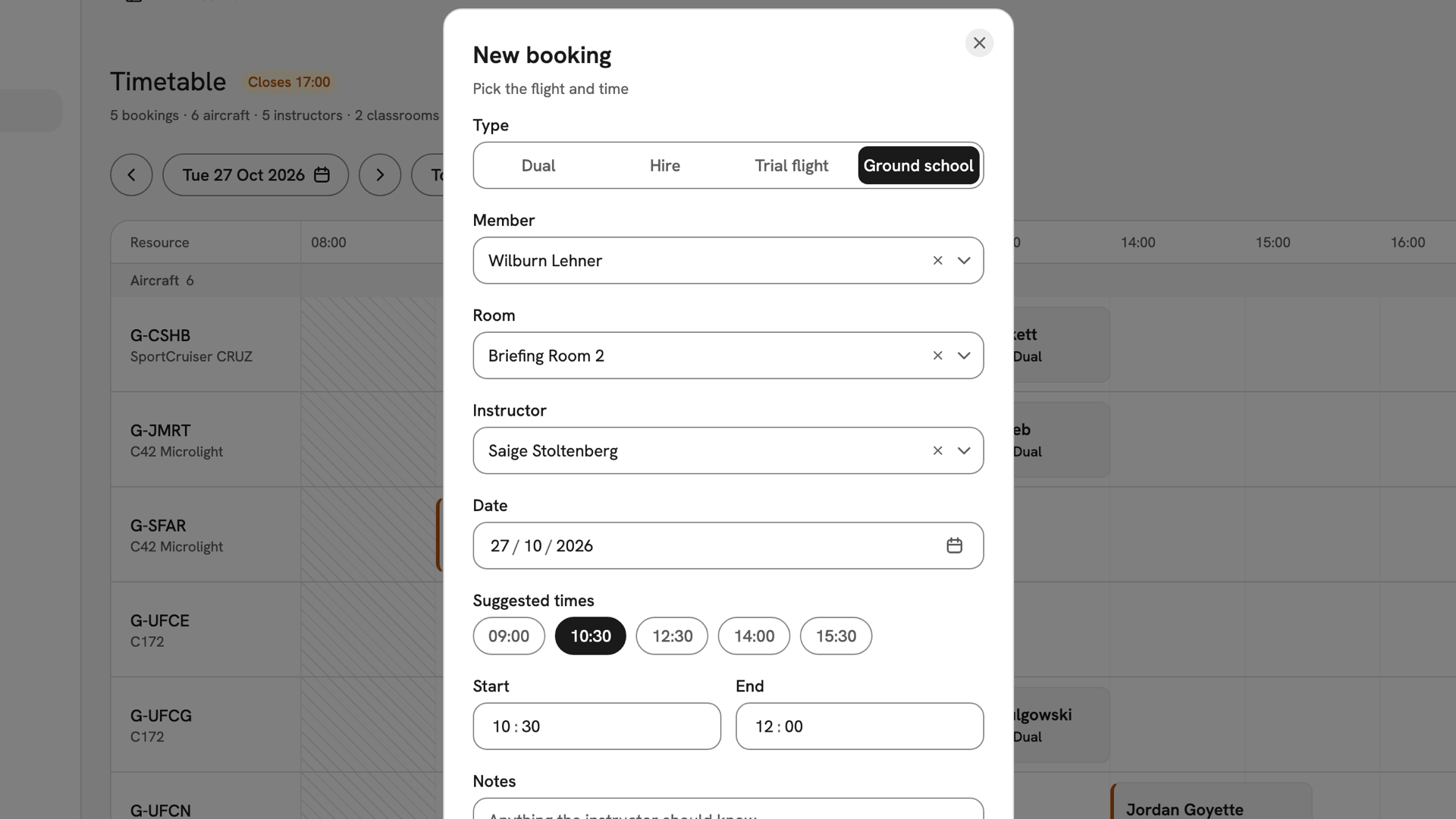
Book a room from the ordinary booking form by choosing Ground school as the type. The Aircraft field becomes Room, which offers active rooms only. Set the Member, Room, Instructor and time.
A ground school booking still needs an instructor. It has no aircraft, so aircraft clearances do not apply. The rest of the flow is in Creating a booking.
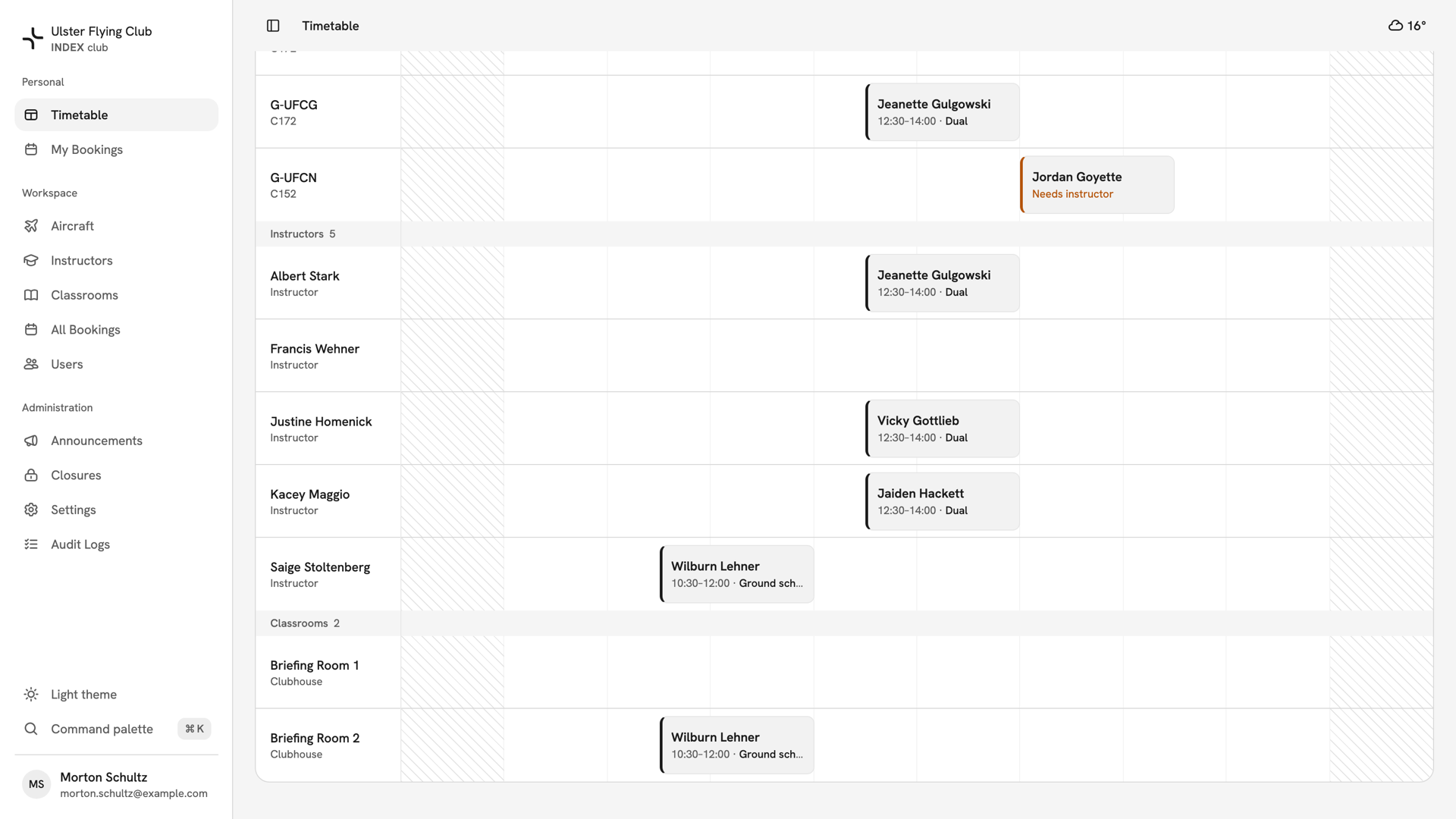
The booking appears in the room's row under Classrooms on the timetable, and in the instructor's row.
If something looks wrong
- "Already booked at this time". Another booking holds the room or instructor then. Pick another time or room.
- "Outside operating hours". The room or instructor is not available then. Open the room's hours in Room availability.
- A room is missing from the booking form. Check the type is Ground school. Inactive rooms, and rooms closed all that day, are not offered.
- "That room code is already in use." Another room holds the code, possibly an inactive one.
Still stuck? Your club's owner and admins can add, edit and deactivate rooms and set their hours.
Last updated 1 October 2026