What instructors can see
Why an instructor's sidebar is short, which bookings you can act on, and what the timetable shows of everyone else's.
An instructor sees less of INDEX Club than your club's admins, and no setting changes that. One rule decides what you get: whether you are on the booking.
Before you start
- An active instructor record linked to your login. Without it, you cannot pick up bookings or reach My availability. An admin makes the link on The instructor roster.
What your sidebar holds
Personal holds Timetable and My Bookings, and you land on the timetable when you sign in. Administration holds only Settings, for your own profile, security and notifications. My availability is not in the sidebar: open it from the Command palette with ⌘K.
The bookings you can act on
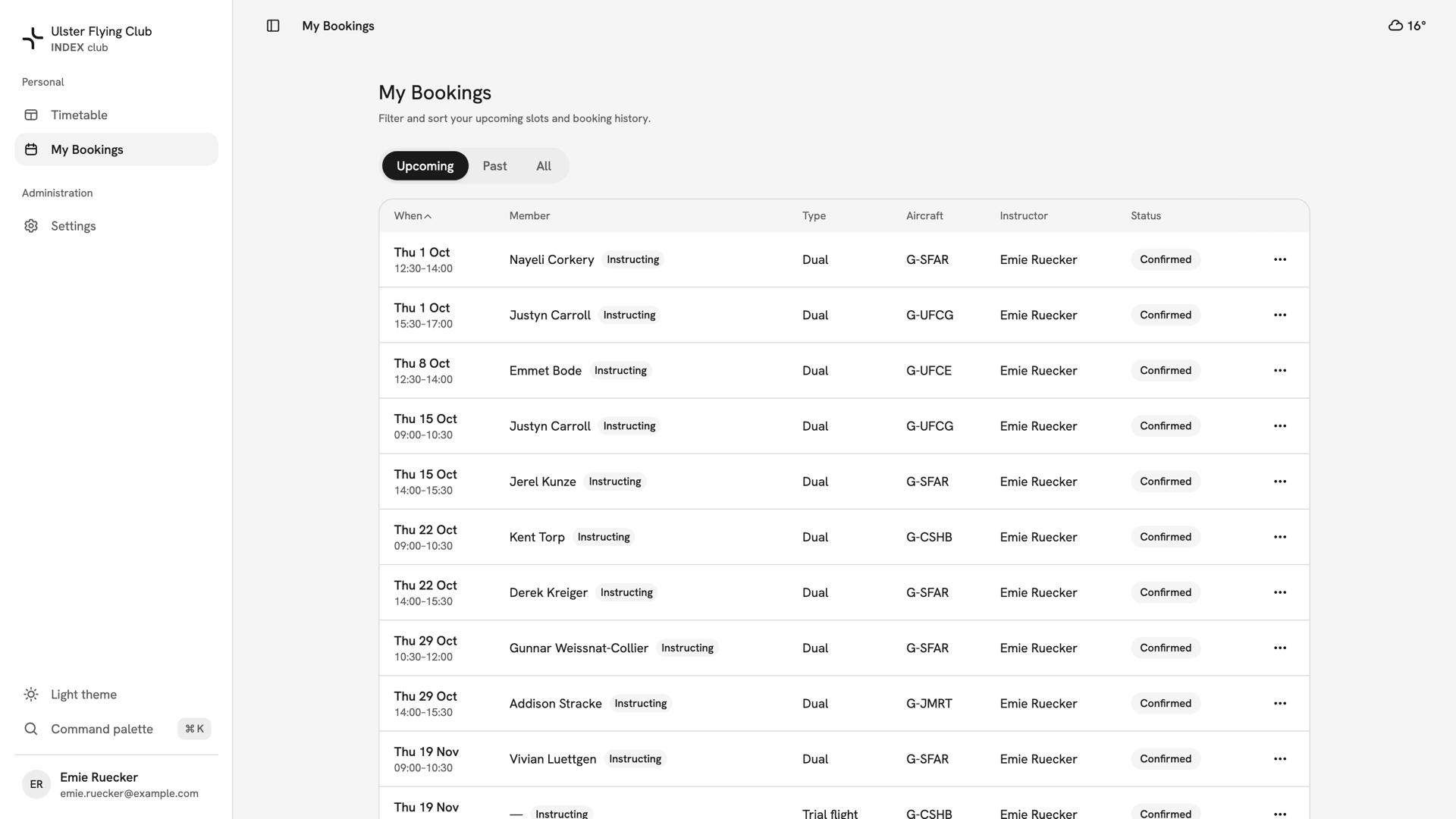
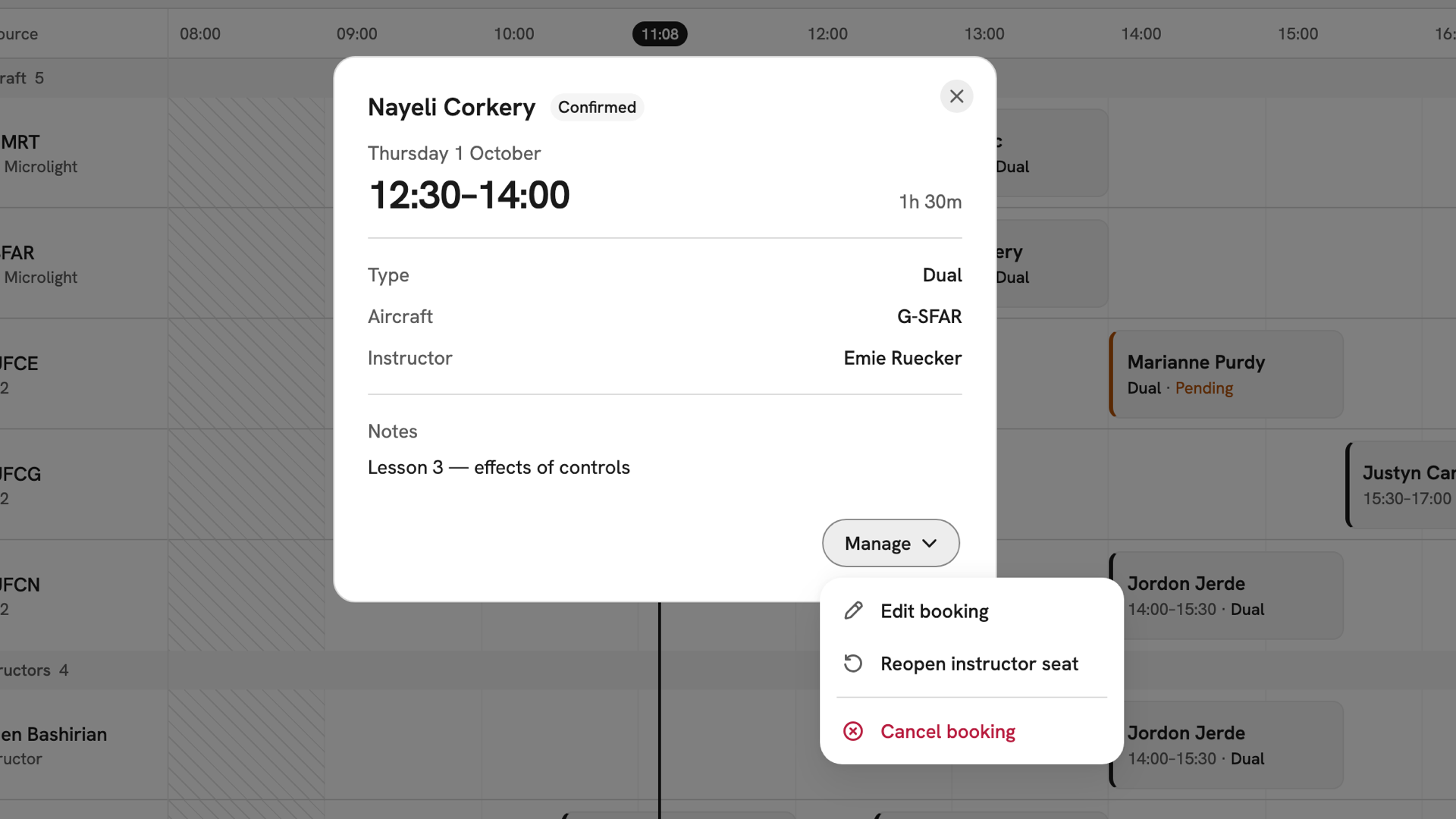
- Bookings you instruct. Full detail and notes. Under Manage you can edit, cancel or reopen the seat, and you can sign them off once they end.
- Your own bookings as a member. A hire you book yourself works as it does for any member.
- Everyone else's. A summary only, with no actions.
There is no All Bookings page for instructors. My Bookings lists your own bookings and every lesson you teach, marked Instructing.
What the timetable shows you
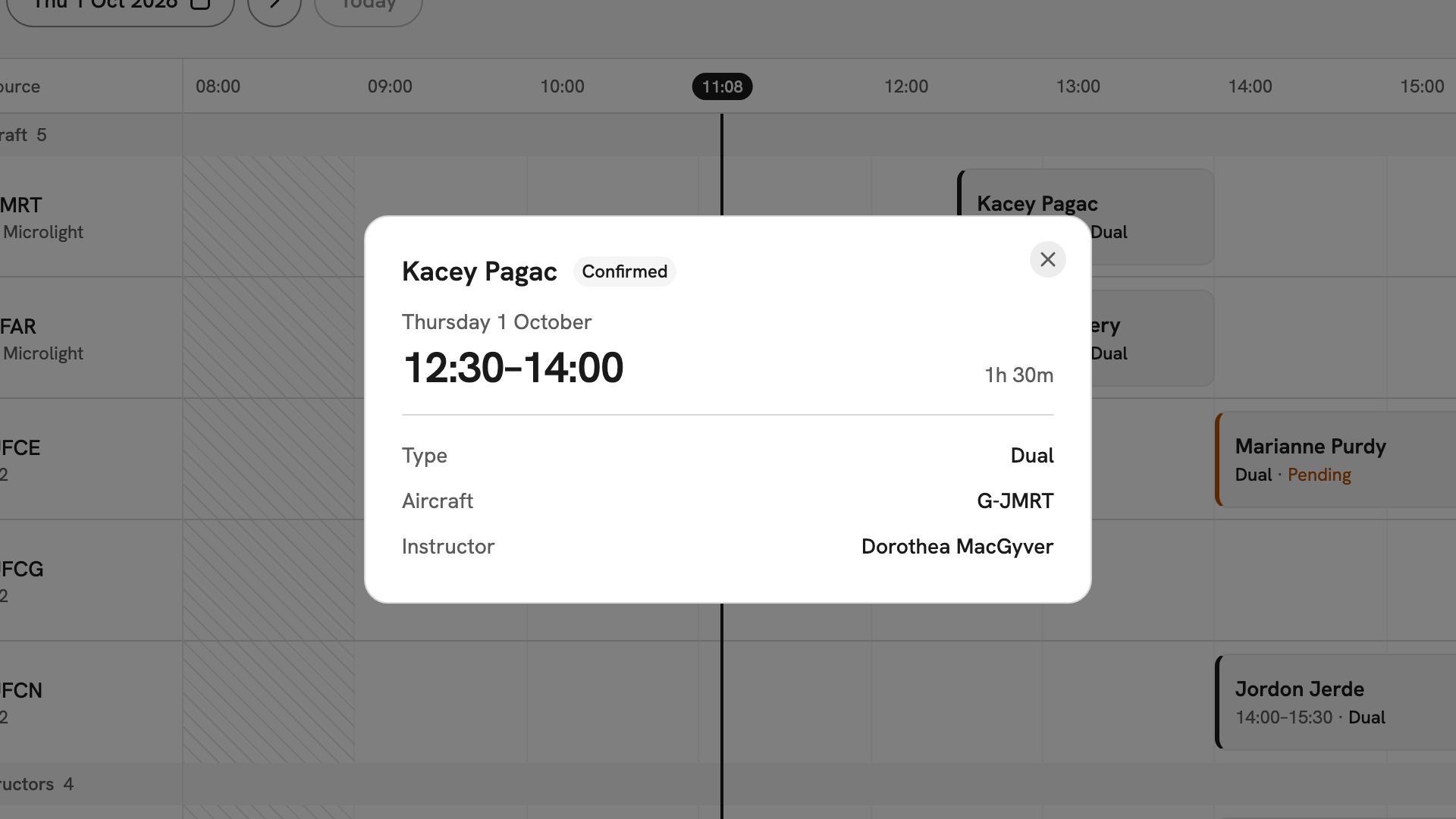
For bookings you are not on, the timetable shows the member, the type, the aircraft, the instructor and the window. It never shows notes. The one action on someone else's booking is Pick up booking, on a seat marked Needs instructor.
What you cannot reach
- The fleet pages. Book from the timetable and the booking form's aircraft list instead.
- The instructor roster. My availability is your view of your own record.
- The member directory. You see members' names on bookings, but not their email, phone number or address.
- The classroom pages. You can still book a room from the booking form.
After you have read this
Two things need nobody's approval: setting your hours, in Your teaching hours, and taking a seat that needs an instructor, in Picking up a booking.
If something goes wrong
- There is no Pick up booking button. Your login is not linked to an active instructor record. Holding the instructor role is not enough; an admin has to make the link.
- You can see a booking but cannot act on it. You are not on it. Only its instructor and your club's admins can change it.
- A member's phone number is not shown. Contact details are for admins only. Ask one of them to pass the message on.
Still stuck? Your club's admins and its owner can see every booking, aircraft and member record, and change what you cannot.
Last updated 1 October 2026