The instructor roster
The roster of bookable instructors, what each record holds, and how it differs from the member directory.
The roster lists the club's instructors as bookable resources: who can teach, on which aircraft, and when. Their hours and clearances are managed from here.
Roster or member directory
Instructors appear in two places. Under Users they are members, with a role and contact details; change those there. Under Instructors they are a resource with hours that bookings claim; set what they teach on and when here.
Who can open it
Instructors appears under Workspace in the sidebar for owners, admins and instructor-admins, and they can change everything on it. Instructors do not have the roster; they set their own hours in Your teaching hours.
The list
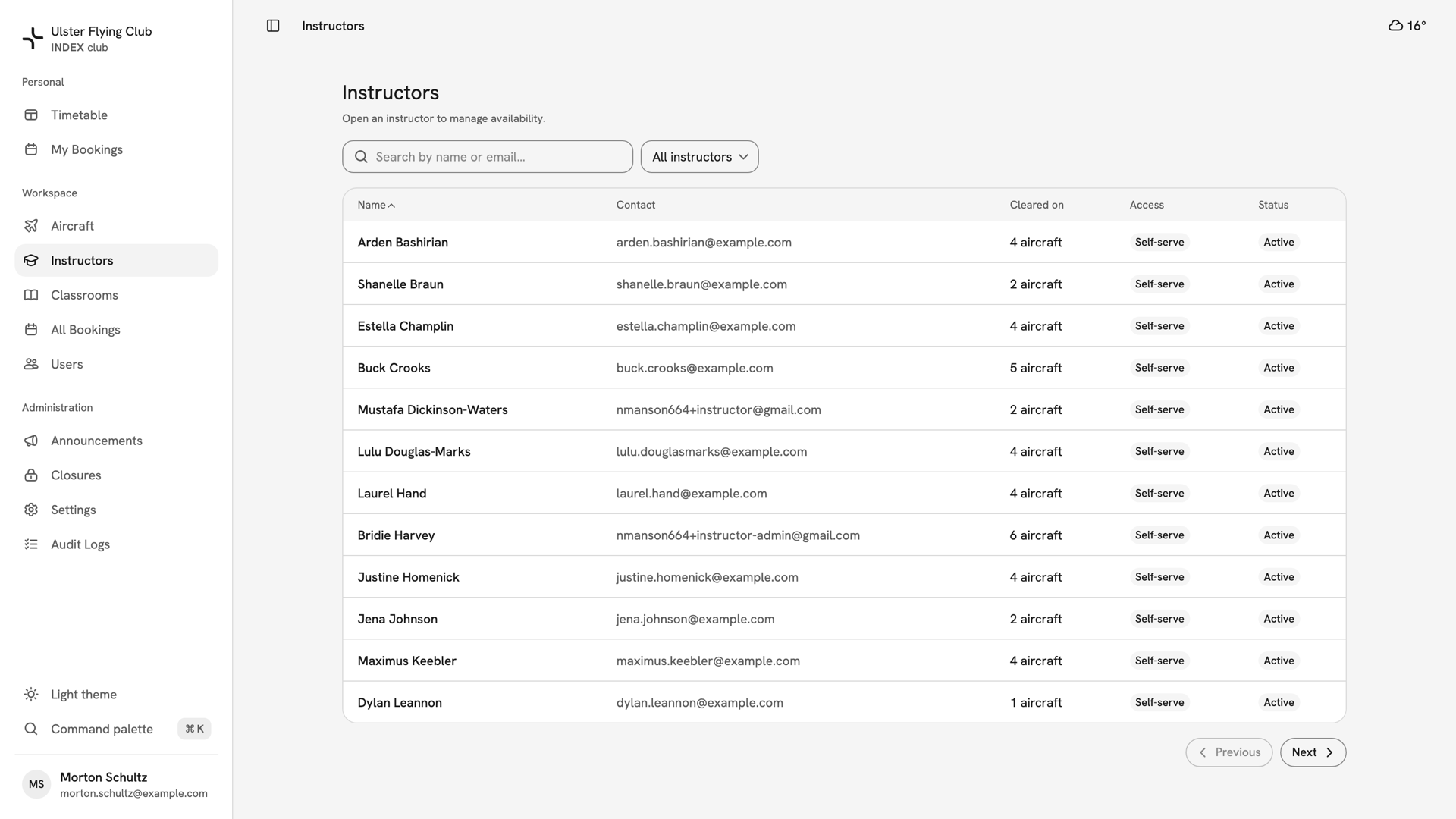
The roster has five columns: Name, Contact, Cleared on, Access and Status. Cleared on counts the aircraft each instructor may teach on, such as "4 aircraft". Search by name or email, and filter by All instructors, Active or Inactive.
Access reads Self-serve when the instructor's login is linked to their record. Only then can they edit their own hours. Status reads Active or Inactive, and only active instructors can be booked.
There is no Add button: a record comes from giving a member the Instructor role under Users.
One instructor's record
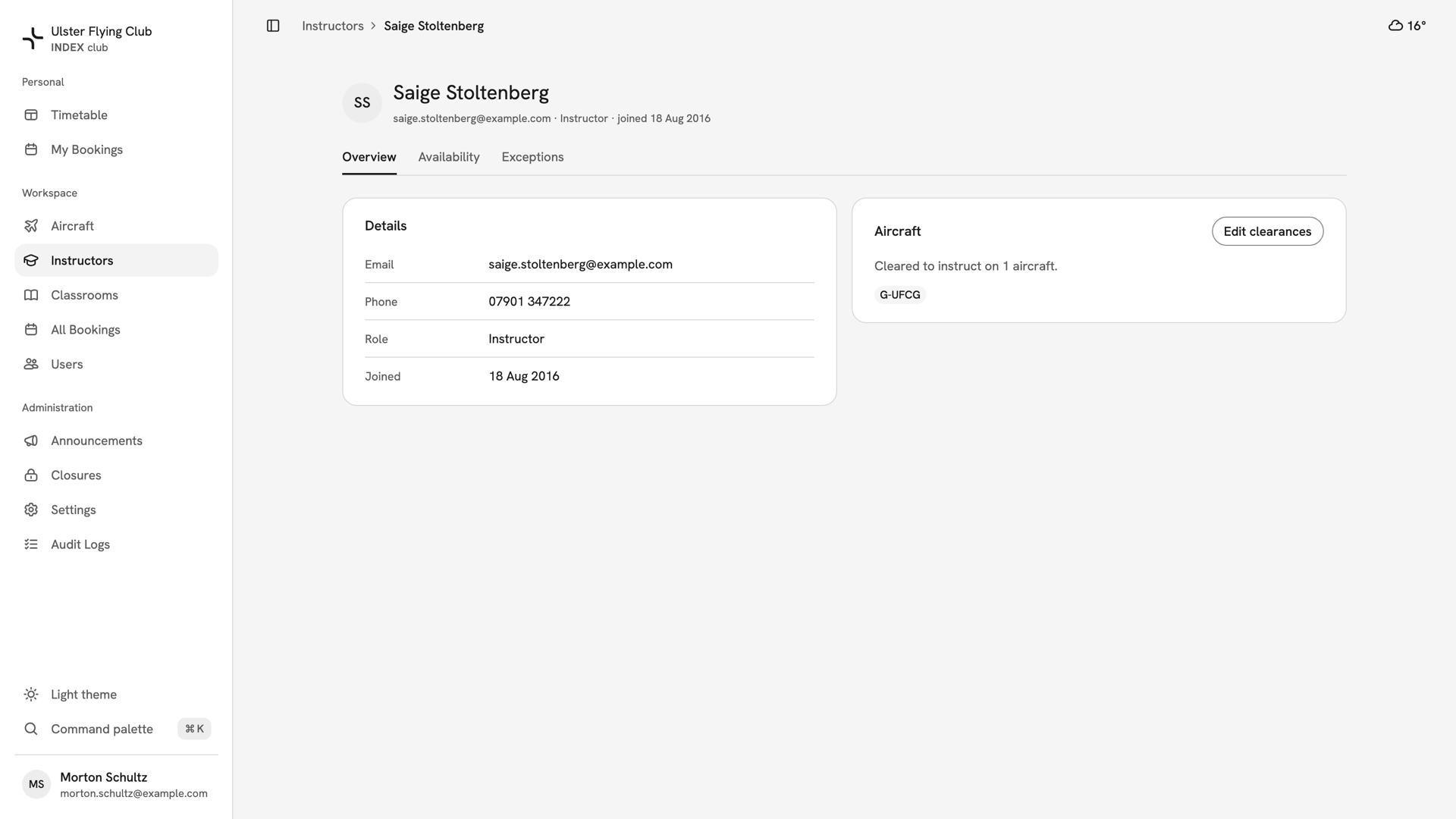
Press a name to open the record. Its header shows their email, role and join date, over three tabs.
- Overview: Details (email, phone, role, joined) and Aircraft, the aircraft they are cleared to instruct on. See Instructor aircraft clearances.
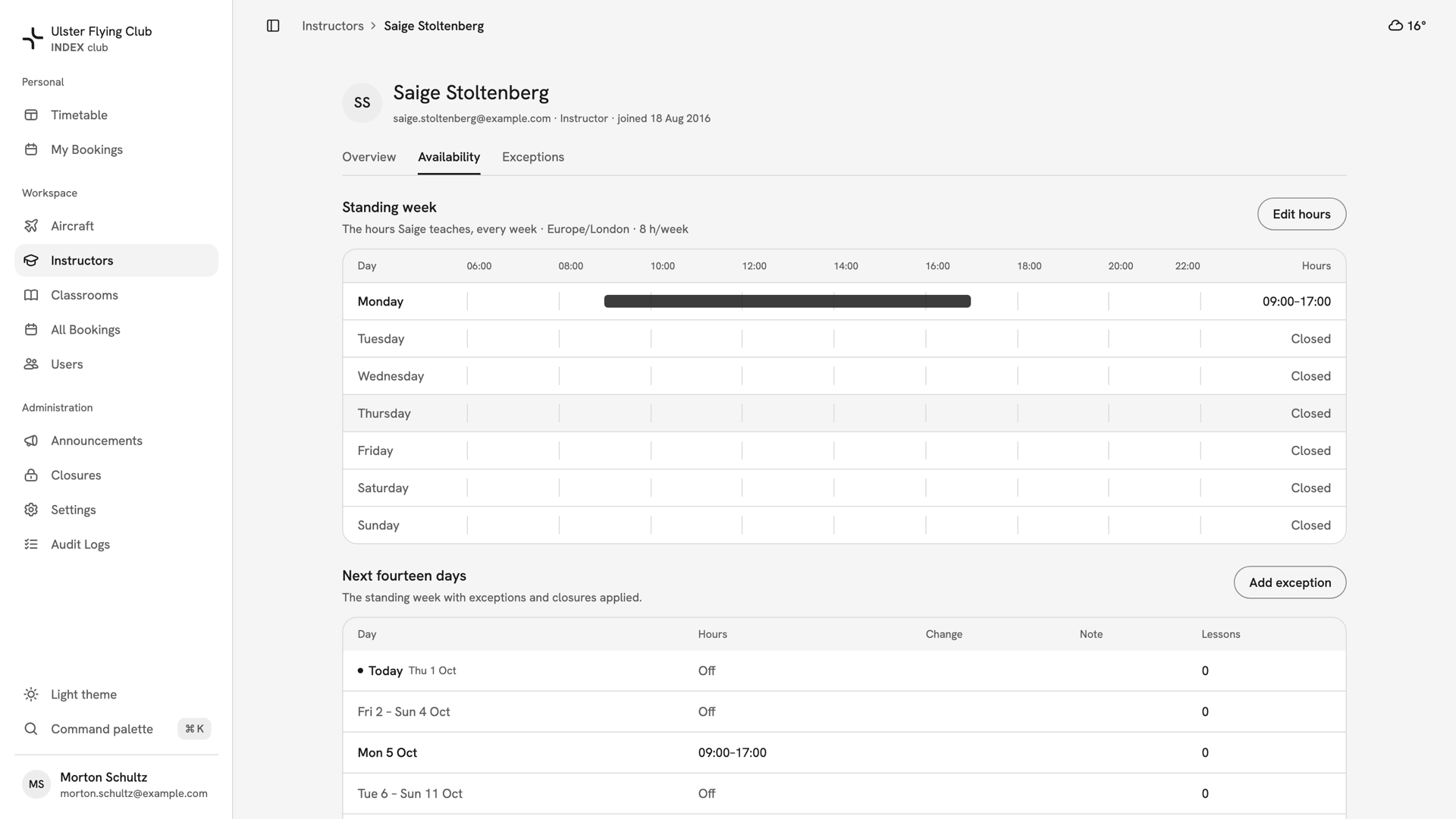
- Availability: their Standing week and the Next fourteen days, with exceptions and club closures applied.
- Exceptions: days that differ from the standing week. See Editing an instructor's availability.
Staff and a self-serve instructor edit the same hours, with no approval step. The last change is what the timetable offers.
If something looks wrong
- Someone with the instructor role is not on the roster. The role alone does not make them bookable. The record does, and it comes from the role being given under Users.
- Access shows a dash. Their login is not linked to their record, so they cannot edit their own hours. Staff set them instead.
- An instructor is missing from the list. Set the filter to All instructors; inactive instructors are hidden under Active.
- "Not cleared on any aircraft." Every dual booking and pickup with them is refused until you tick at least one aircraft.
Still stuck? Your club's owner and admins can open every instructor record and change any of it.
Last updated 1 October 2026