Reopening an instructor seat
Taking an instructor off a booking without cancelling it, from finding the lesson to seeing it marked Needs instructor.
When an instructor cannot take a lesson, take them off the booking instead of cancelling it. The seat reopens for another instructor in about 30 seconds.
Before you start
- Permission to edit bookings. Every role except Student has it, so an instructor can take themselves off their own lesson.
- A confirmed booking that has not started. On a pending request, change the instructor while reviewing or editing it instead.
- An instructor on the booking. A hire with no instructor has no seat to reopen.
Reopening the seat
Find the booking
Open the day on the Timetable and press the booking. In the panel, press Manage. Admins can also find it on All Bookings and use the row's ⋯ menu.
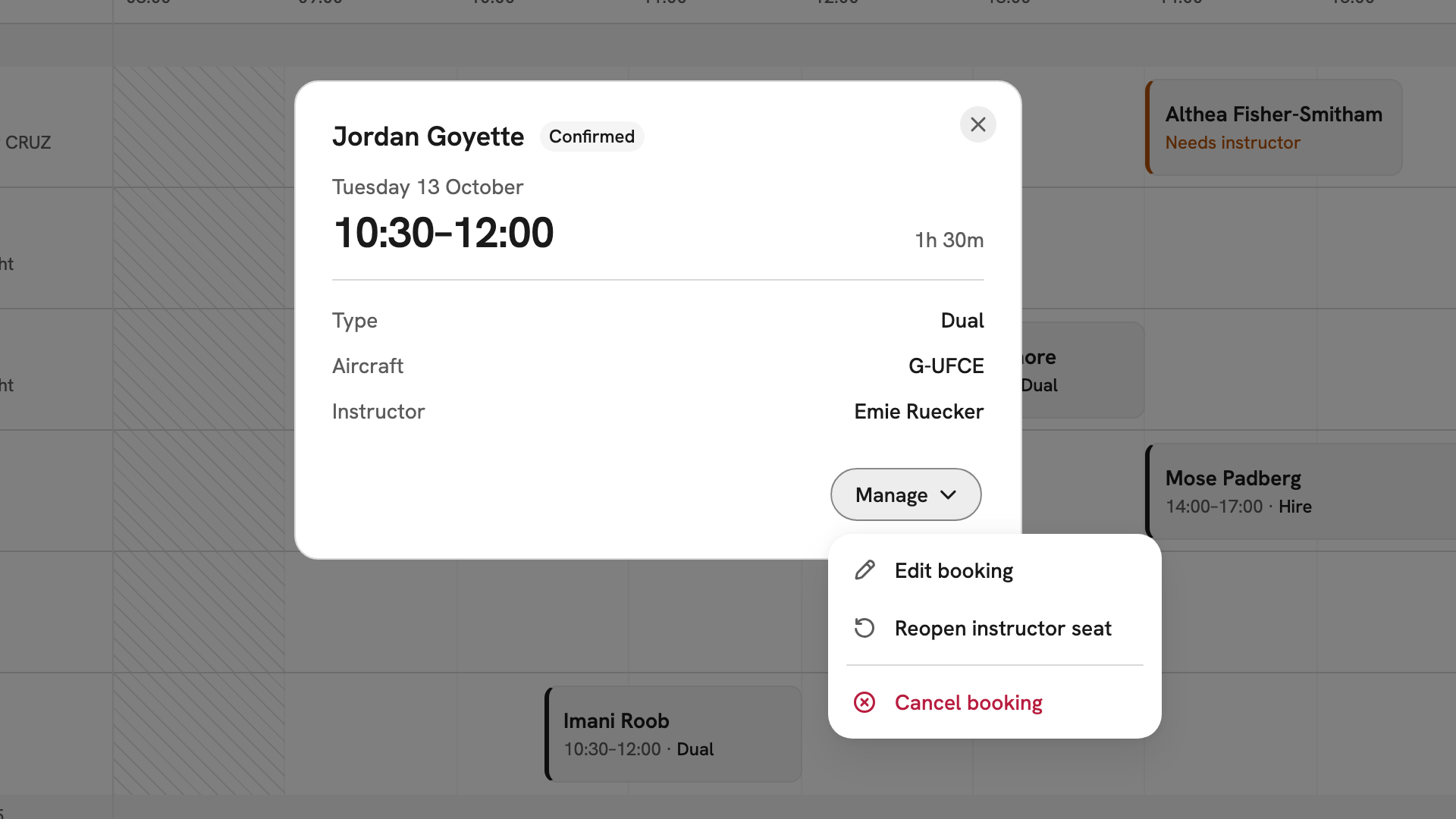
Jordan Goyette's confirmed Tuesday lesson on G-UFCE with Emie Ruecker, and the Manage menu open on Reopen instructor seat. Choose Reopen instructor seat
Choose Reopen instructor seat. Reopen for pickup names the instructor coming off, then reads the booking back with its Member, Type, Aircraft and Instructor. Check it is the right lesson.
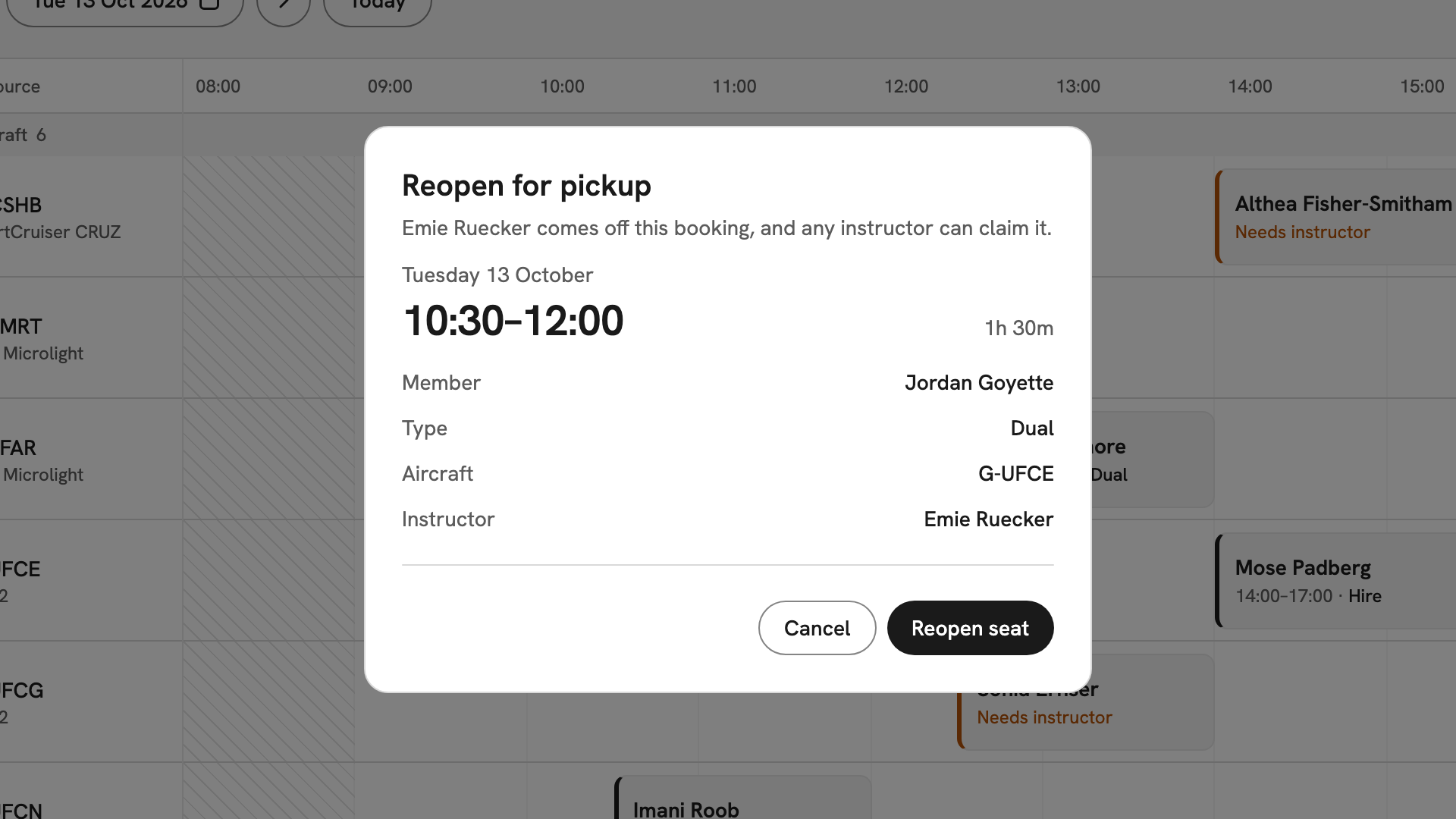
Reopen for pickup: Emie Ruecker comes off Jordan Goyette's Dual on G-UFCE, Tuesday 13 October, 10:30–12:00. Reopen it
Press Reopen seat, or Cancel to back out. "Instructor seat reopened" appears, and the block now reads Needs instructor in amber. INDEX Club emails the member to say the seat is open.
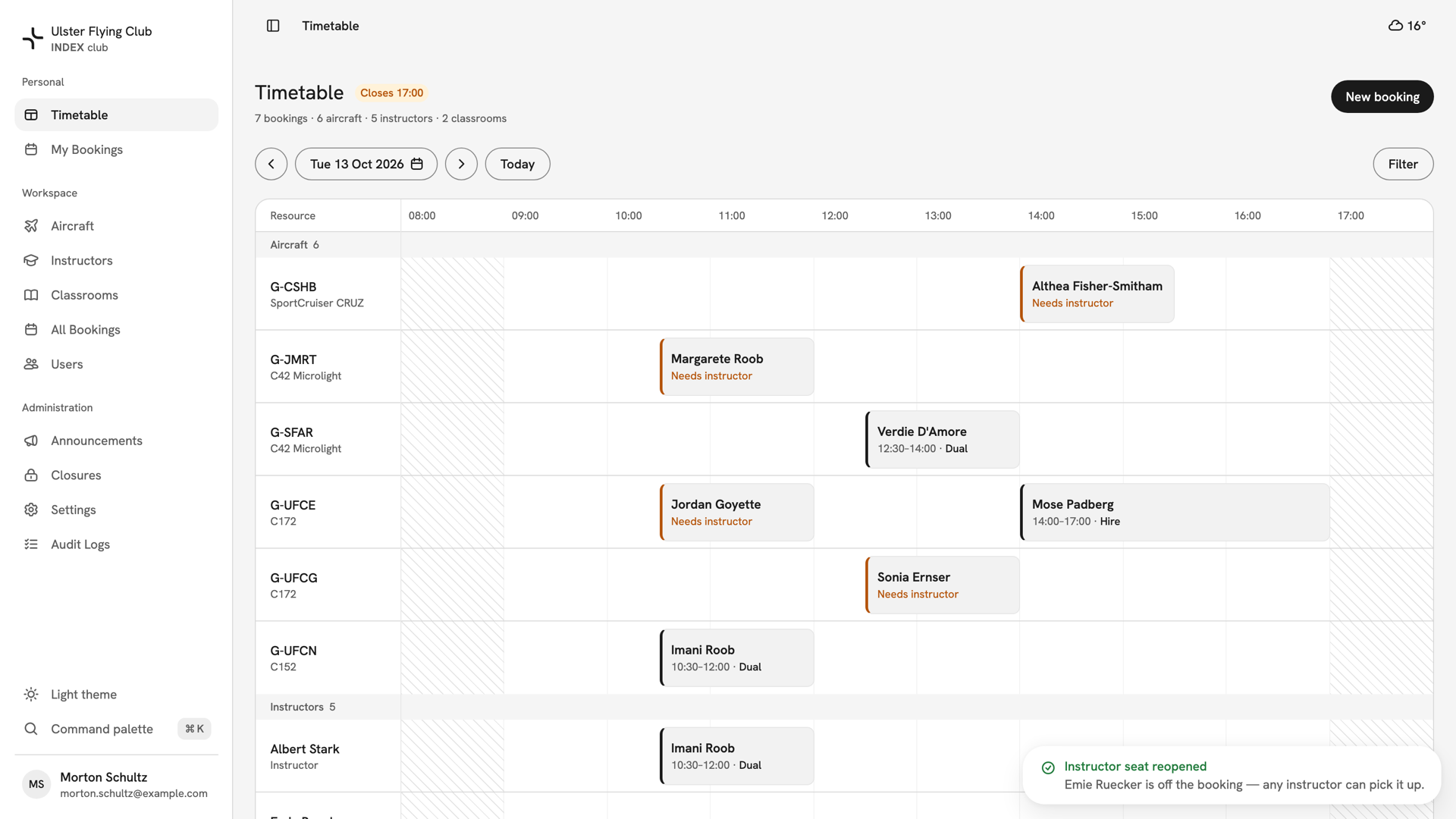
The timetable for 13 October afterwards: Jordan Goyette's block on G-UFCE reads Needs instructor, with the Instructor seat reopened message.
After you have reopened it
The booking stays Confirmed, with the aircraft, time and member's place held, and nothing is flagged for reschedule. Any cleared instructor can now take it; see Picking up a booking. Nothing chases an open seat, so tell your instructors when the lesson is close. If nobody takes it, edit the booking to assign someone, or cancel it.
If something goes wrong
- Reopen instructor seat is not in the menu. The booking is pending, has started, has no instructor, or is a type that does not take one.
- "The seat is already open — an instructor can pick it up." Someone reopened it first. There is nothing to do.
- "This booking changed since you opened it." It was edited while your dialog was open. Close it and try again.
- You reopened the wrong booking. Nothing was lost. Edit the booking and put the instructor back on.
Still stuck? Your club's admins and its owner can assign any instructor to any booking.
Last updated 1 October 2026