Adding or editing an aircraft
Putting a new aircraft on the fleet, from the Add aircraft button to its saved record.
Add a new aircraft to the club's fleet, or correct the record of one already on it. Adding one takes about two minutes, and only two fields are required.
Before you start
- Owner, admin or instructor-admin role. Nobody else can add aircraft. See Roles and what they allow.
- A registration nobody else holds. A retired aircraft still holds its registration, so check the fleet under Inactive first.
Adding the aircraft
Open the Add aircraft dialog
Go to Aircraft in the sidebar and press Add aircraft at the top right. The dialog has four sections, Identity, Engine & fuel, Details and Notes, and opens on Identity. One section is open at a time.
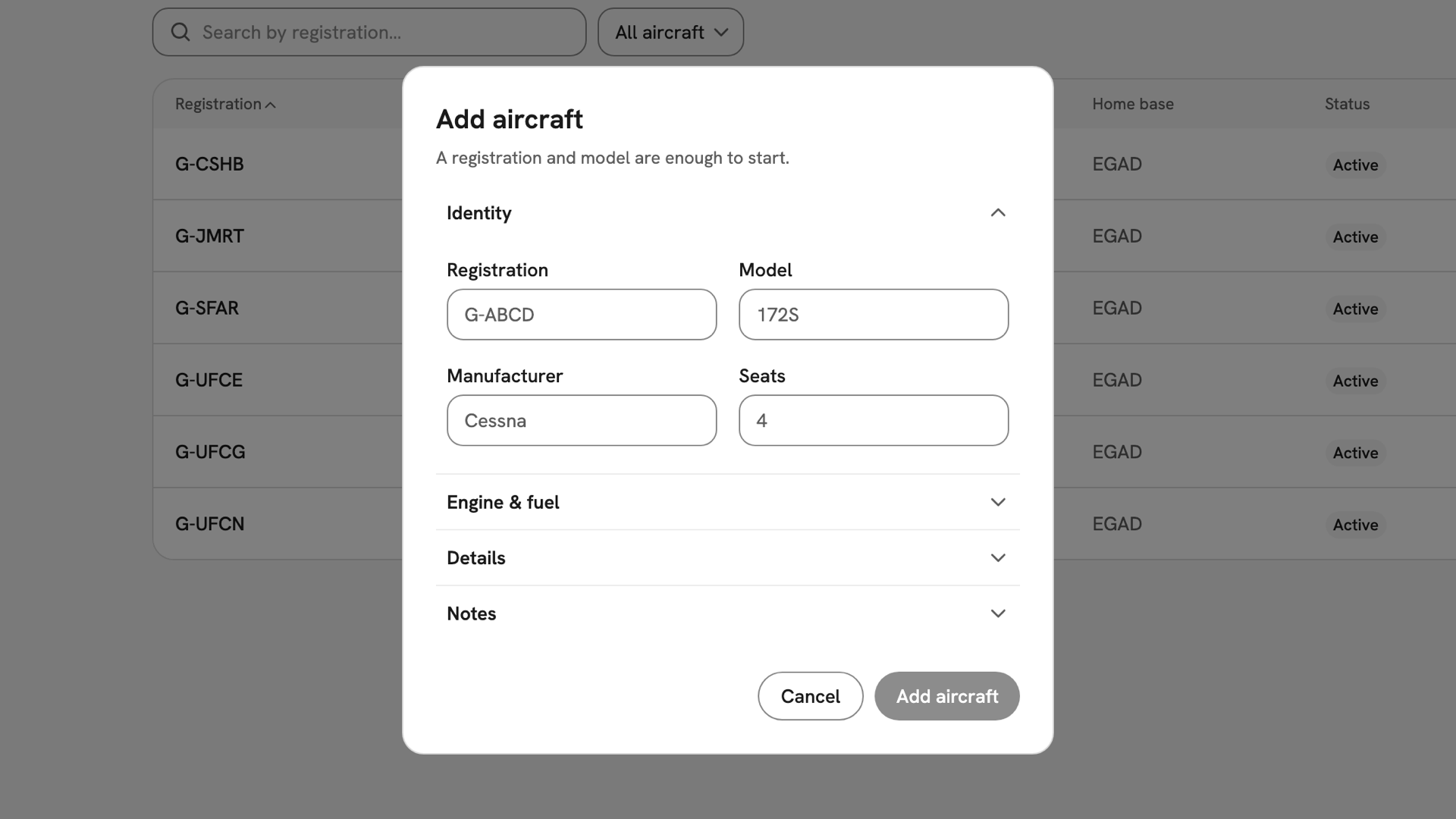
The Add aircraft dialog as it opens on Identity, with Engine and fuel, Details and Notes collapsed below. Fill in the identity
Type the Registration, such as
G-INDX; the field capitalises it. Add the Model, Manufacturer and Seats. Once Registration and Model hold something, the Add aircraft button is enabled.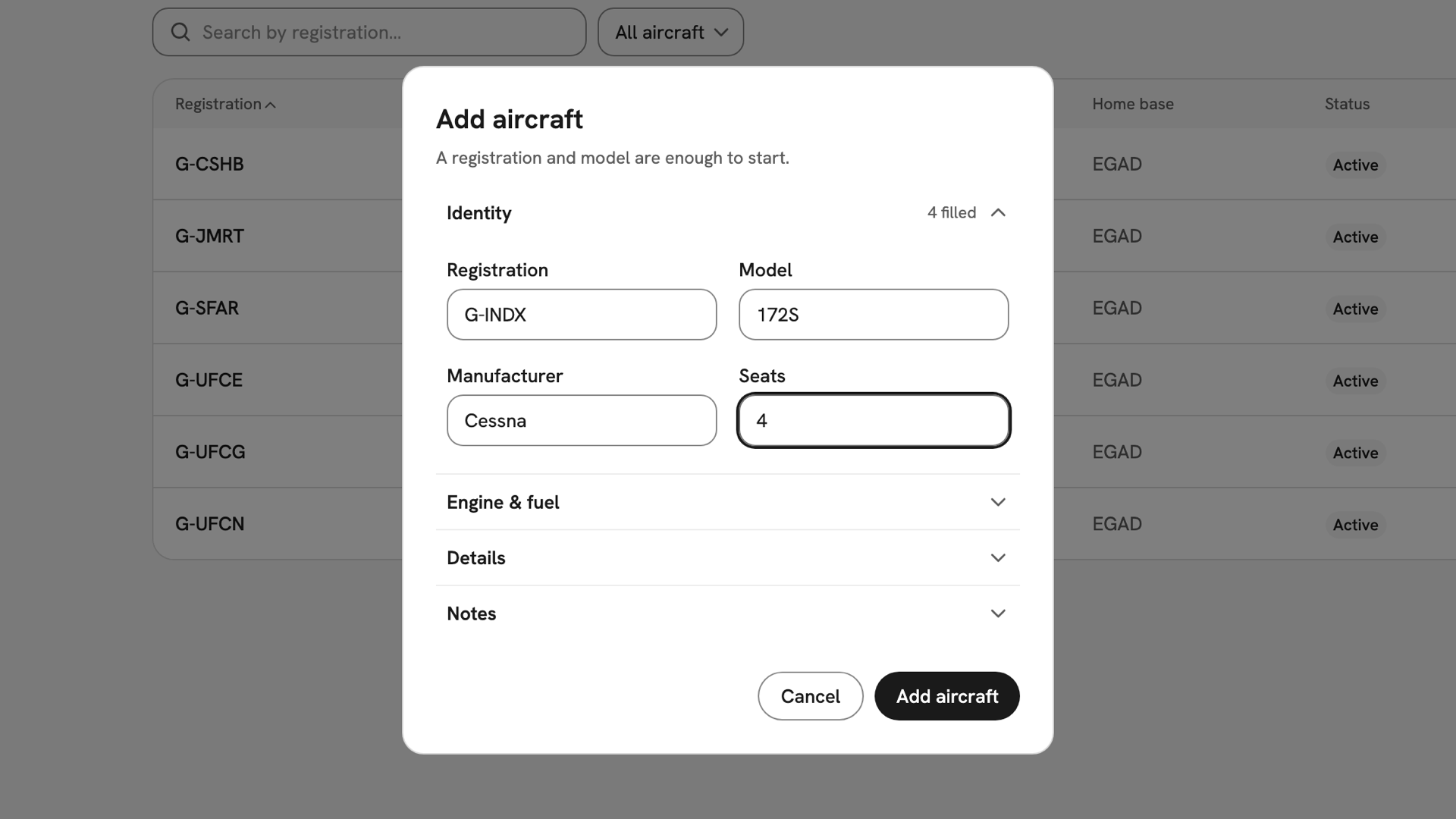
Identity filled in for G-INDX, a four-seat Cessna 172S, with 4 filled beside the heading and Add aircraft enabled. Add the rest, if you have it
Engine & fuel takes Engine type, Fuel type and Oil type. Details takes Year built, Home base as an ICAO code such as
EGAD, and Instruments separated by commas. Each heading counts the fields you have filled.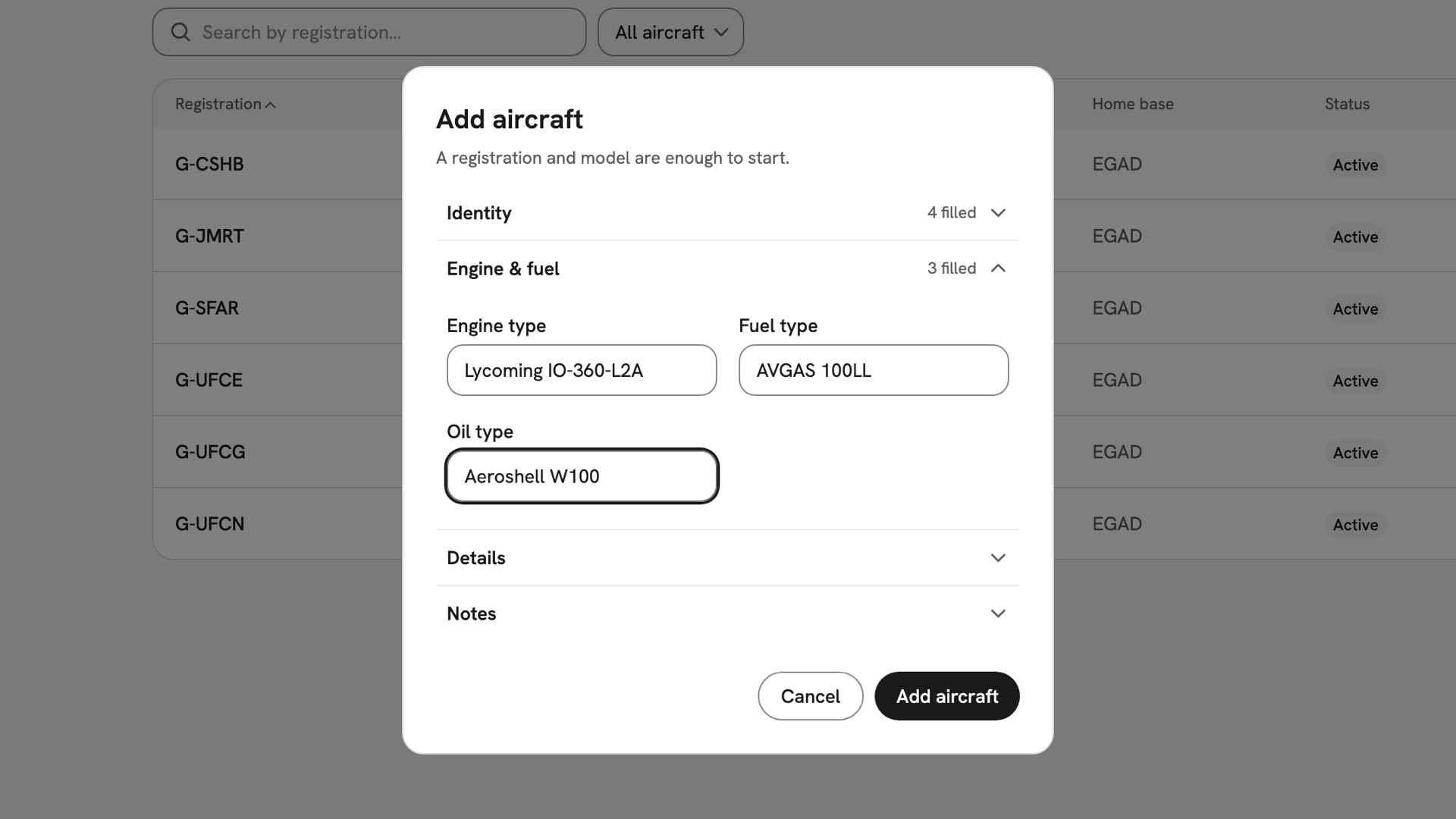
Engine and fuel open, with Lycoming IO-360-L2A, AVGAS 100LL and Aeroshell W100 entered. Add it
Press Add aircraft. INDEX Club shows Aircraft added, "G-INDX is in the fleet.", and opens the aircraft's record on Overview.
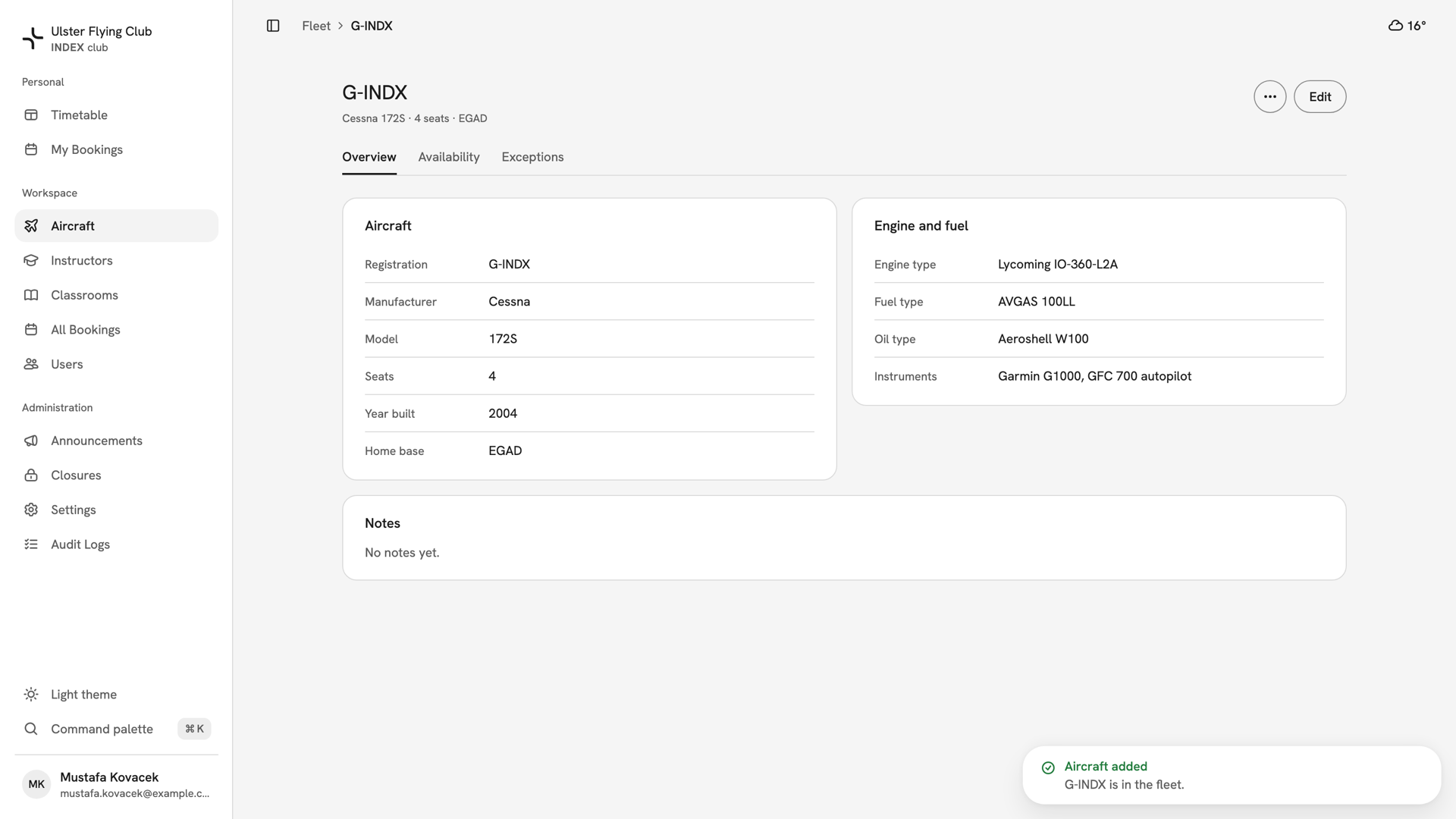
G-INDX's new record on the Overview tab, with the Aircraft added confirmation in the corner. Edit it later with Edit
Open the aircraft from the fleet and press Edit in its header. The Edit aircraft dialog holds every field, Notes included. Change what you need and press Save; it stays disabled until something has changed.
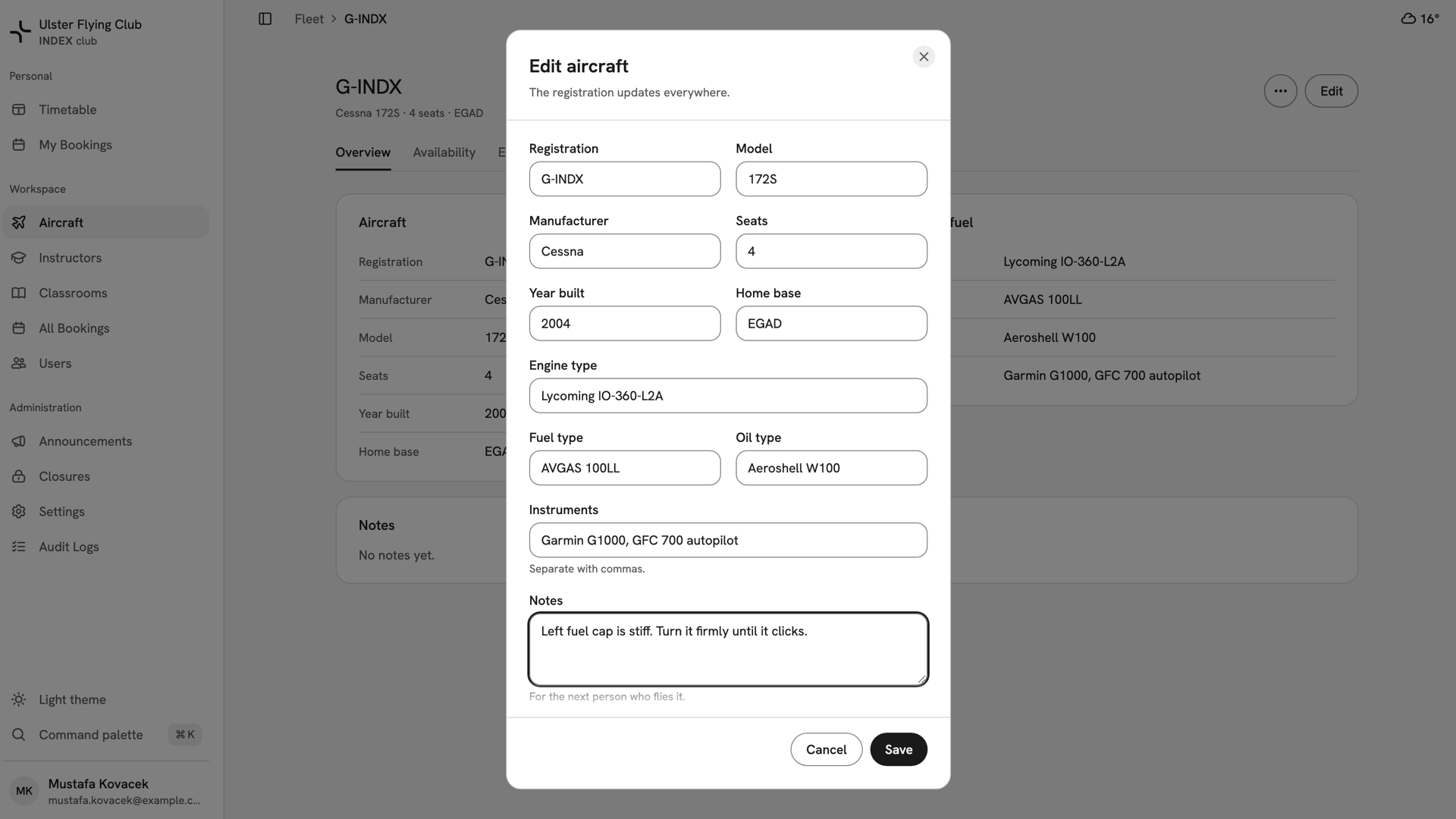
The Edit aircraft dialog for G-INDX, with a note about the stiff left fuel cap typed into Notes.
After you have added it
INDEX Club shows Aircraft saved after an edit, and the record shows the new values. A new aircraft is Active but has no hours, so the timetable offers nothing yet. Give it a standing week in Aircraft availability and maintenance, then clear instructors on it in Instructor aircraft clearances.
If something goes wrong
- There is no Add aircraft button. Only owners, admins and instructor-admins can add aircraft.
- The Add aircraft button stays disabled. Registration or Model is empty, or Seats or Year built says "Whole number only."
- "That registration is already in the fleet." Another record holds it, possibly a retired one. Filter the fleet by Inactive and reactivate that record instead.
- Closing Edit asks "Discard changes?" You have not saved. Press Keep editing, then Save.
Still stuck? Your club's owner can edit every aircraft record.
Last updated 1 October 2026