Your profile
Your name and phone number, from Settings to the saved profile the club sees when it needs to reach you.
Your profile tells the club how to reach you: your name and phone number. Updating it takes about a minute.
Before you start
- Who sees it. Your club's staff see your name and phone. Your sign-in email is shown here but only the club can change it.
Updating your details
Open your profile
Open Settings from the sidebar, or press your name at the foot of the sidebar and choose Settings. It opens on the Profile tab, showing your Full name, Phone and Email.
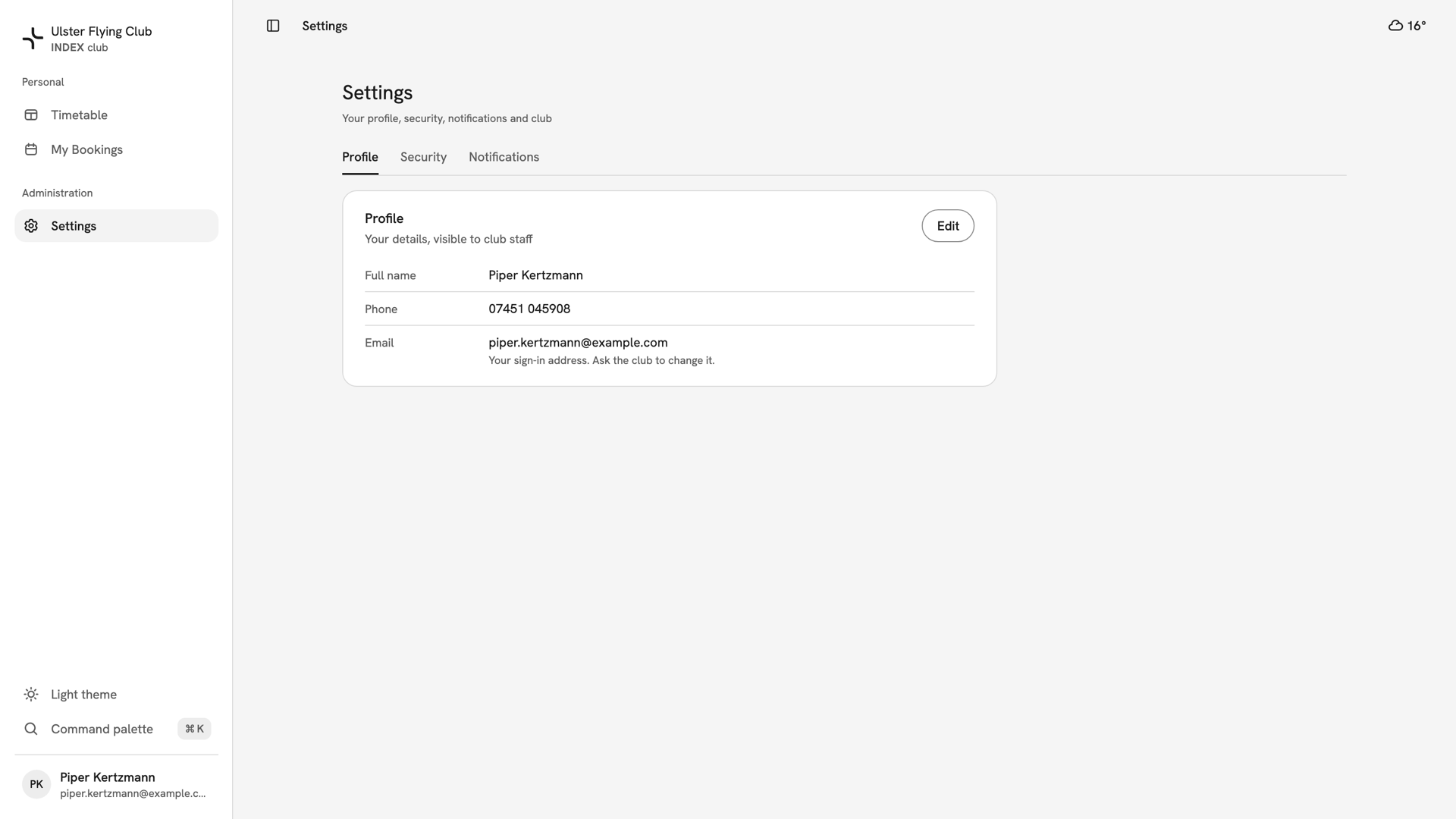
The Profile tab for Piper Kertzmann, with her name, phone 07451 045908 and sign-in email. Edit the fields
Press Edit. In Edit profile, change your Full name or Phone. Email is greyed out because it is your sign-in address. On a phone, the form opens as a sheet from the bottom of the screen.
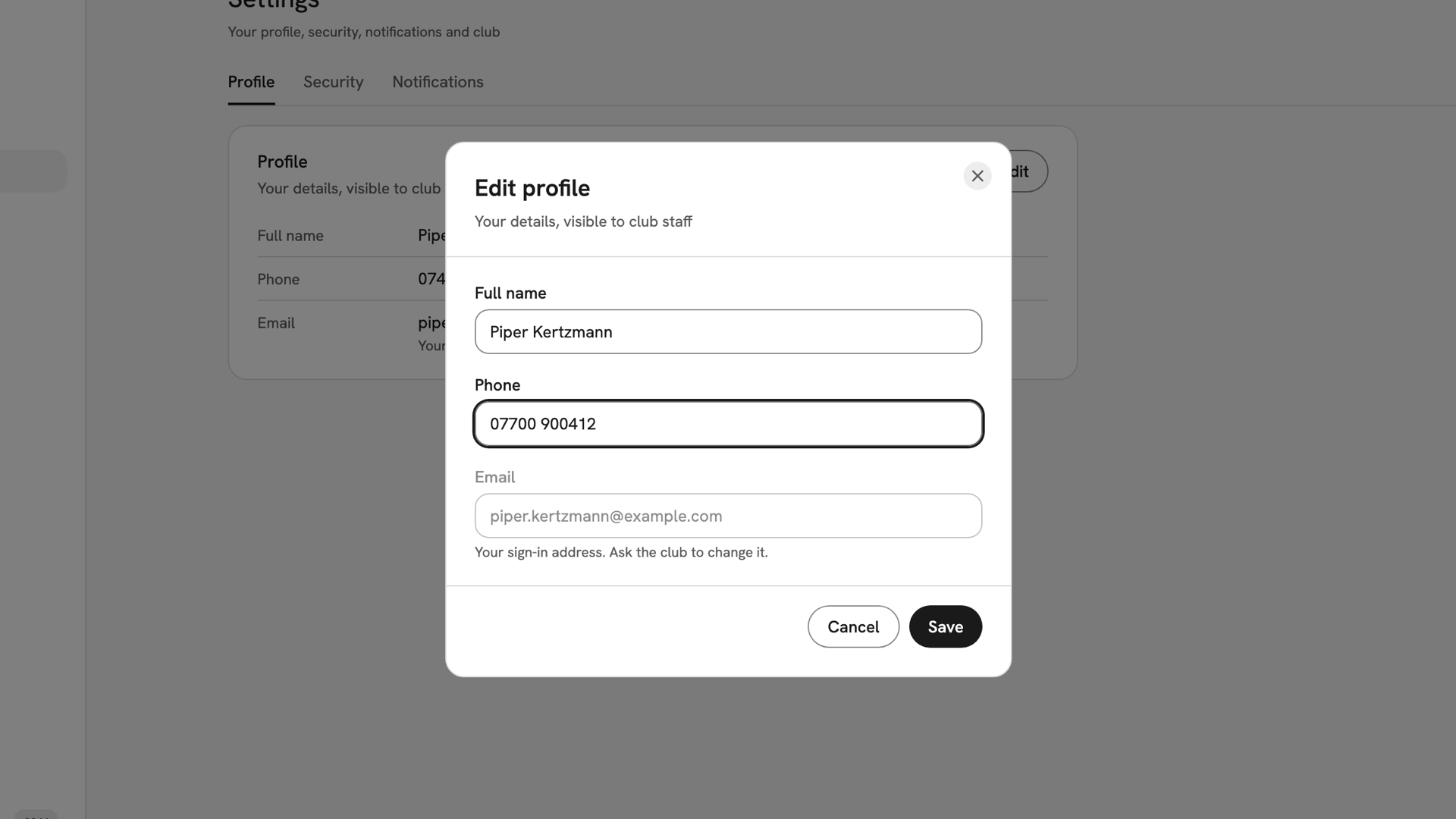
The Edit profile dialog with the phone changed to 07700 900412 and the Email field greyed out. Save it
Press Save. It stays disabled until you change something, and while the name is empty. The dialog closes, Profile saved appears and the tab shows the new details.
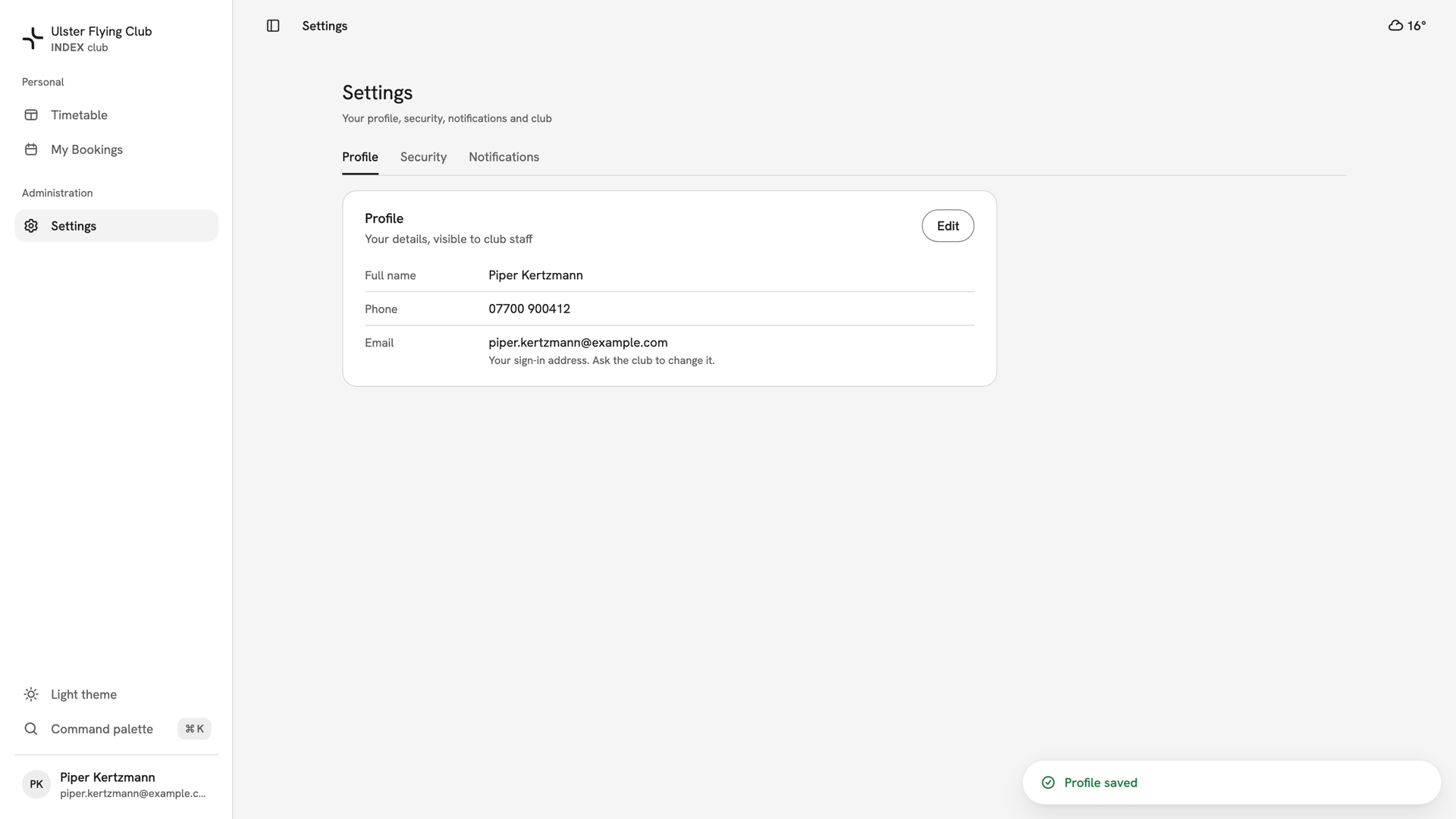
The Profile tab after saving, showing 07700 900412 and the Profile saved confirmation.
After you have saved
Your club's staff see the new details straight away. Your initials stand in for a photo beside your name. The other tabs cover Two-factor authentication, Your sessions and Notifications.
If something goes wrong
- The email field is greyed out. It is your sign-in address, not a profile field. Ask your club's admins to change it.
- "Enter your full name". The name cannot be blank. Type it and Save becomes available.
- "Couldn't save profile". The save failed, often because the connection dropped. Your edits are still in the form, so press Save again.
Still stuck? Your club's admins can see your details on the member roster and are the only route to changing your sign-in email.
Last updated 1 October 2026