Aircraft availability and maintenance
Setting an aircraft's weekly hours and closing it for maintenance, through to the bookings a closure flags.
Set when an aircraft can be booked, and close it for maintenance. It takes about four minutes.
Before you start
- Owner, admin or instructor-admin role. Nobody else can change an aircraft's hours. See The fleet.
- The layer you want. The standing week is the aircraft's normal hours. An exception changes specific days, and always beats the week.
Setting when it flies
Open the aircraft's availability
Open Aircraft, press the registration and choose the Availability tab. Standing week shows the hours for each weekday. Next seven days shows each coming day with exceptions applied, and the bookings already taken.
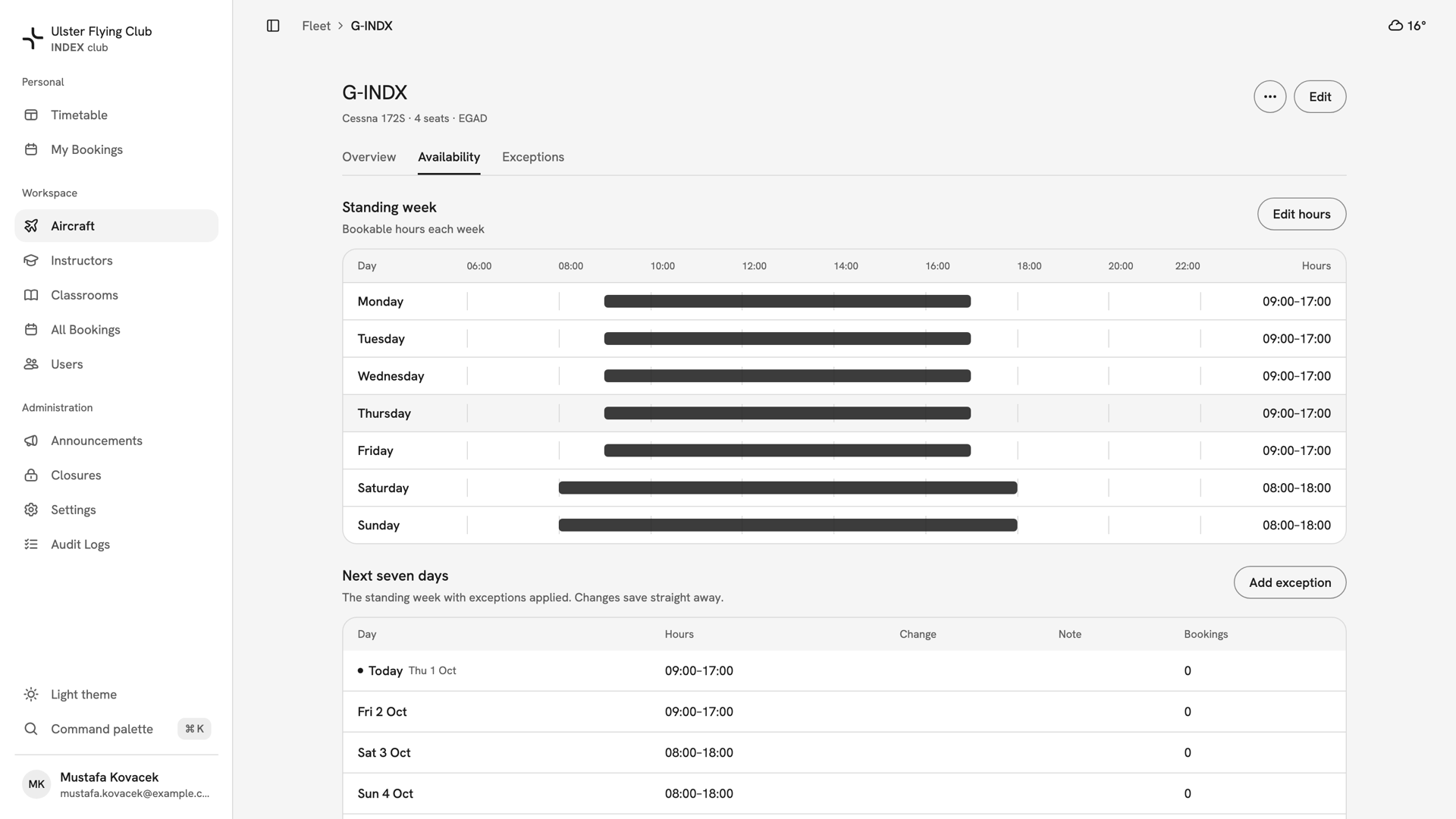
G-INDX's Availability tab: 09:00–17:00 on weekdays, 08:00–18:00 at weekends, and no bookings yet. Set the standing week
Press Edit hours. The Standing week drawer lists Monday to Sunday. Switch each day on or off and type its times; Add range gives a day a second window. Copy times to all open days, in a day's ⋯ menu, repeats one day's times. Press Save hours.
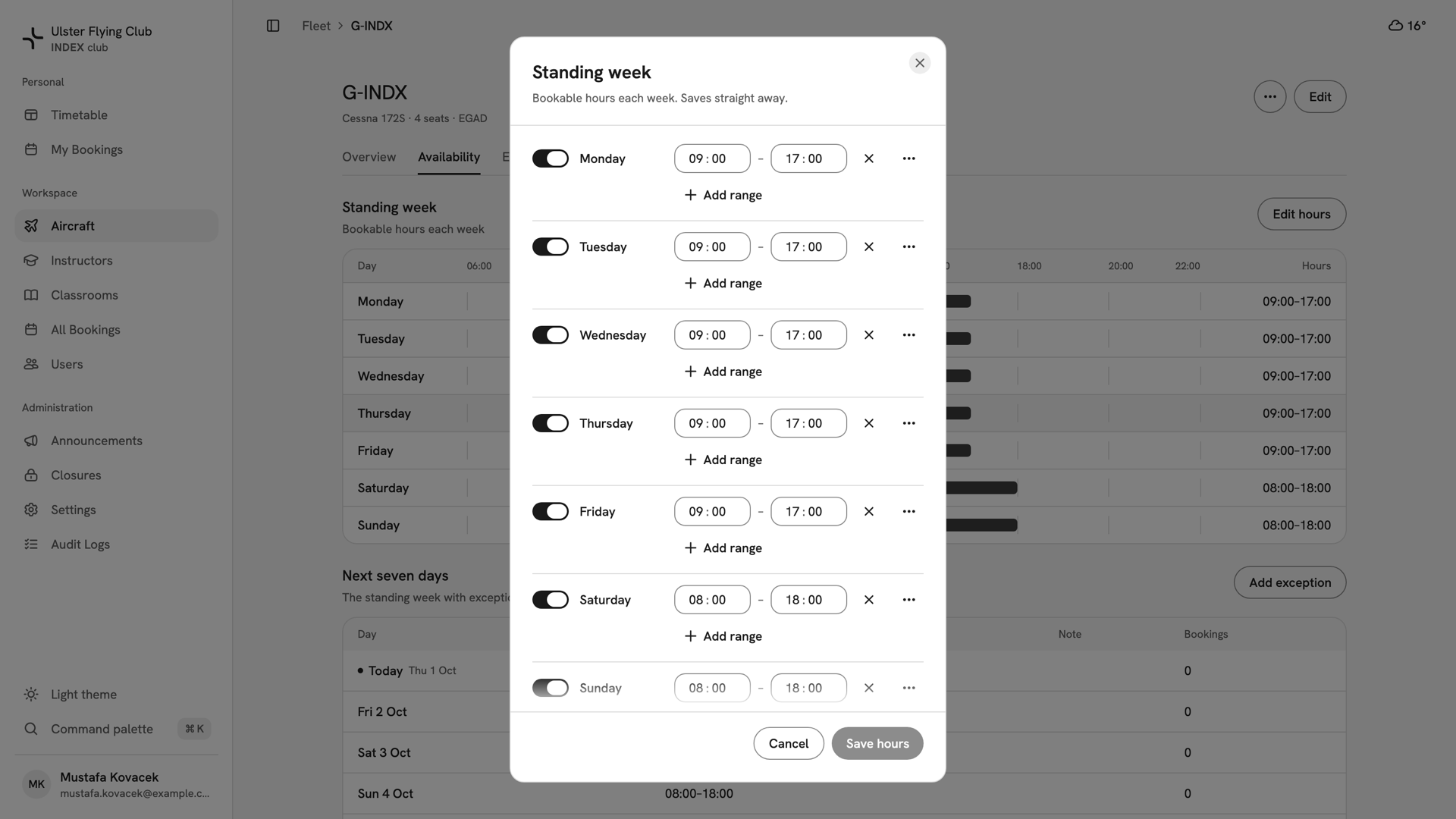
The Standing week drawer for G-INDX: every day switched on, weekdays 09:00–17:00 and the weekend 08:00–18:00. Close it for maintenance
Press Add exception and leave Kind on Out of service. Keep Unavailable all day on for a full grounding, or switch it off to set times. Press Choose days… and pick every day of the work. Fill in Note (optional), such as
Annual inspection.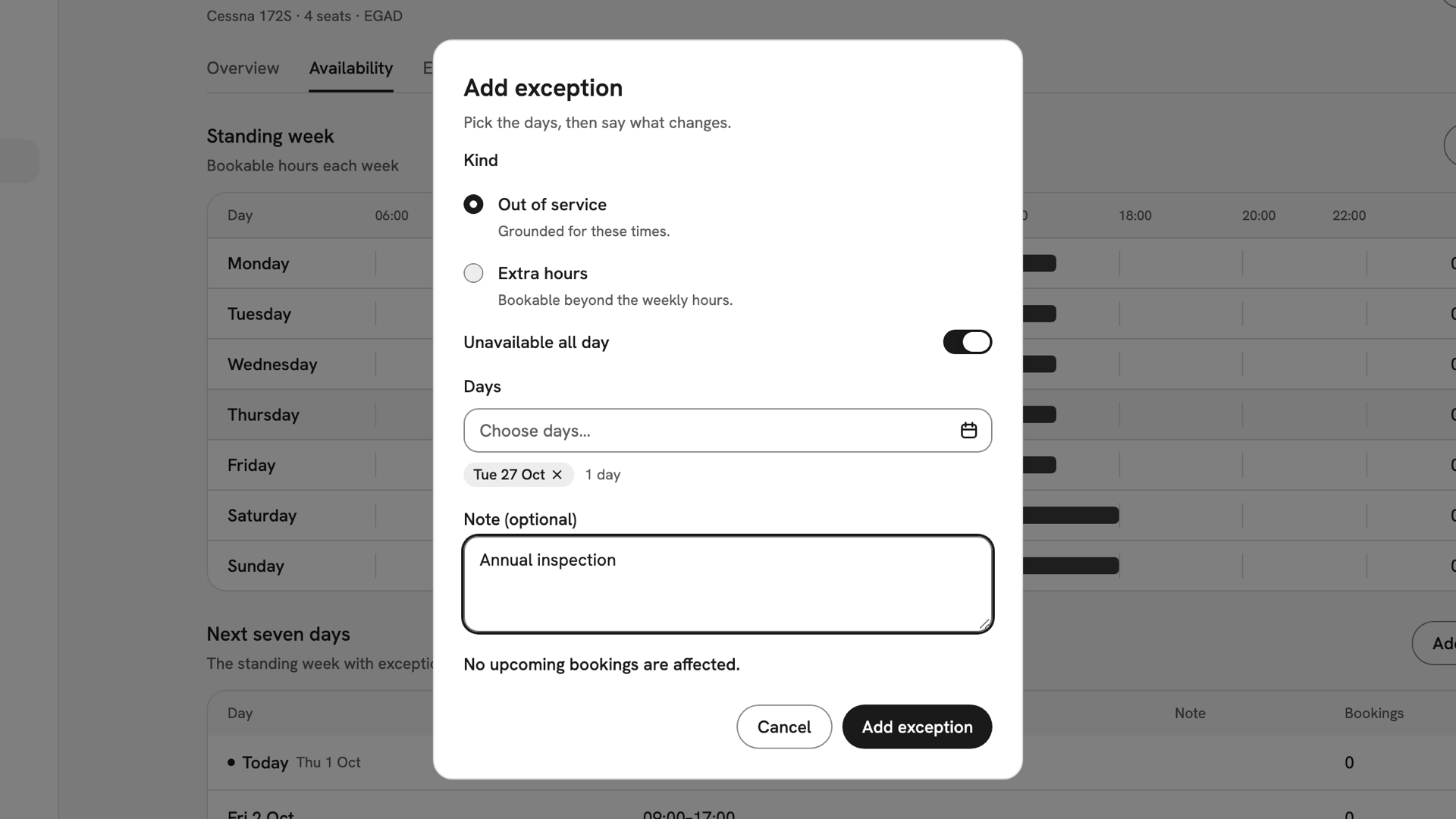
Add exception for G-INDX: Out of service, Unavailable all day, Tuesday 27 October chosen and the note Annual inspection. Check what it flags, then save
Under the note, the dialog counts the bookings inside those hours and names them, or says "No upcoming bookings are affected." Press Add exception. INDEX Club shows Exception added, and the day is listed under Exceptions.
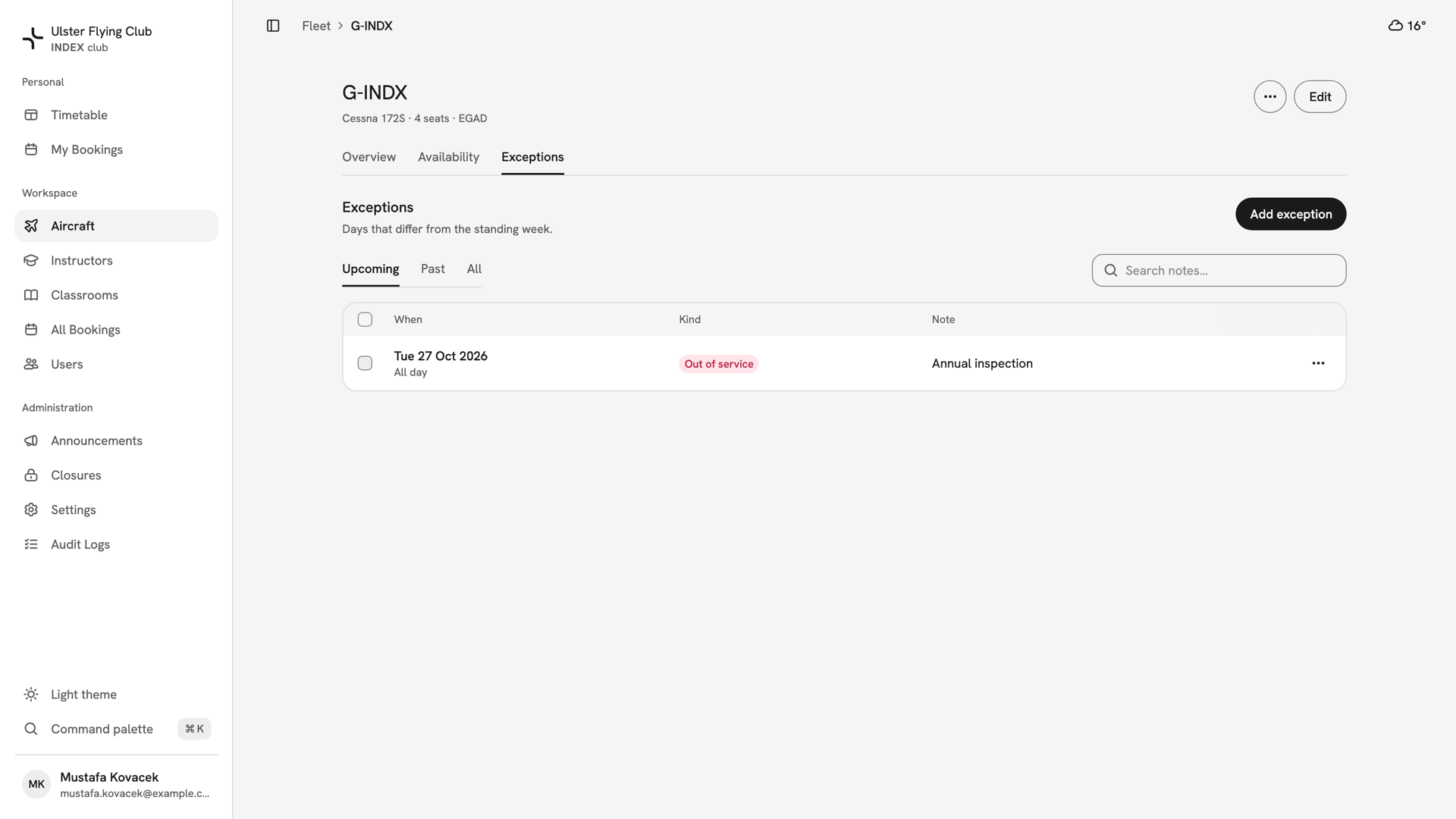
G-INDX's Exceptions tab on Upcoming: Tuesday 27 October 2026, All day, Out of service, Annual inspection.
After you have closed it
Nobody can book the aircraft in those hours, and the timetable shows it as unavailable. Flagged bookings leave the timetable and wait in All Bookings to be moved by hand; they are not cancelled. The Exceptions tab lists every exception on Upcoming, Past and All, searchable by note. Its ⋯ menu edits or removes one.
If something goes wrong
- There is no Edit hours or Add exception button. You cannot change availability. Only owners, admins and instructor-admins can.
- "Overlaps an exception". That day already has one. Edit the existing exception instead of adding a second.
- The exception has no effect. Check its kind. Extra hours opens time; only Out of service closes it.
- Hours you set are not on the timetable. The aircraft is inactive. Its hours take effect when it is reactivated.
Still stuck? Your club's owner and admins can edit any aircraft's hours and see every booking a closure flagged.
Last updated 1 October 2026