Your own bookings
What My Bookings holds, from the next slot you have taken to everything you have already flown.
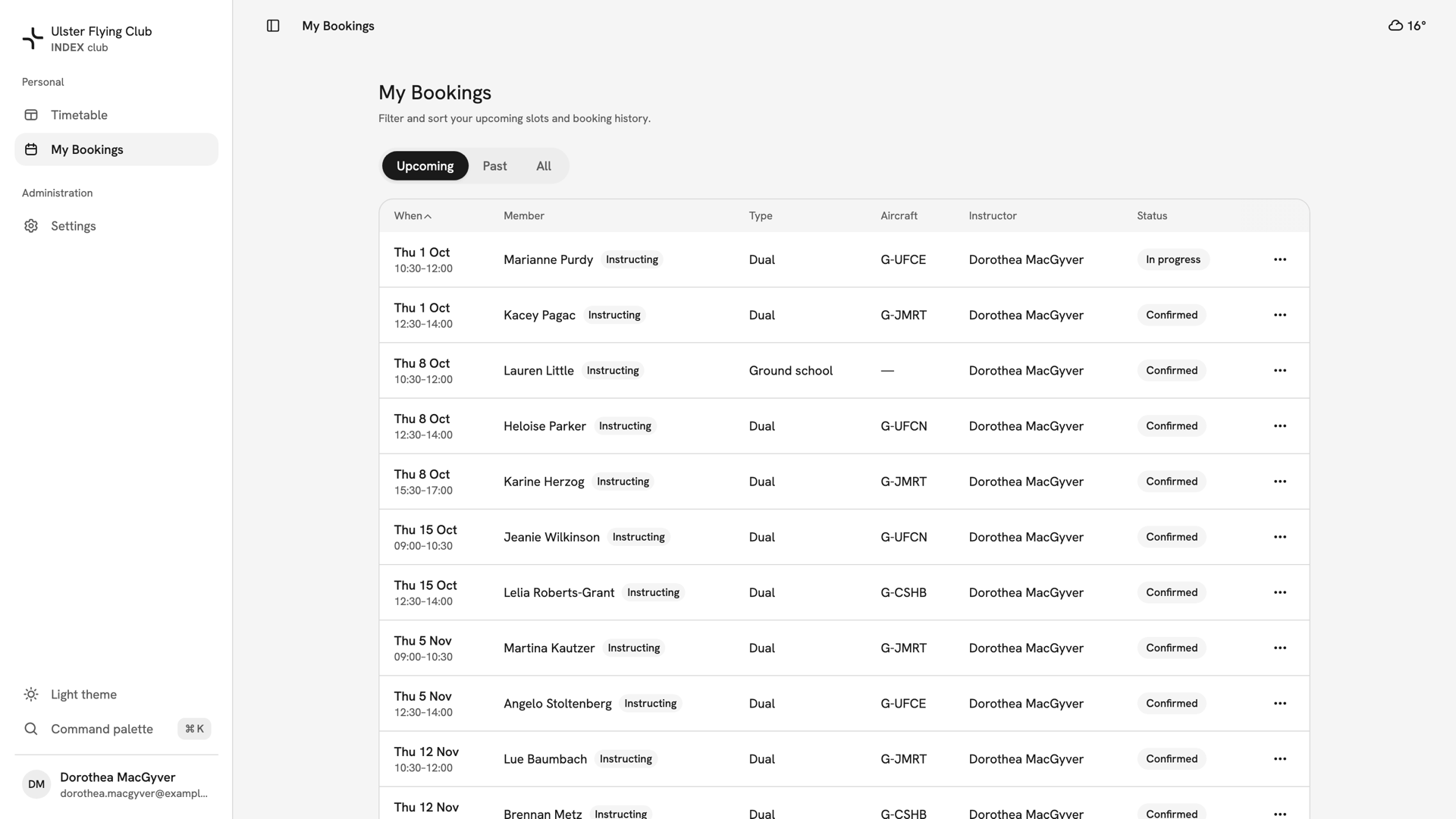
My Bookings lists the slots you hold and the ones you have flown. It is the one page that is only about you.
Before you start
- It is your list, not the club's. Every row is a booking you are the member on, or a lesson you teach. Other people's slots are on the timetable; see Reading the timetable.
Upcoming, Past and All
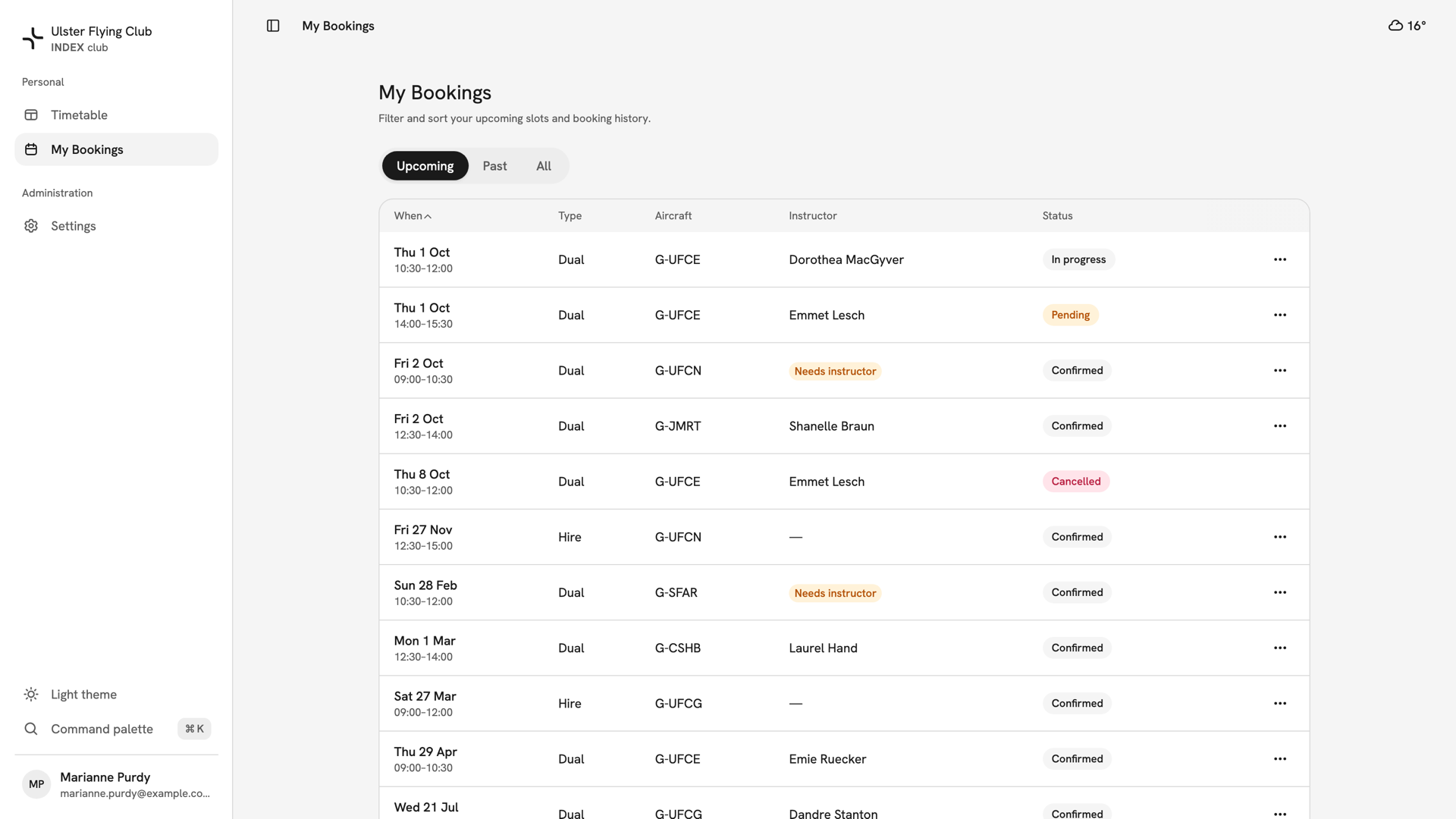
Open My Bookings from the sidebar. The three tabs filter by time, not status. Upcoming opens first and sorts soonest first. Past and All sort newest first. On a phone each booking is a card.
What a row tells you
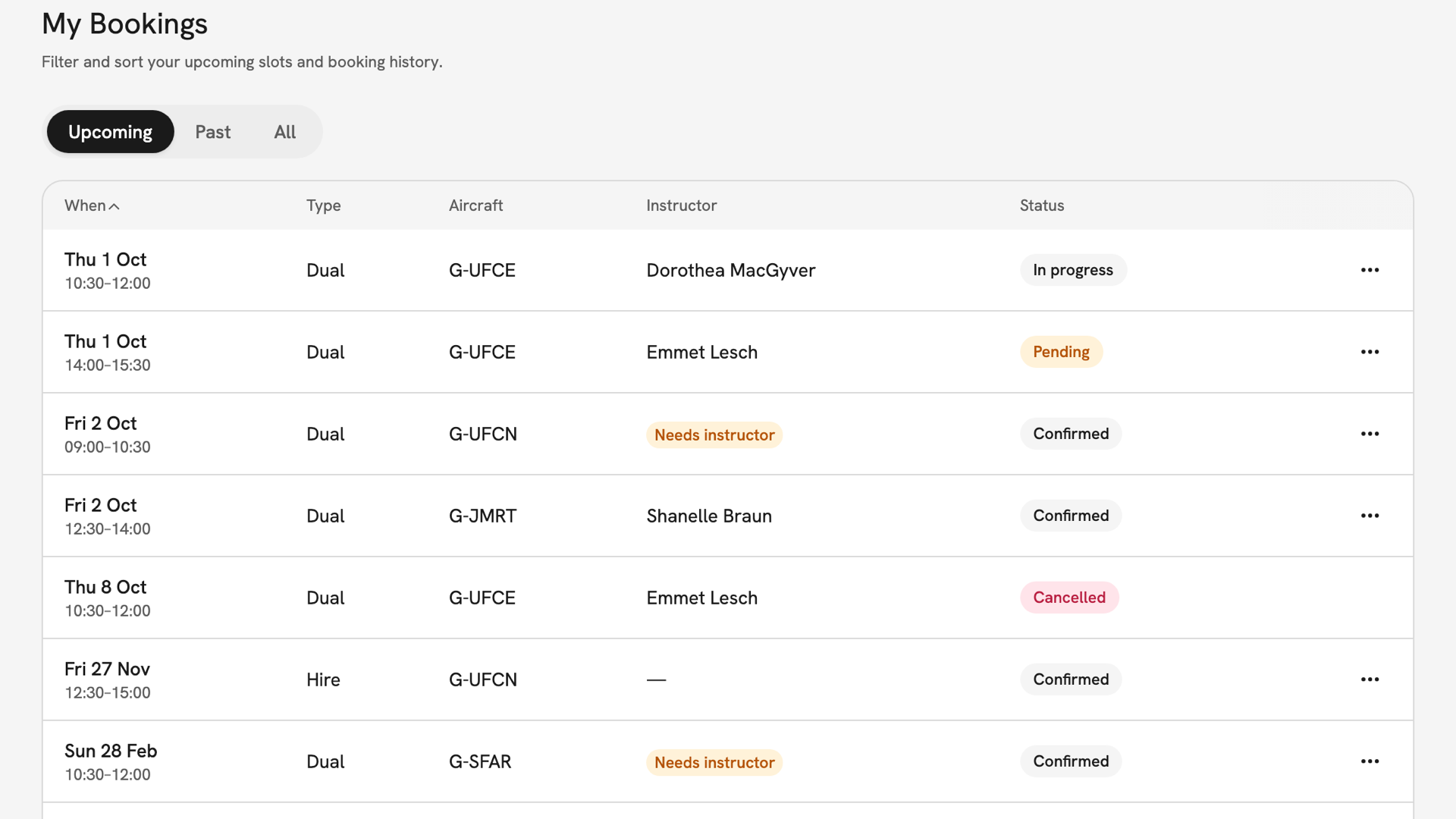
- When: the day and window, on the club's clock at Newtownards, not your device's.
- Type: Dual, Hire, Ground school or Trial flight.
- Aircraft: the registration, or a dash for a booking with no aircraft.
- Instructor: the name, a dash if none is needed, or a Needs instructor chip while the seat is open.
- Status: Pending is awaiting approval, Confirmed means the slot is yours, and In progress means it is happening now. Needs sign-off means the time has passed without an outcome.
Press the When or Type header to sort. A long history pages with Previous and Next, with no page numbers or totals.
Opening a booking
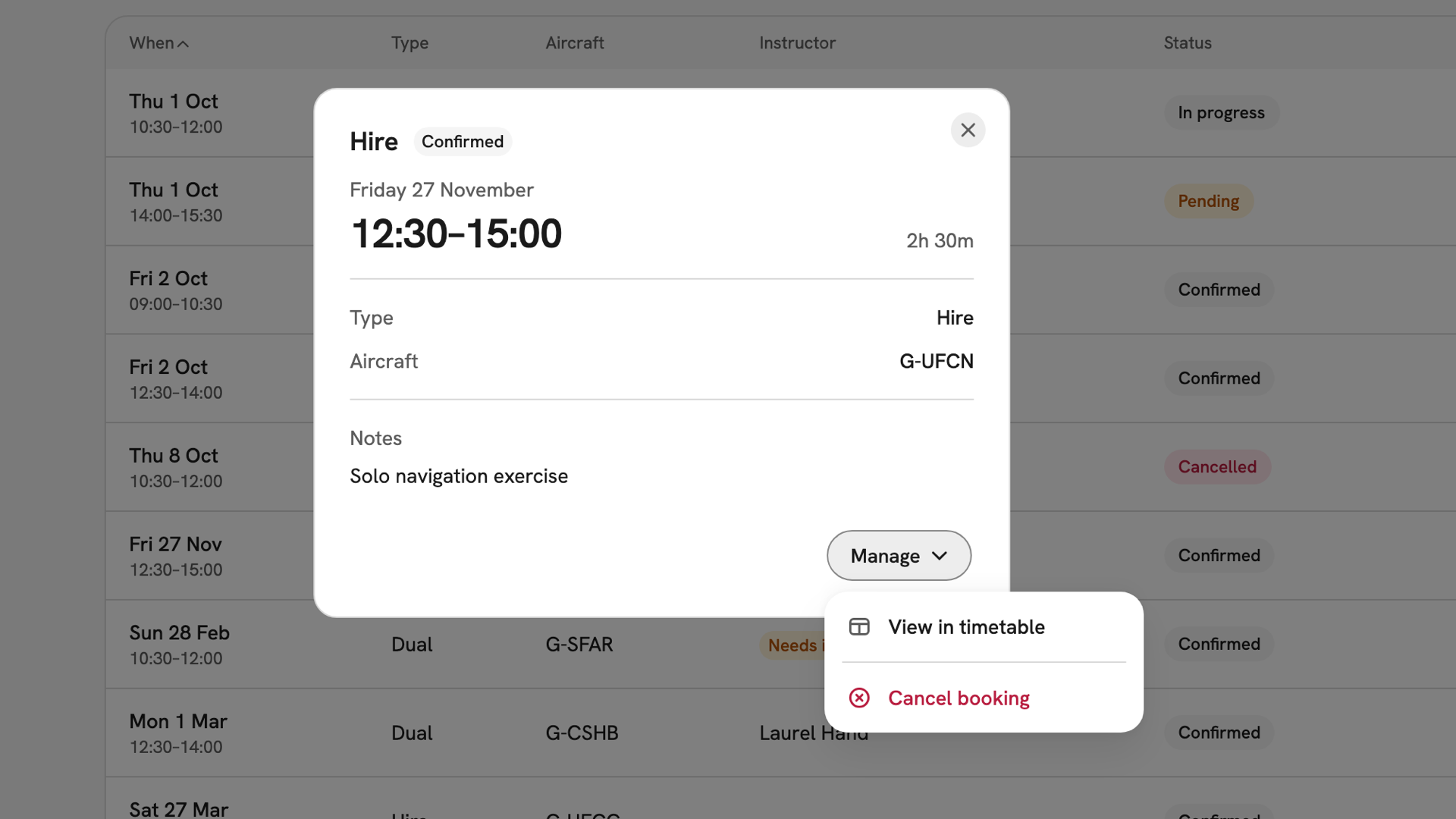
Press a row to open the booking panel, the same one the timetable opens. Its footer holds a Manage menu of the actions you are allowed. When the booking needs something, a button sits beside it: Sign off, Review, Pick up booking or Reschedule booking.
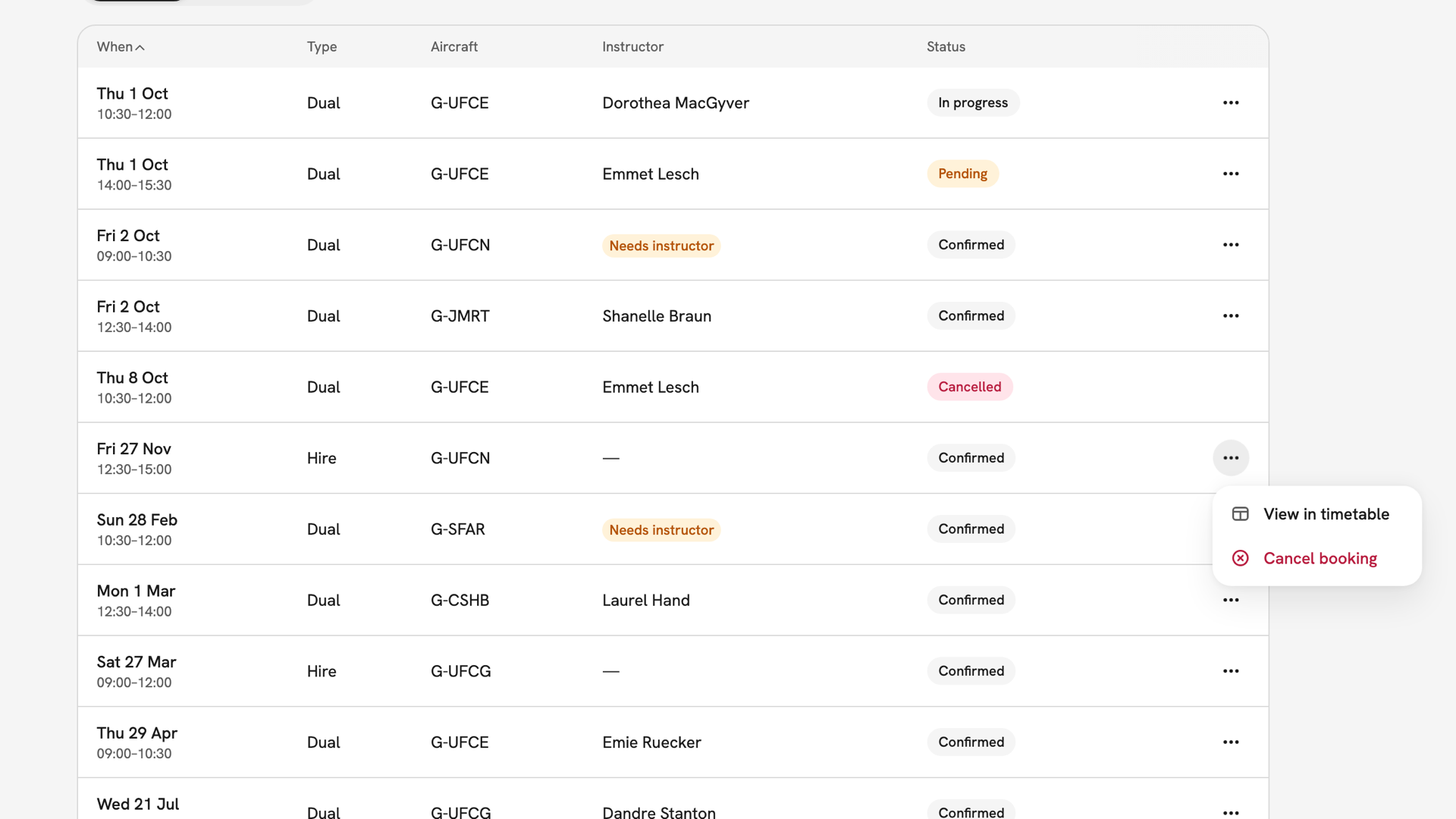
The ⋯ menu at the end of each row has the same actions without opening the panel. On a pending request, Cancel booking reads Withdraw request.
Your teaching rows
If your login is linked to an instructor, the lessons you teach are listed here too. A Member column names the student, and teaching rows carry an Instructing chip. Members who do not instruct do not see the column.
After you have found it
Open the booking to act on it. See Changing a booking to move it or change what is on it, and Cancelling a booking to give it up. View in timetable shows it on the board.
If something goes wrong
- A booking you expected is missing. Check the tab. Finished bookings are under Past or All, not Upcoming.
- The list says you have no bookings. That is the answer for the tab you are on, not an error.
- Cancel booking is missing. The booking starts within the club's cancellation notice period. Ask your club's admins to cancel it.
- "Couldn't load your bookings". The read failed. Press Retry; if it keeps failing, tell your club's admins.
Still stuck? Your club's admins can see every booking, including yours.
Last updated 1 October 2026