Changing a booking
Moving a slot or swapping what is on it, from the Edit booking form to the updated timetable.
Move a booking, or change its aircraft, instructor, type or notes, in one save. It takes about a minute.
Before you start
- Permission to edit. Instructors and admins can edit any booking. Students cannot edit their own, so they cancel and book again. See Cancelling a booking.
- A booking that is not finished. Completed, cancelled and no-show bookings cannot be edited.
Making the change
Open the booking
On the timetable, press the booking, then press Manage and choose Edit booking. In All Bookings, it is in the row's ⋯ menu. The form opens filled in from the booking. The member cannot be changed.
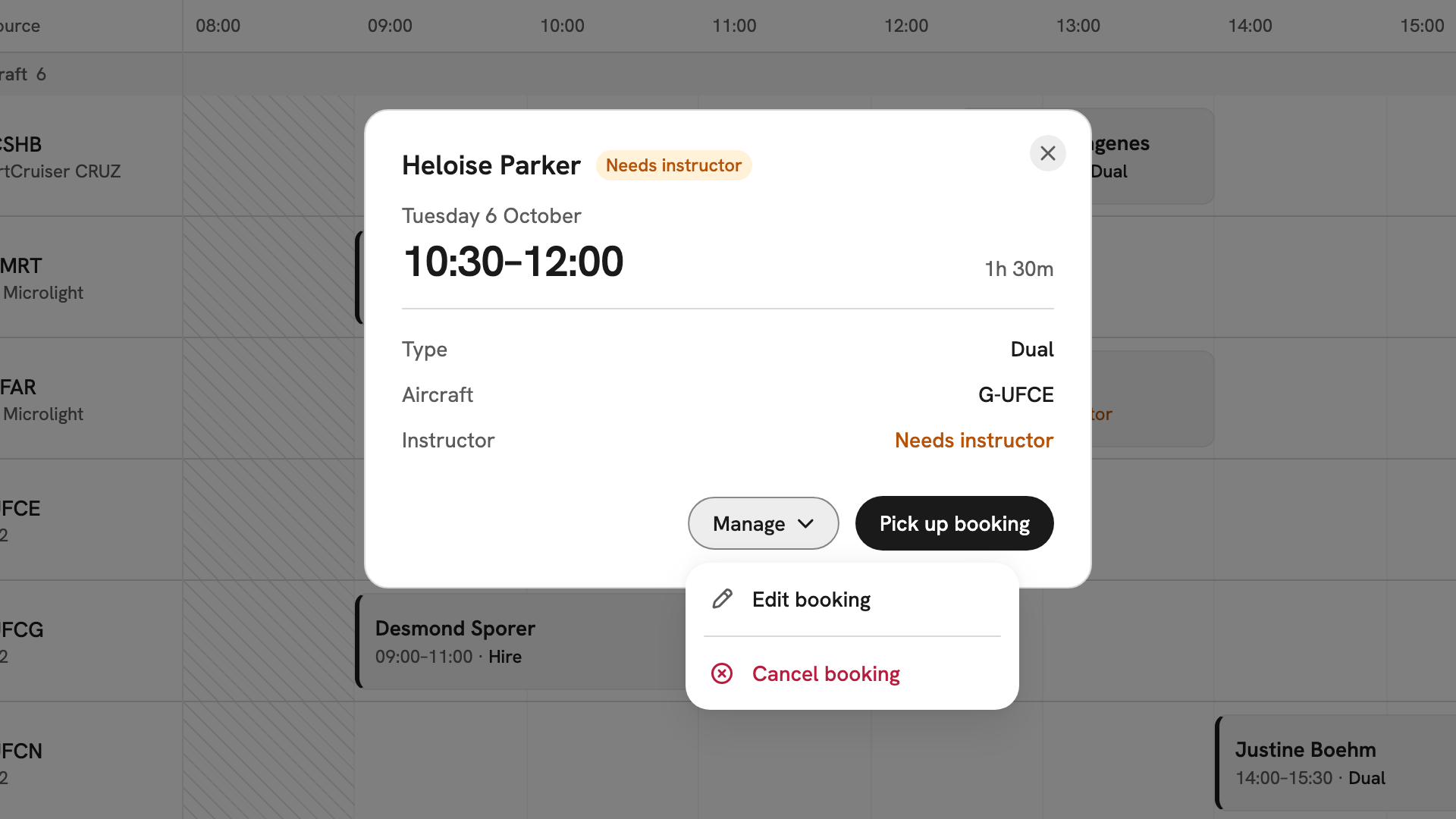
Heloise Parker's dual lesson on Tuesday 6 October, with the Manage menu open on Edit booking and Cancel booking. Change the time or resources
Press one of the Suggested times to move Start and End, or type the times. On a phone, type them. Change the aircraft or instructor in their lists. Anything you cannot book is greyed out with the reason, such as Not cleared on the aircraft.
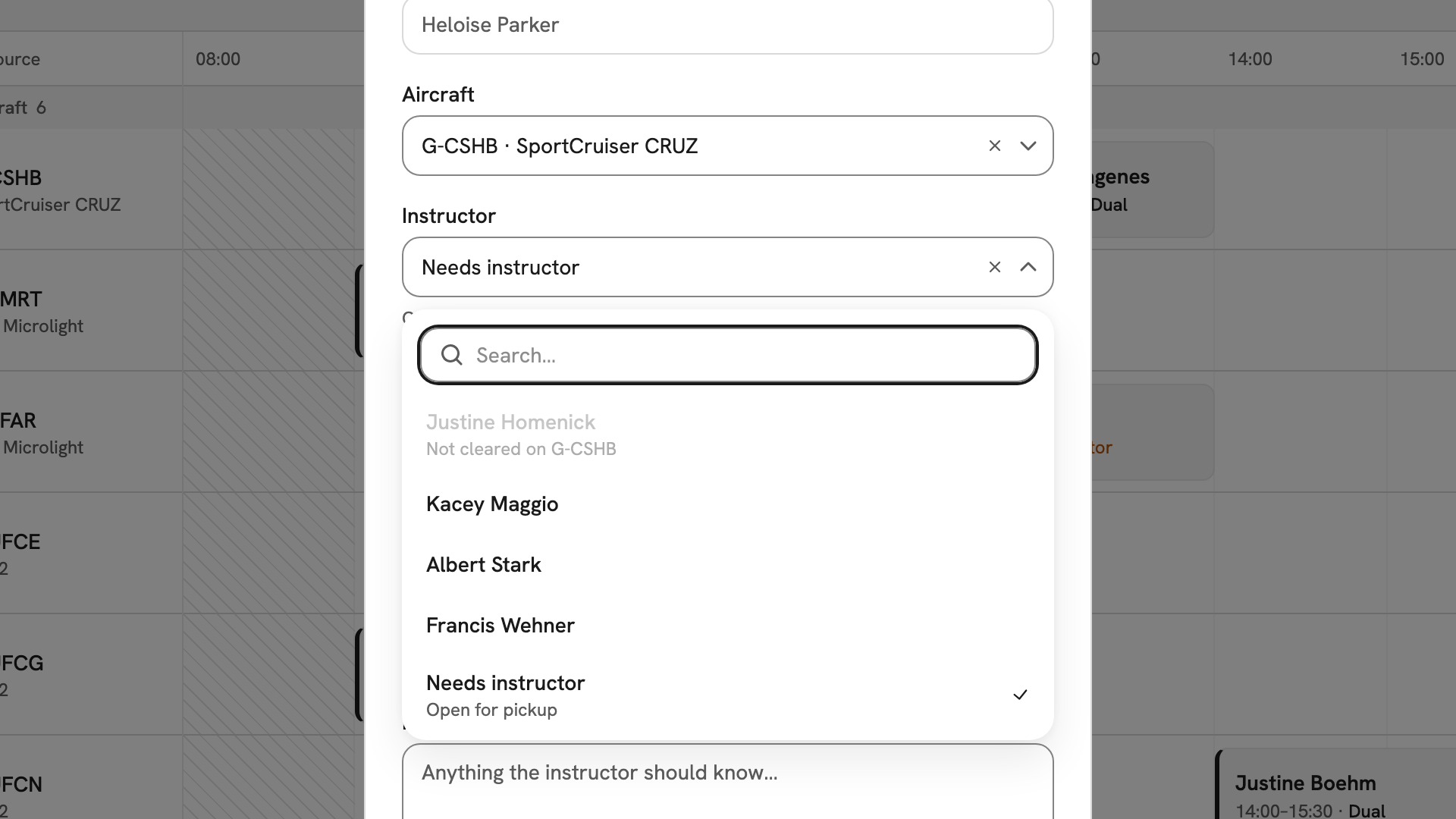
The aircraft changed to G-CSHB and the instructor list open, with Kacey Maggio free and Justine Homenick Not cleared on G-CSHB. Change the type (optional)
Choose another type in the Type row. For example, Ground school replaces the aircraft with Room. A trial flight's type is locked.
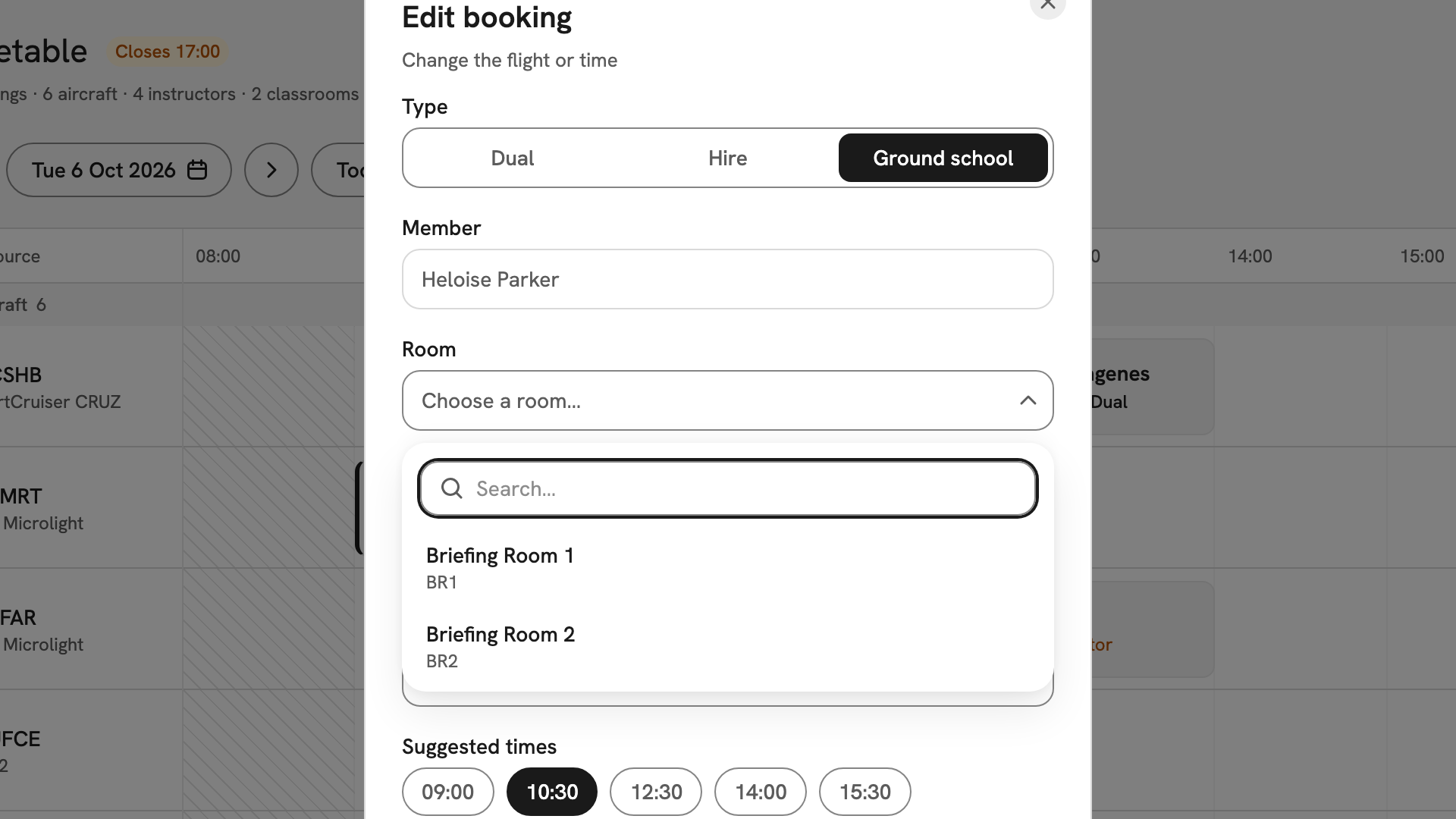
The same booking switched to Ground school, with the Room list offering Briefing Room 1 and Briefing Room 2. Save the changes
Press Save changes. Every change applies together, or none do: if one part fails, the booking stays as it was. The panel reads Booking updated with the new day, window, member and type.
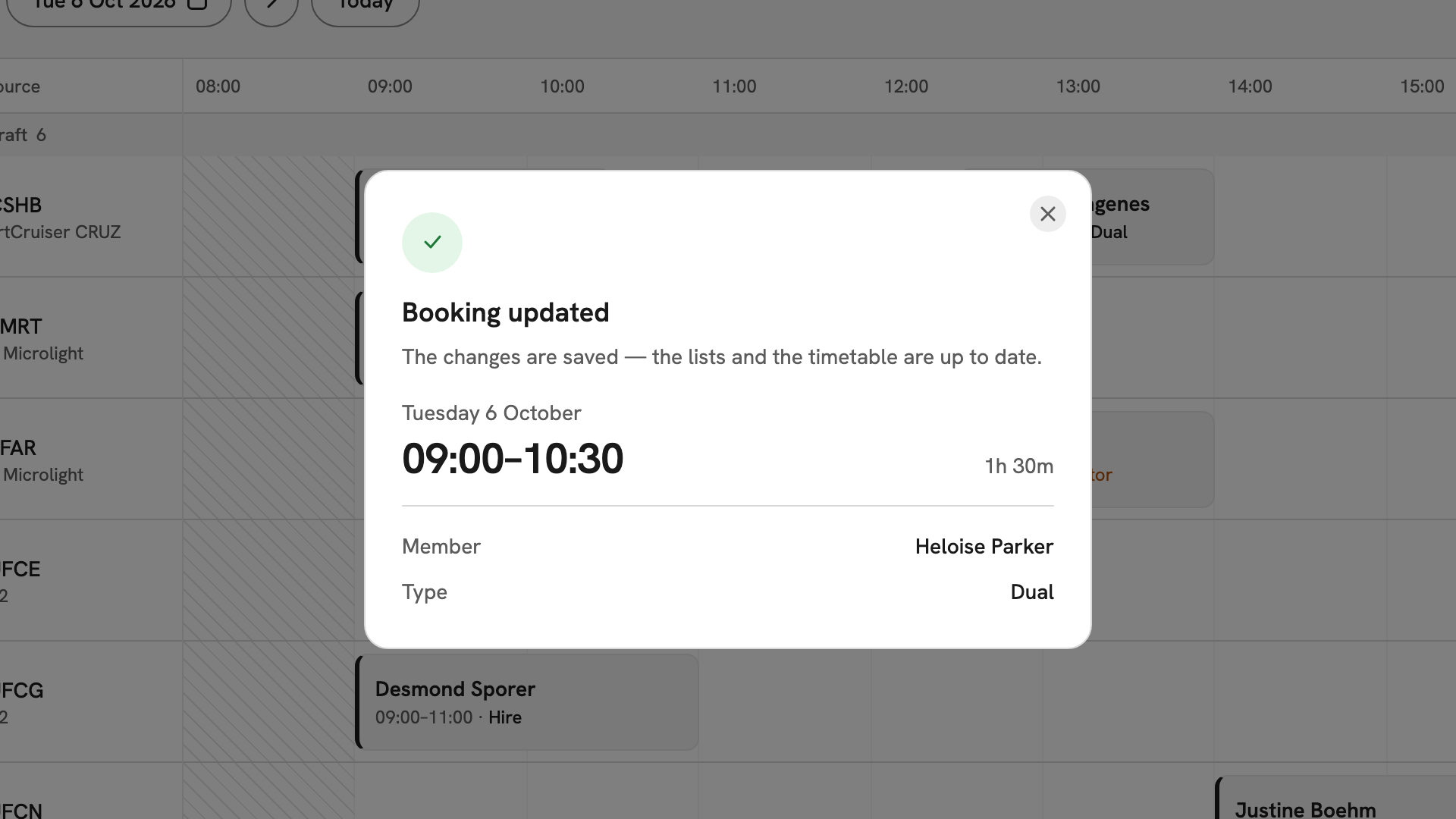
Booking updated: Tuesday 6 October, 09:00–10:30, Member Heloise Parker, Type Dual.
After you have changed it
The timetable and lists update straight away. An edited booking keeps its status; a rescheduled one is confirmed and back on the board. To give the slot up instead, use Cancelling a booking, which records why.
If something goes wrong
- There is no Edit booking. The booking is finished, or you are a student. Students cancel and book again.
- "This booking changed since you opened it". Someone else saved a change. Close the form and start the edit again.
- "That aircraft, instructor or classroom is already held for this time". Something is taken in the new window. Move the window or change the resource.
- The save is refused inside a closure. Even a notes-only change fails while the booking sits in a closure. Move it outside, or ask an admin to lift the closure.
Still stuck? Your club's admins see every booking and can lift a closure or put a resource back in service.
Last updated 1 October 2026