Approving a booking request
Turning a member's pending request into a confirmed slot, or declining it with a reason they are told.
A pending request holds its slot until someone approves or declines it. Resolving one takes under a minute.
Before you start
- Permission to confirm bookings. Instructors, Instructor & Admins, admins and owners have it. See Roles and what they allow.
- For instructors, your own lessons. Instructors have no club-wide list. Requests for lessons you teach are in your My Bookings, with the same Review action.
Approving a request
Find the pending requests
Open All Bookings from the sidebar and press the Pending chip above the table. The table filters to the requests waiting. To find one member's, type their name into Search by member.
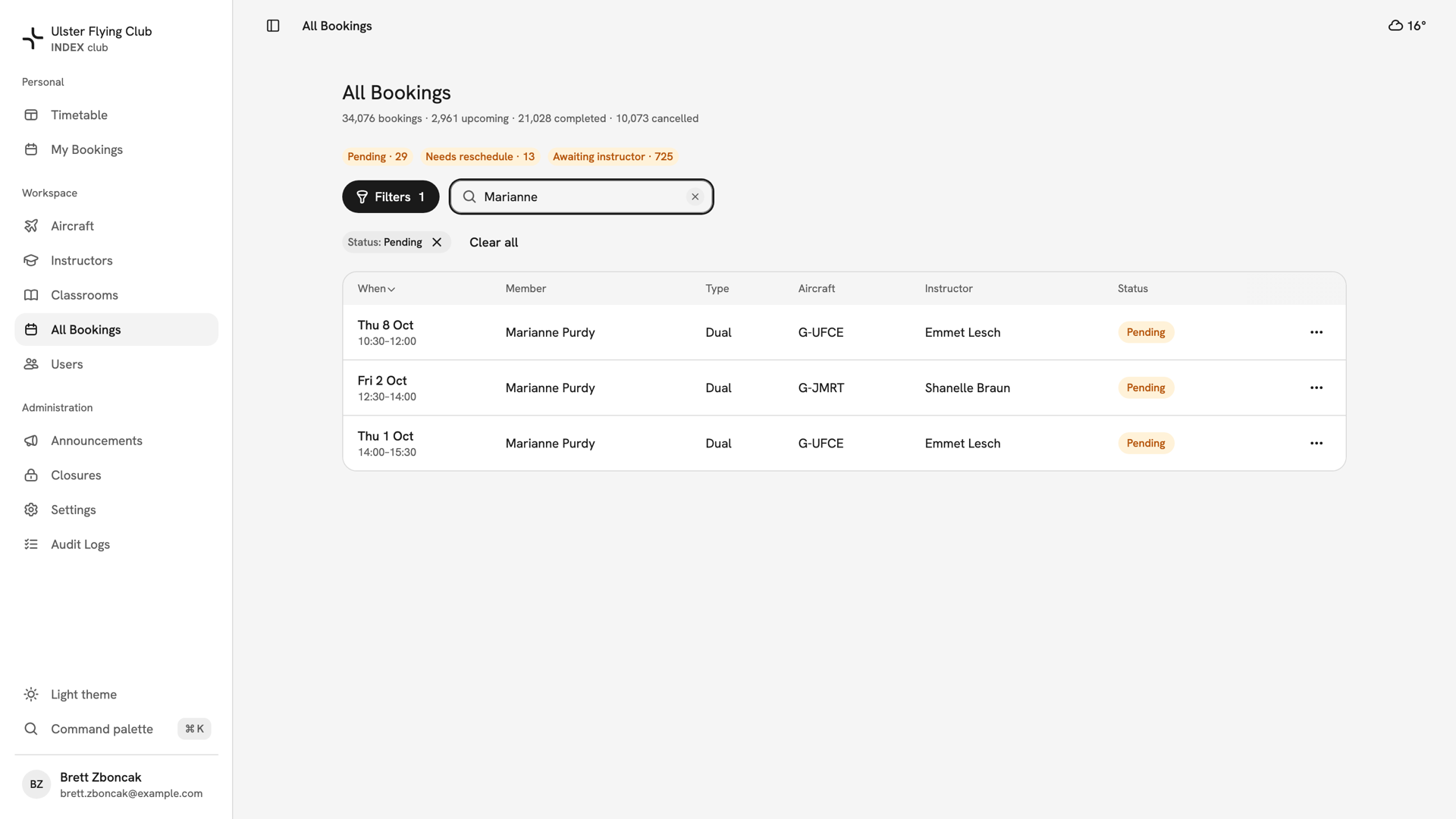
All Bookings filtered to Status: Pending and searched for Marianne, showing her three pending duals. Open the review
Press the row's ⋯ menu and choose Review. On a phone, rows are cards: tap the card, then press Review at the foot of the booking panel. On a pending row, Review takes the place of Cancel booking.
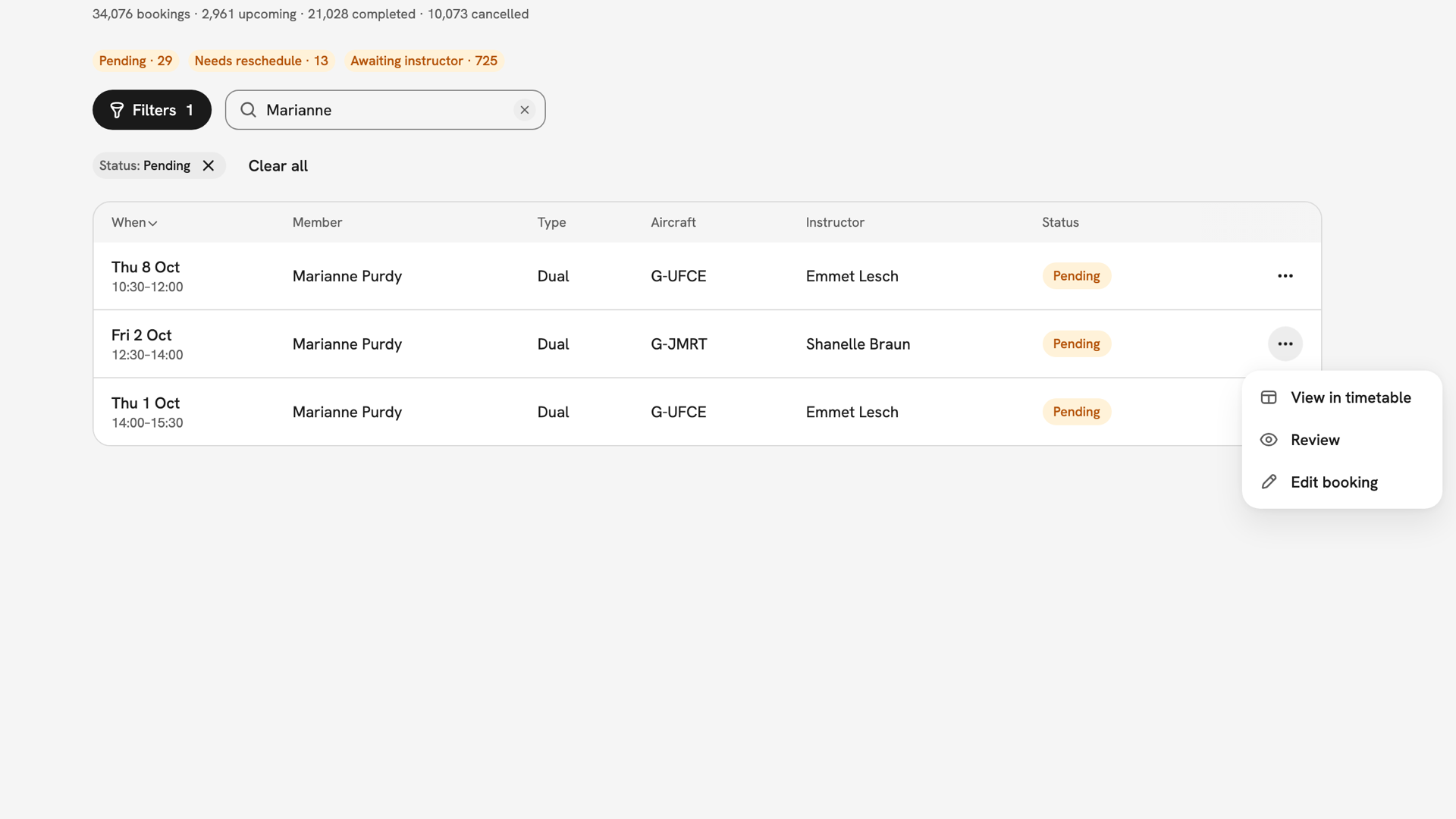
The ⋯ menu on the Fri 2 Oct row, offering View in timetable, Review and Edit booking. Read the request
The dialog is headed Approve booking request, with Awaiting approval and "Requested by Marianne Purdy" beneath. It shows the day, window, type, aircraft and instructor, and any note the member left.
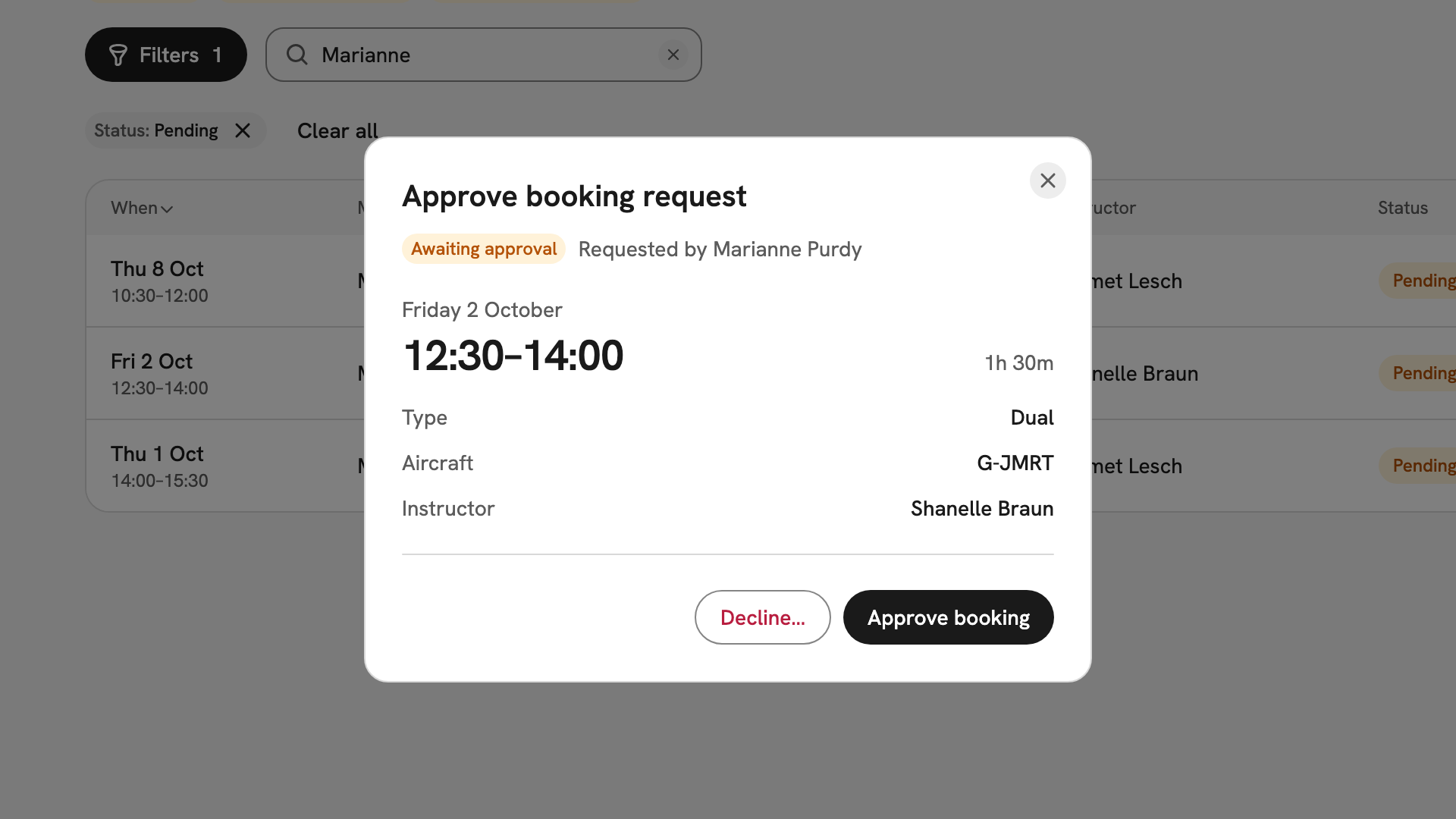
The review dialog for Friday 2 October, 12:30–14:00: Dual on G-JMRT with Shanelle Braun. Approve it
Press Approve booking. The booking becomes Confirmed, the member gets an email, and the dialog reads back what you approved.
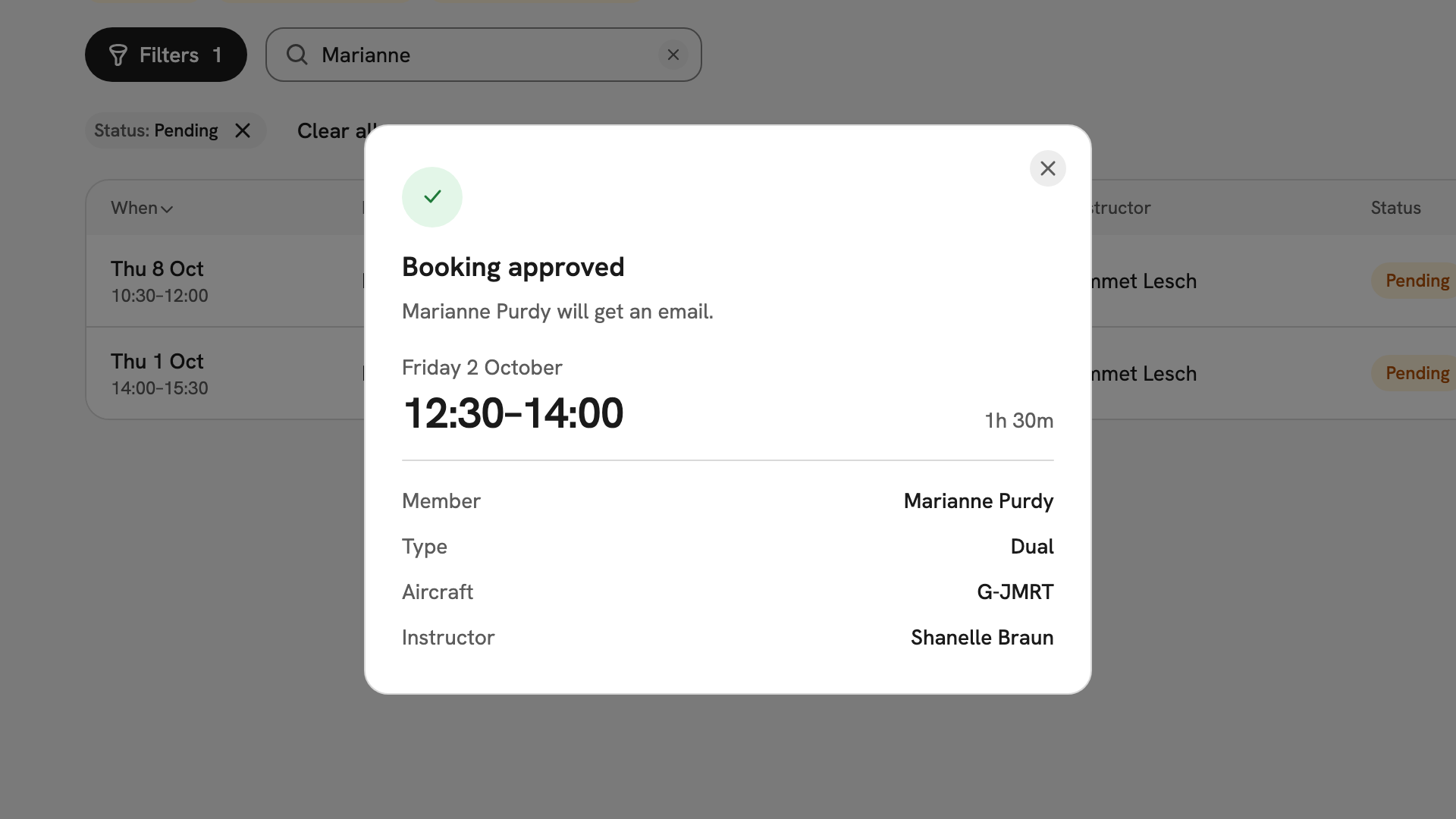
Booking approved: Marianne Purdy will get an email, Friday 2 October 12:30–14:00, G-JMRT with Shanelle Braun. Decline it instead
If the request cannot go ahead, press Decline… instead. Type a Reason the member can act on and press Decline booking. The slot is released and the member is emailed your reason. Back returns to the request.
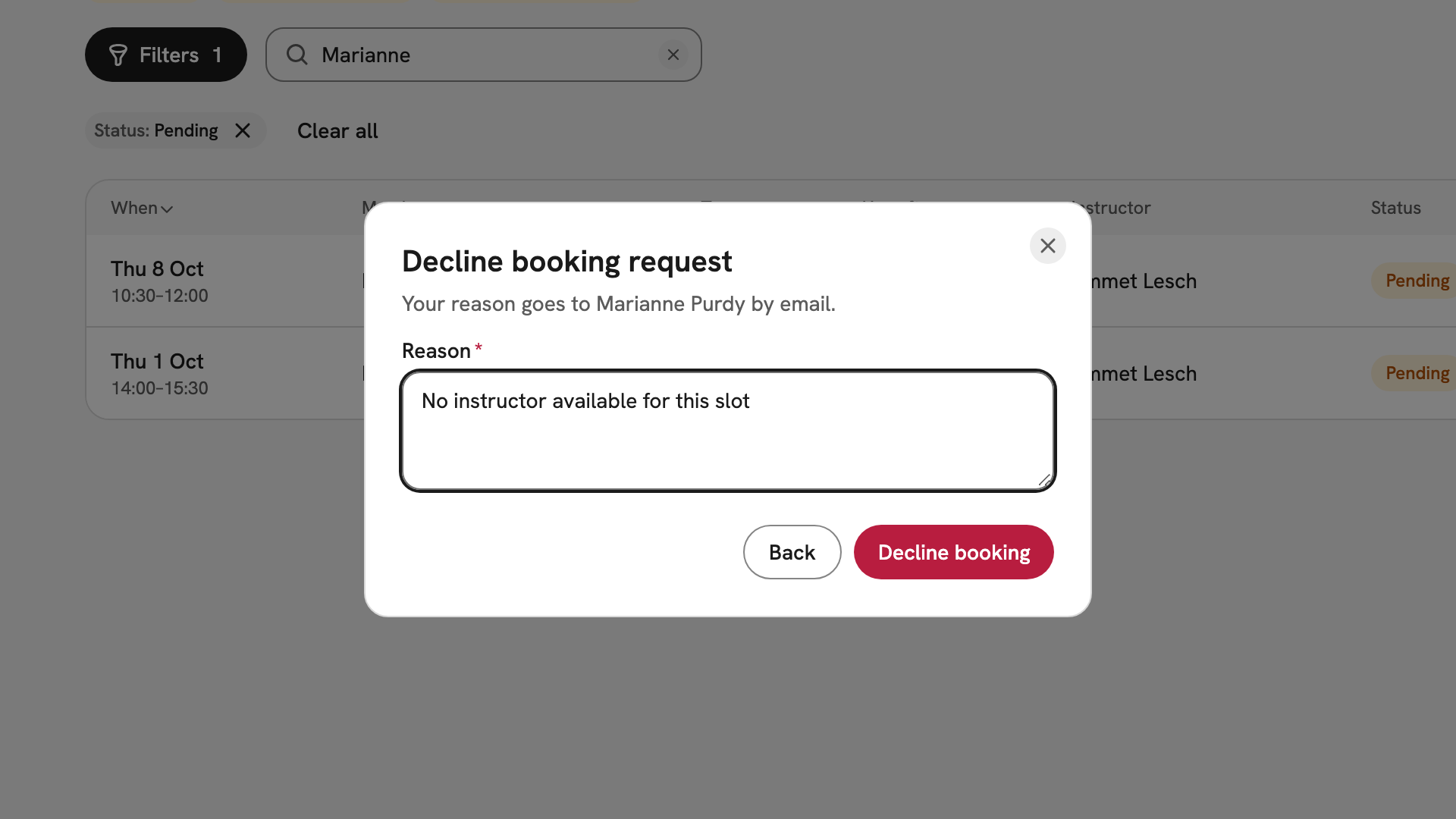
Decline booking request for Marianne Purdy, with the Reason No instructor available for this slot.
After you have decided
An approved booking behaves like any other confirmed slot; see Changing a booking and Signing off a booking. A declined booking leaves the timetable and shows as Cancelled in the member's history. Either way the Pending chip's count drops by one, and the chip disappears at zero.
If something goes wrong
- There is no Pending chip. Nothing is waiting. The chips hide at zero rather than showing an empty count.
- An instructor cannot find the request. Instructors see only lessons they teach, in My Bookings. A request with Needs instructor is for an admin to review.
- "This booking changed since you opened it". Someone acted on it while your dialog was open. Close it and check the row; it may already be approved.
- The approval is refused and names a problem. Put it right first, for example by moving the booking in Changing a booking, then approve.
Still stuck? Your club's admins see every booking, and can lift a closure or put an aircraft back into service.
Last updated 1 October 2026