The member roster
The club's directory of people, and the page that holds everything INDEX Club knows about a member.
The roster is the club's list of people. Each member's own page gathers everything INDEX Club knows about them.
Who can open it
- Owners, admins and instructor-admins see Users in the sidebar and can change members: invite, edit, change roles and deactivate.
- Instructors and students do not see Users. Instructors still see the customer's name on bookings they teach, but not their contact details.
Roles and what they allow sets out what each role reaches.
Reading the list
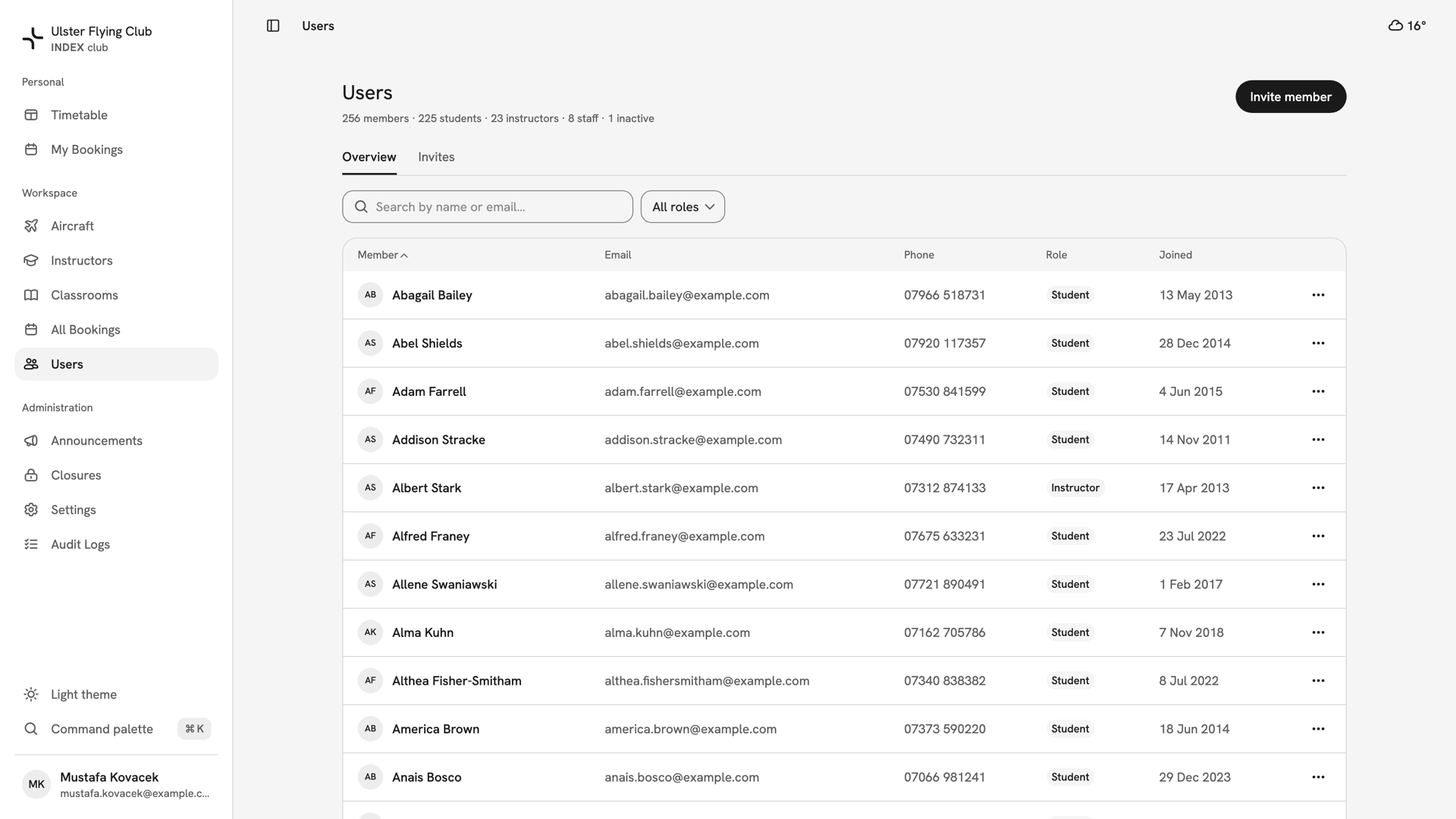
Users is under Workspace in the sidebar. The line under the title counts the club's members, students, instructors and staff, and any inactive members. The Overview tab lists every member A→Z by name:
- Member — their photo or initials, and their name, which opens their page.
- Email and Phone — an em dash means the field is empty.
- Role — a chip, with an Inactive chip beside it if the membership is deactivated. Deactivated members stay on the roster.
- Joined — the date the membership was created.
- ⋯ — Edit member, and Deactivate member or Reactivate member.
Search by name or email and the role filter search the whole club, not just the page on screen. Paging is Previous and Next with no total, so search rather than page. On a phone each member is a card, and the role filter is behind the filter button.
A member's own page
Press a member's name to open their page. The header shows their name, role chip, email, join date and booking count, with these actions at the top right:
- ⋯ — Deactivate member, or Reactivate member once they are inactive. Never shown on your own page.
- Contact — Call and Email, each listed only if the club has that number or address.
- Edit — their name, phone and role.
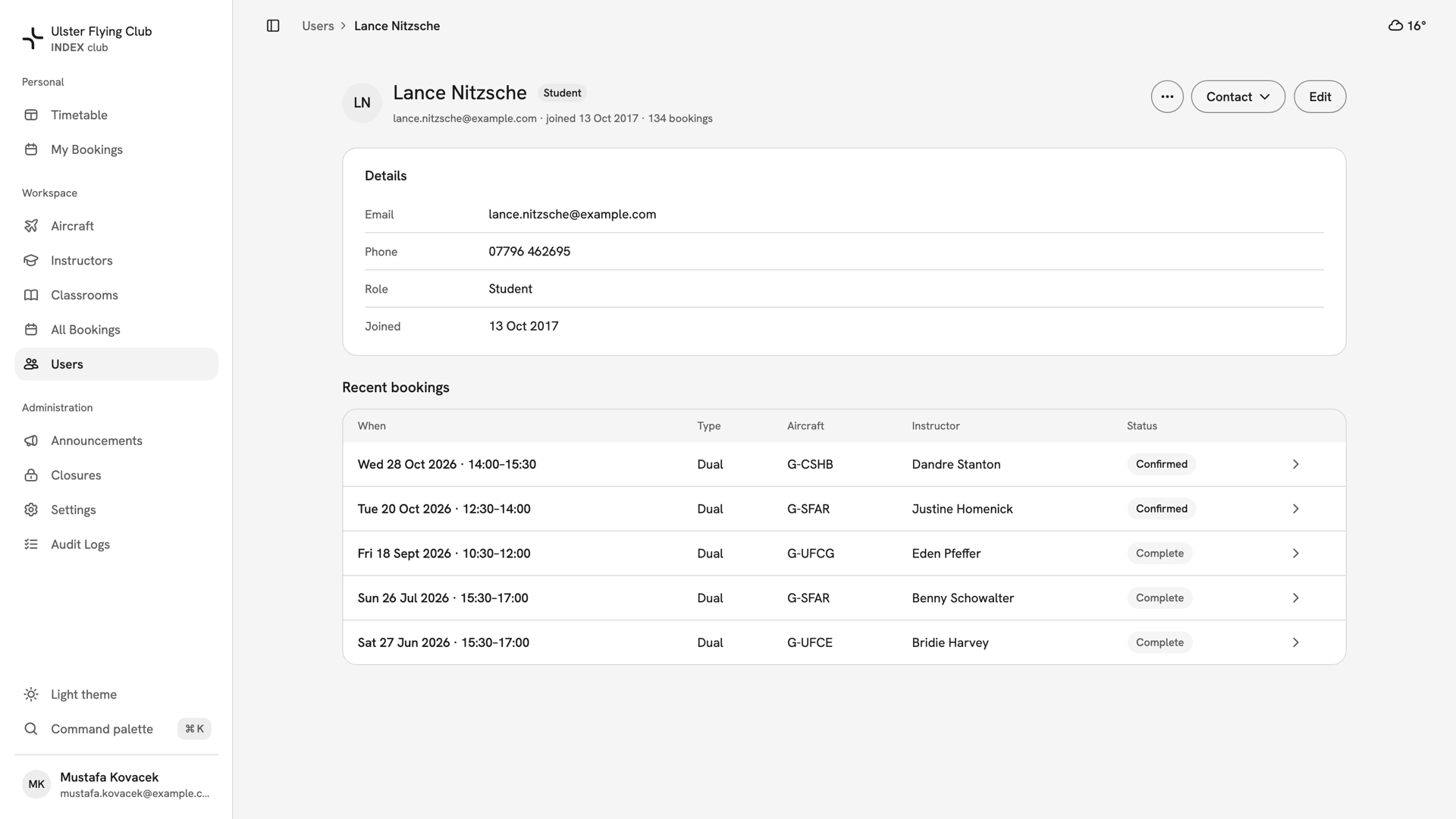
Details repeats their email, phone, role and join date. Recent bookings shows five of their bookings as the customer, the next upcoming ones first; press a row to see the booking. Lessons an instructor teaches do not appear there.
Nobody is created on the roster. Every member arrives through Inviting a member, and an instructor's availability and diary live under Instructors.
If something goes wrong
- Users is not in the sidebar. Your role cannot see members. Only owners, admins and instructor-admins can.
- "Only an owner can change an owner's account." Admins cannot edit or deactivate an owner. Ask an owner.
- A member is missing from the list. Set the role filter to All roles and search by email. A member with no profile name shows an em dash and does not match a name search.
Still stuck? Your club's owner sees every member and every role, and can change any of them.
Last updated 1 October 2026