Signing off a booking
Recording how a flown slot actually ended, from the Needs sign-off flag to a closed booking.
When a booking's window has passed, INDEX Club flags it Needs sign-off until someone records how it ended. It takes under a minute.
Before you start
- A finished booking. Sign-off is offered only once the end time has passed and no outcome is recorded. That is what the Needs sign-off chip means.
- A booking you can act on. Instructors sign off the lessons they teach. Admins and Instructor & Admins can sign off any booking.
Signing it off
Find the booking
Open My Bookings from the sidebar and press Past. Finished bookings without an outcome carry a Needs sign-off chip in the Status column. Lessons you teach are tagged Instructing. On the timetable, the same booking is amber and reads Needs sign-off: press it, then Sign off.
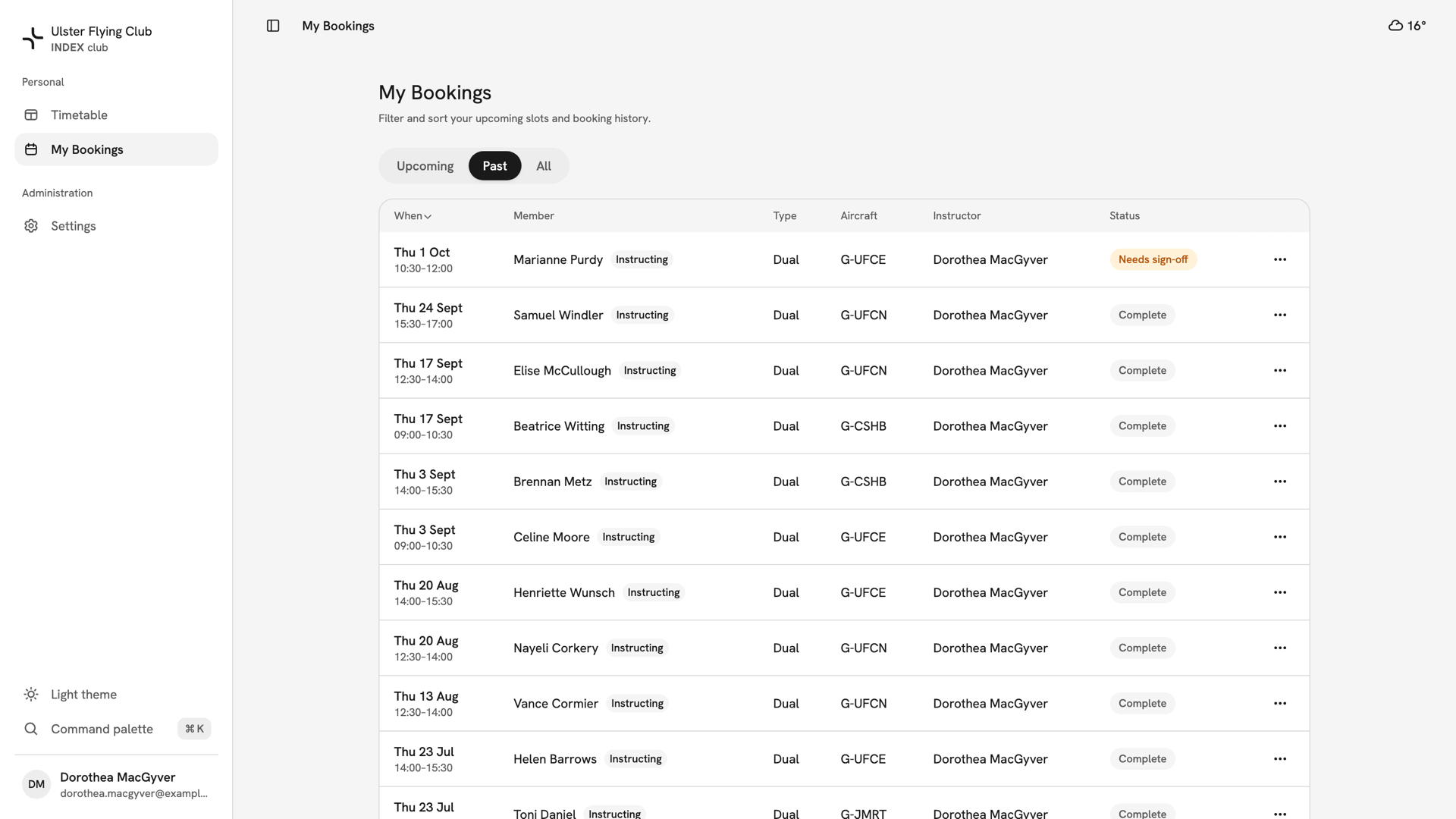
The Past tab of Dorothea MacGyver's My Bookings, with Marianne Purdy's dual on G-UFCE chipped Needs sign-off. Open the sign-off
Press the row's ⋯ menu and choose Sign off…. On a phone, tap the card and press Sign off in the booking panel. The dialog reads the booking back: check the member and registration.
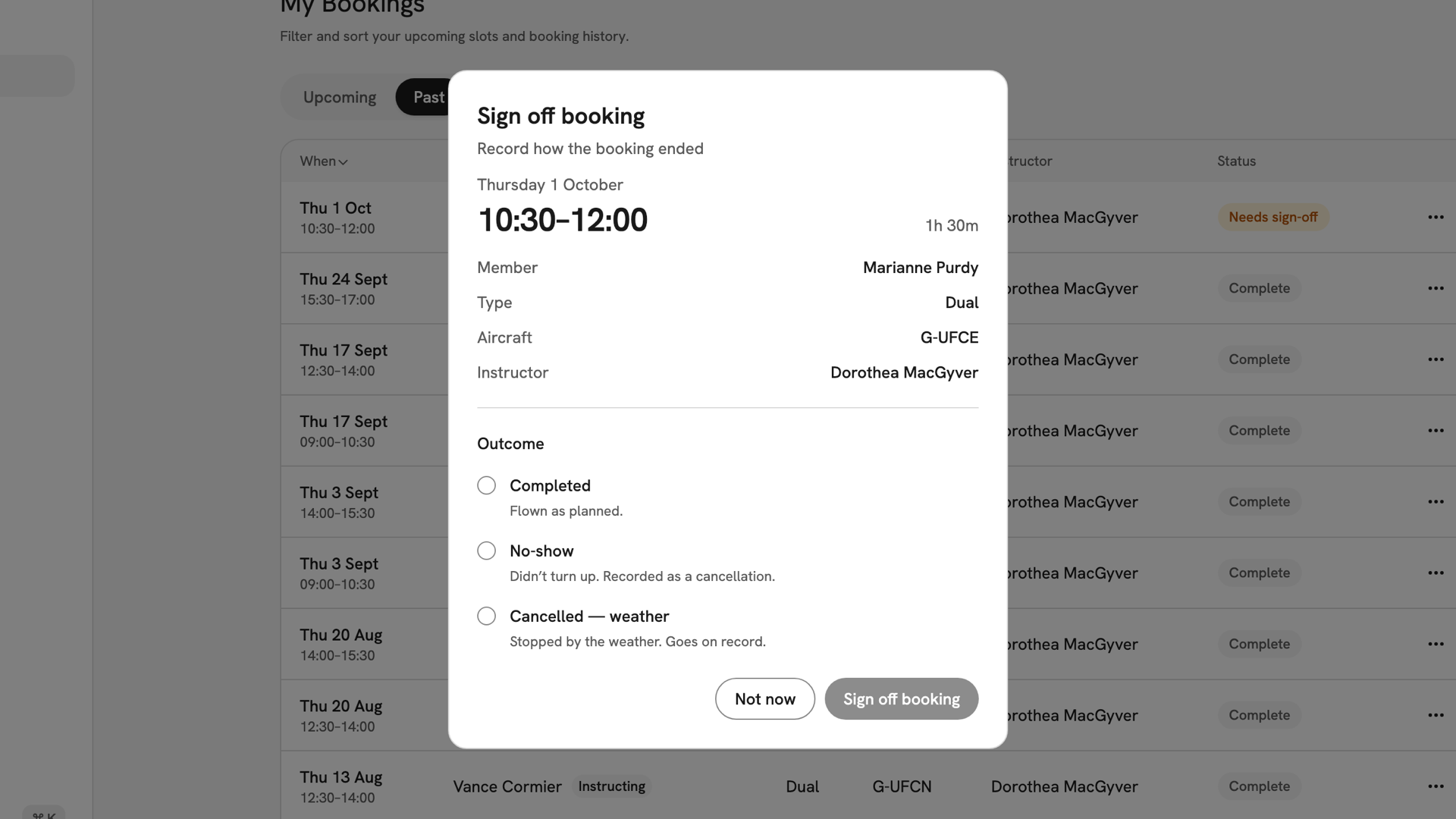
The Sign off booking dialog reading the lesson back: Thursday 1 October, 10:30–12:00, Marianne Purdy, Dual, G-UFCE, Dorothea MacGyver. Choose the outcome
Under Outcome, choose Completed, No-show or Cancelled — weather. The line under each says what it records. Sign off booking stays disabled until you choose. No-show is recorded as a cancellation.
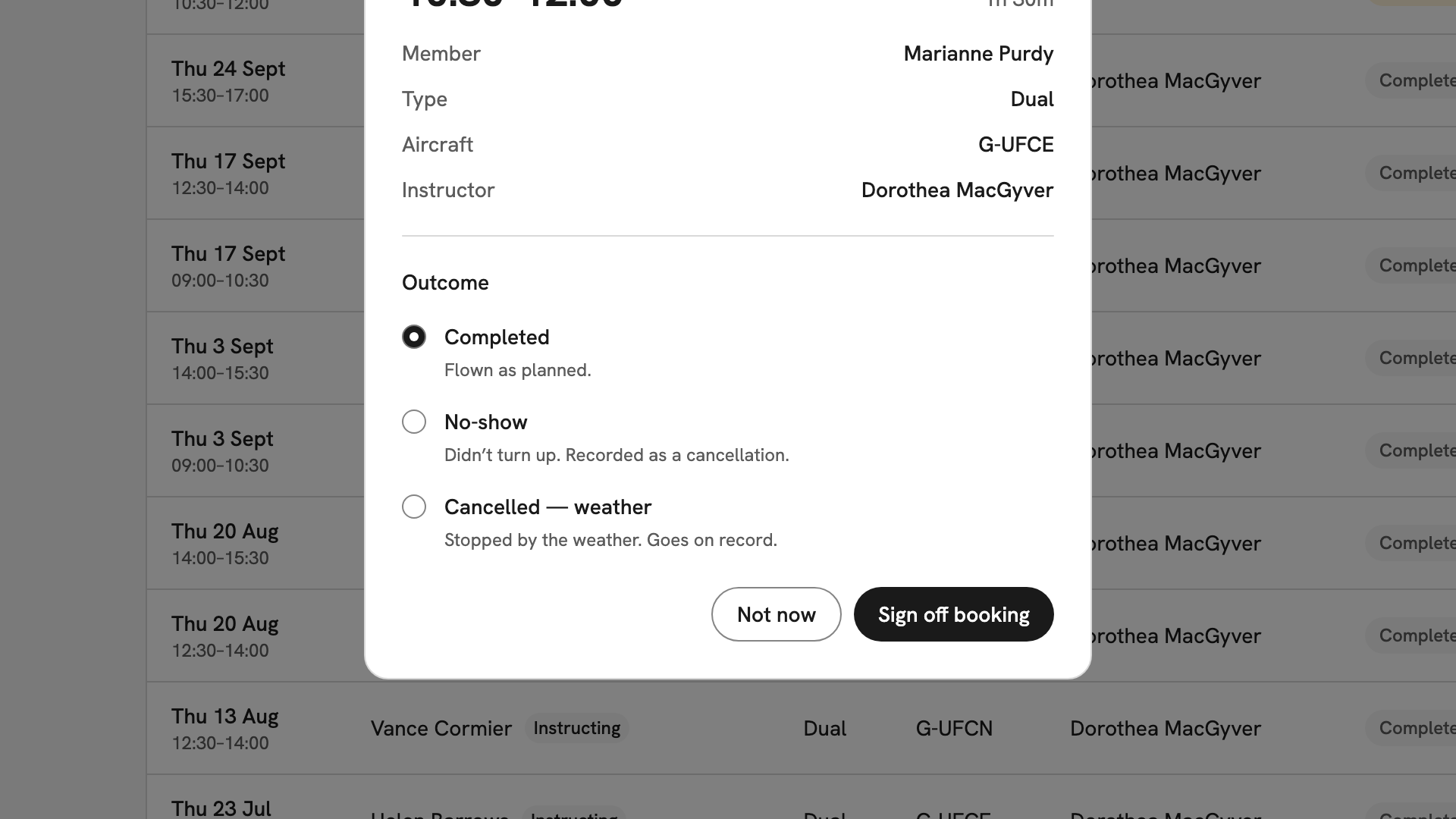
The outcome list with Completed selected: Flown as planned. Add a note (optional)
For No-show or Cancelled — weather, a Note field appears for the record, such as "waited 20 minutes, no contact". Completed has no note field.
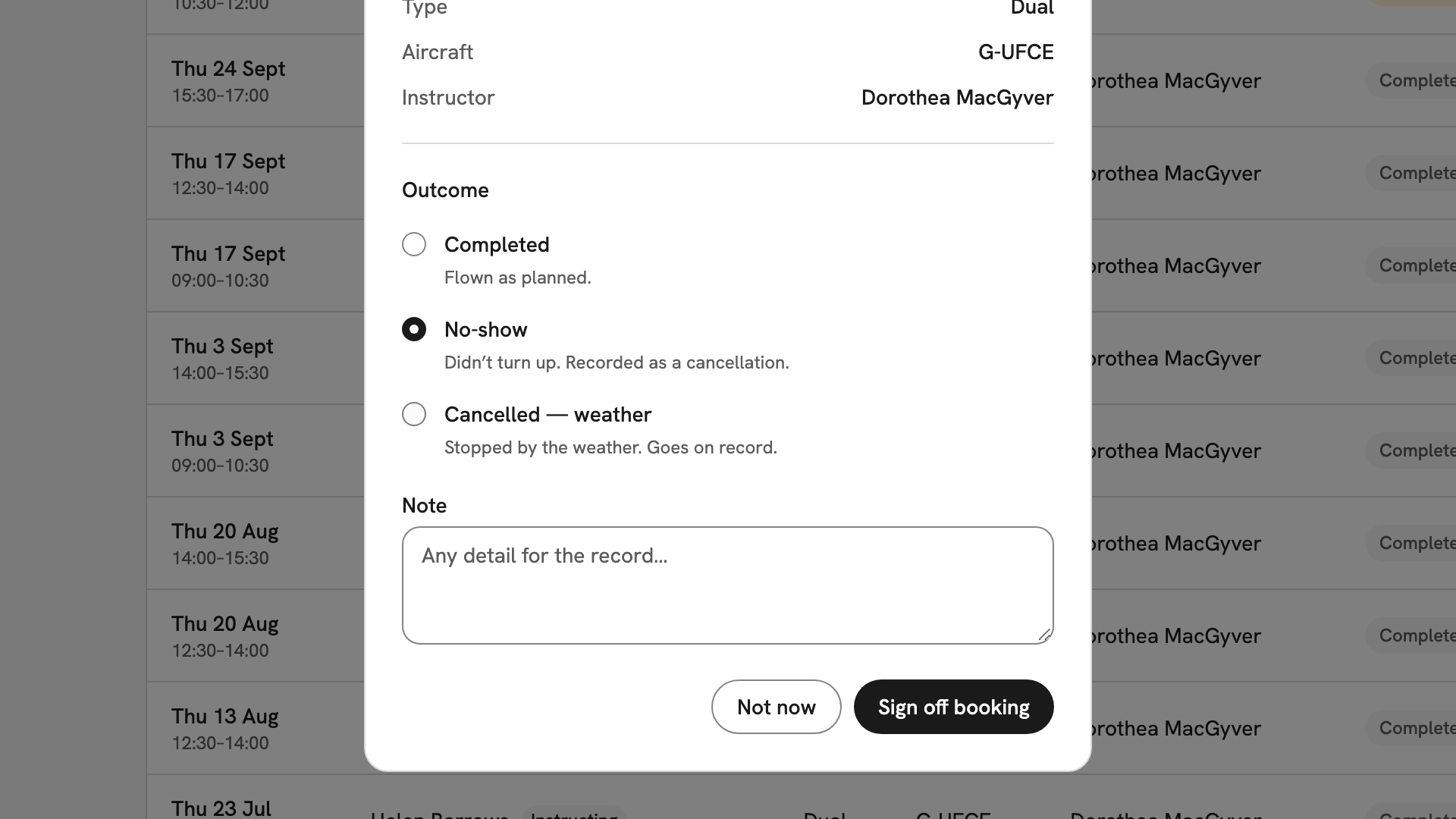
No-show selected, revealing the Note field with its placeholder Any detail for the record… Confirm
Press Sign off booking. A Booking signed off message names the member and outcome, and the row's chip changes to match, such as Complete. Not now closes the dialog and leaves the flag in place.
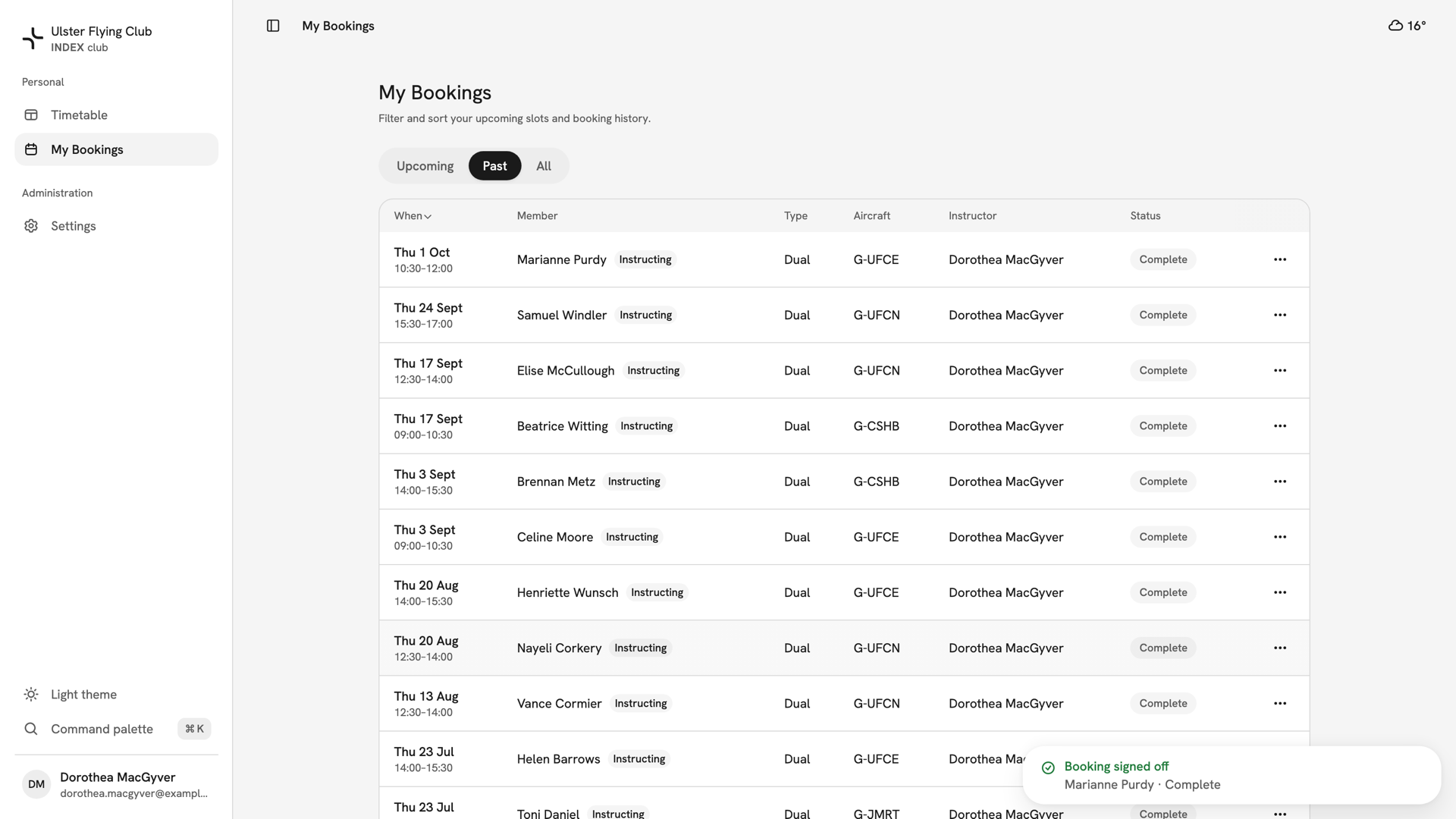
The same row after signing off, now chipped Complete, with the message Booking signed off: Marianne Purdy · Complete.
After you have signed off
The booking is closed and no longer flagged, and it stays under Past and All. A no-show or weather outcome also adds a row to the club's cancellation record, with your note. Sign-off records the outcome only, not flight times or hours.
If something goes wrong
- "This booking hasn't finished yet". Its end time has not passed on the club's clock. Wait until the window is over.
- There is no Sign off… on the booking. It is already signed off or cancelled, or you do not teach it.
- "This booking changed since you opened it". Someone acted on it while your dialog was open. Close it, let the row refresh and check its state.
- You cannot find the lesson. Check the Past tab of My Bookings, not Upcoming. Instructors have no club-wide list.
Still stuck? Your club's admins can see every booking in All Bookings and sign off anything left open.
Last updated 1 October 2026