Closing the club
Standing the club down for weather, what it does to bookings in the window, and how to reopen.
Closing the club stops new bookings in a window, tells every member and flags the bookings already in it. It takes about two minutes.
Before you start
- Permission to close the club. Owners, admins and Instructor & Admins have it. See Roles and what they allow.
- The right tool. A closure stands down kinds of resource, not one named aircraft. To take one aircraft out, see Aircraft availability and maintenance.
Closing it
Set the type and window
Open Closures under Administration and press Close club. Weather grounds the aircraft only; Club closed closes instructors and classrooms too, and Custom lets you pick. The window opens on now until the end of today. Set the dates, and leave a time blank to close the whole day.
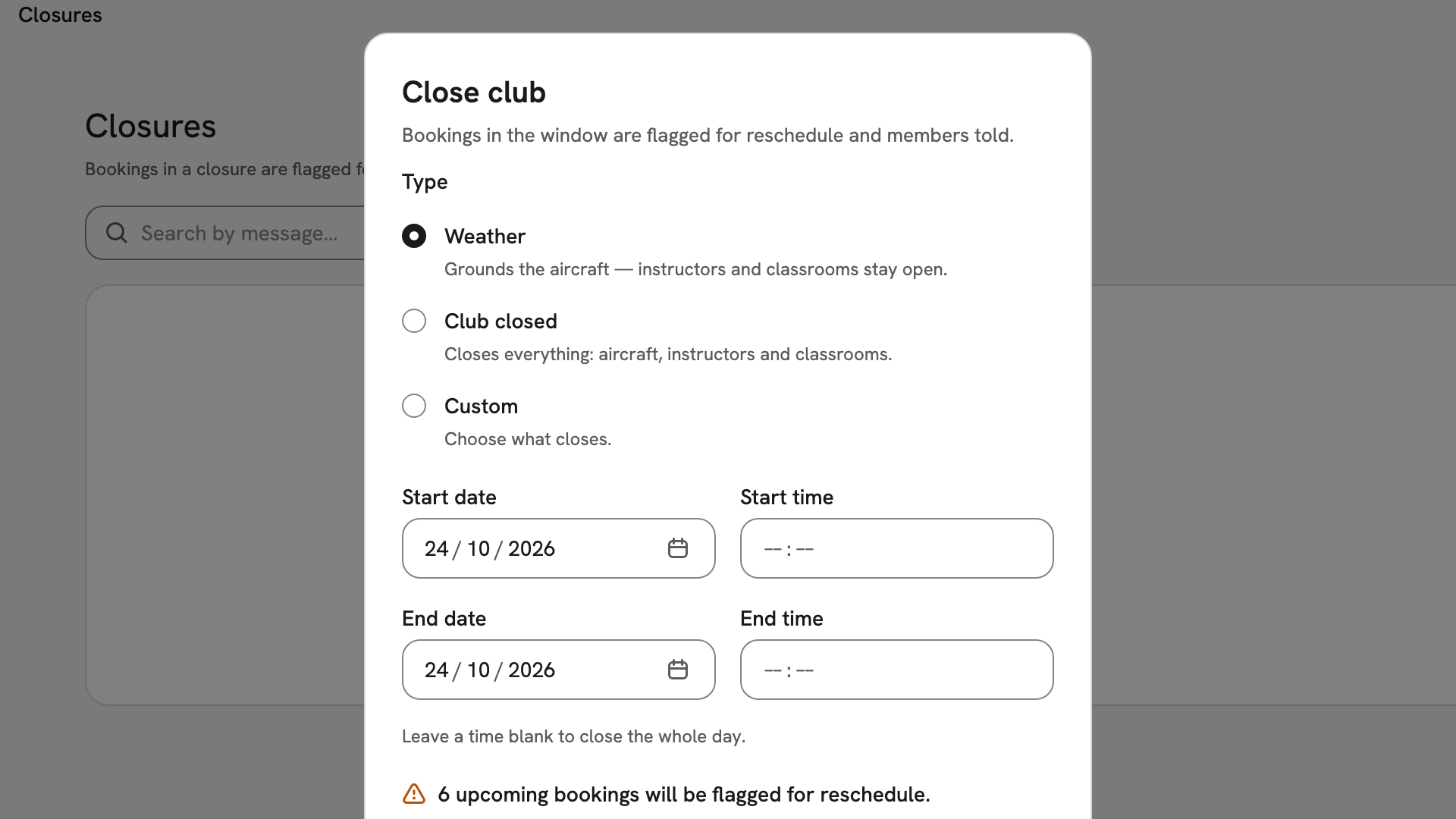
The Close club dialog with Weather chosen and both dates on 24 October 2026, the times left blank for the whole day. Check the impact and say why
Below the dates, INDEX Club counts the bookings it will flag, such as "6 upcoming bookings will be flagged for reschedule", and lists the first five. The count changes as you move the window. Type a Message (optional) saying why.
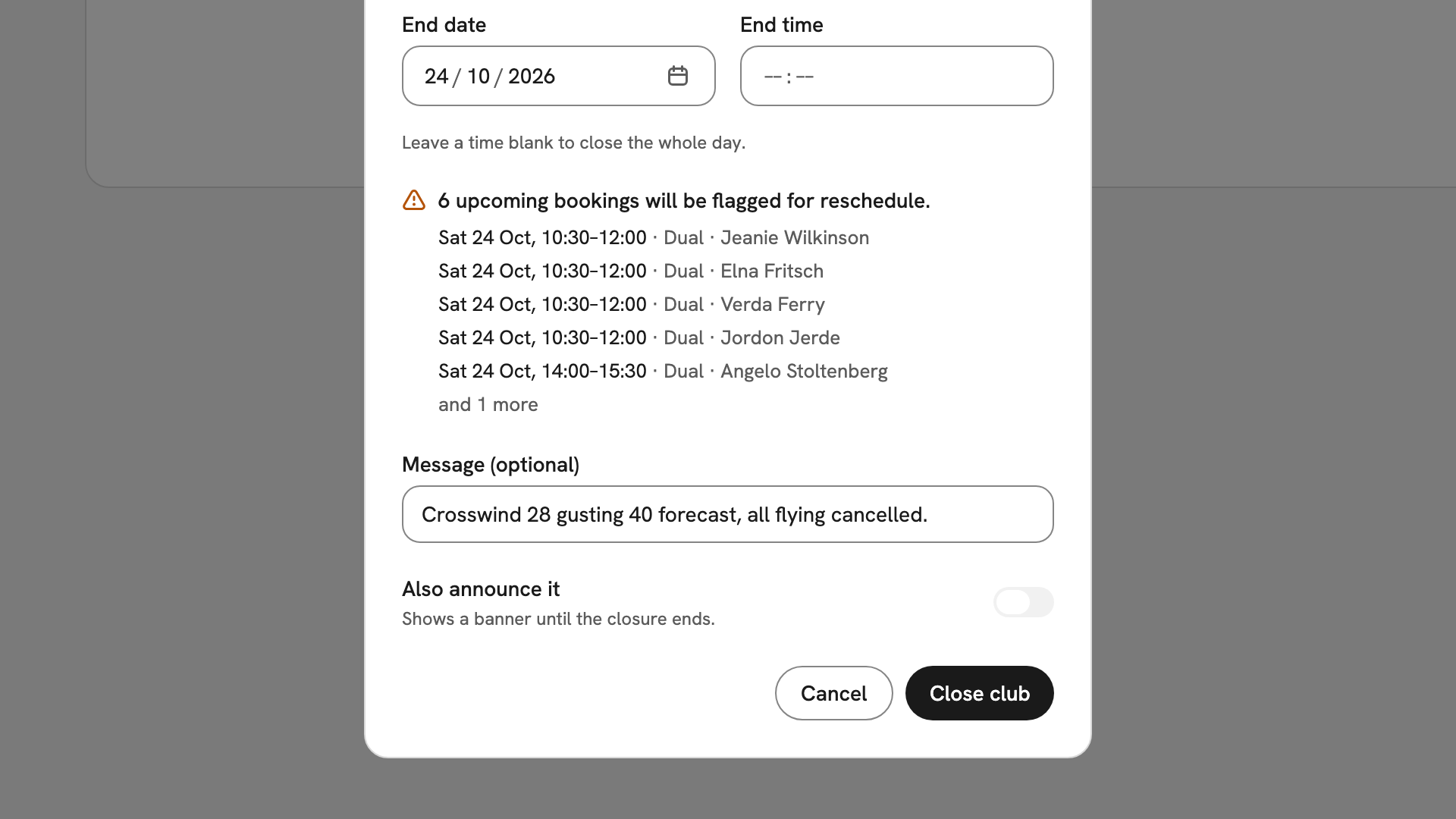
Six Saturday bookings that a whole-day closure would flag, above the crosswind message and Also announce it switched off. Close it
Press Close club. INDEX Club confirms with Club closed and the window. The bookings in it are flagged for reschedule, and the closure appears in the table as Upcoming or, once it starts, Active.
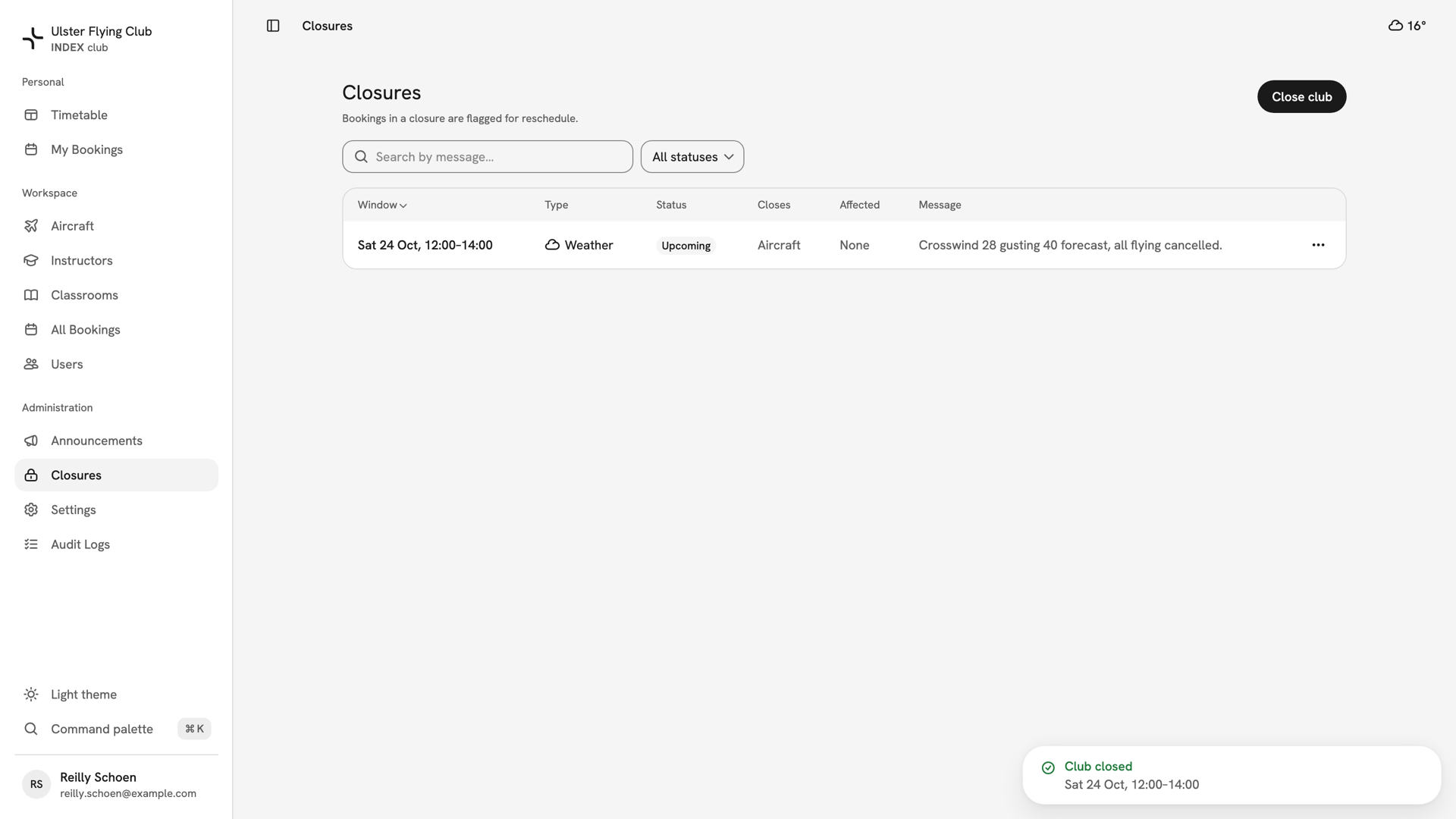
The Closures table with the Saturday 24 October weather closure, 12:00–14:00, Upcoming, closing aircraft and affecting no bookings.
After you have closed the club
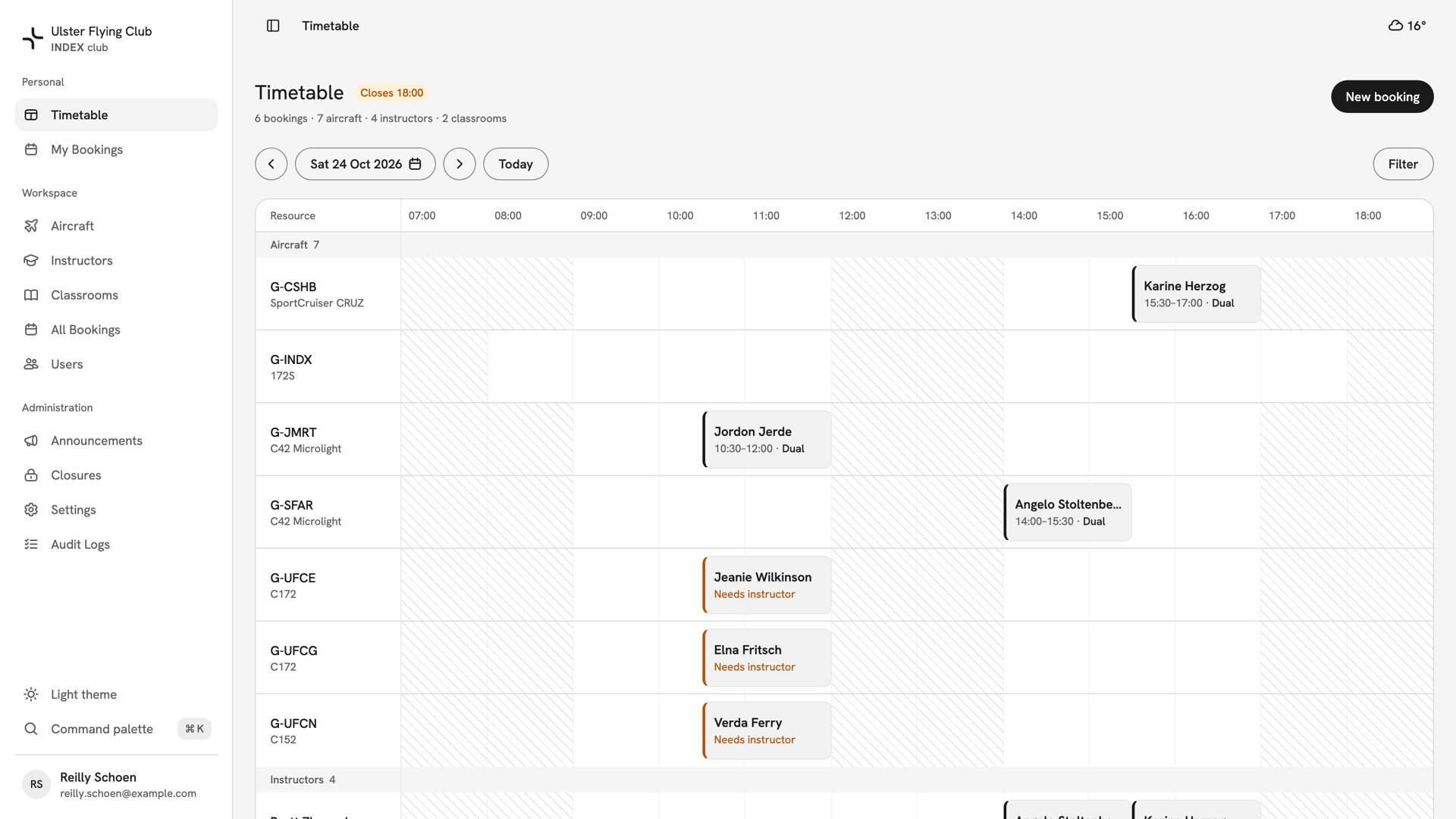
Nobody can book the closed resources in the window, staff included, and the timetable shows it hatched. Every member gets an in-app notification. Flagged bookings are kept, not cancelled, for their members to rebook. To reopen, use the row's ⋯ menu: Lift closure for an active closure, Delete for one that has not started.
If something goes wrong
- Close club is greyed out. The end is not after the start or is in the past ("End must be after the start and in the future."), or Custom has nothing ticked.
- Members still cannot book after the lift. Another overlapping closure may still be Active. Check the Closures table.
- Bookings are still flagged after the lift. That is expected. Lifting reopens the diary; the bookings need new times.
- You closed the wrong window. Lift or delete it, then close the right one. Bookings the first closure flagged stay flagged, so move those by hand.
Still stuck? Your club's owner can lift any closure, and The audit log records who closed the club and when.
Last updated 1 October 2026