Club settings
The club's own details — name, contact information and VAT number — and where they show up.
Keep the club's name and contact details up to date. Members see them in the app and on the club's emails. It takes about two minutes.
Before you start
- Permission to edit account settings. Owners, admins and Instructor & Admins have it. Without it, there is no Organisation tab.
- Two-factor authentication. Staff set up an authenticator before they reach the app. See Two-factor authentication.
Editing the club's details
Open Organisation
Open Settings under Administration in the sidebar and choose the Organisation tab. The card lists the Club name, Trading name, VAT number, Website, Contact email, Phone and Address.
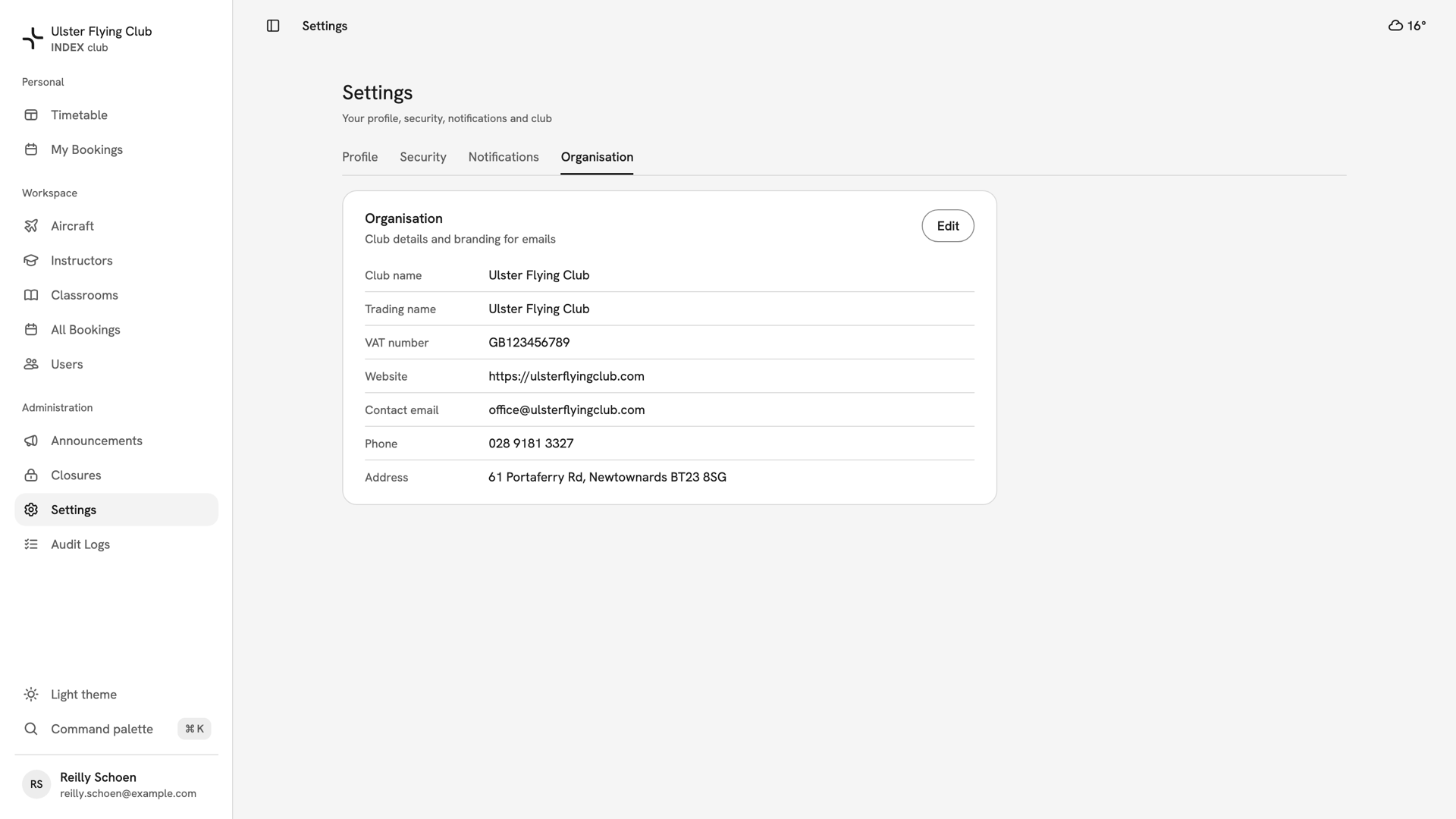
The Organisation tab of Settings for Ulster Flying Club, listing its name, VAT number, website, contact details and address. Change the details
Press Edit. In Edit organisation, change the fields you need. Club name is required. Trading name and VAT number are for clubs whose legal name differs. Save stays greyed out until something has changed.
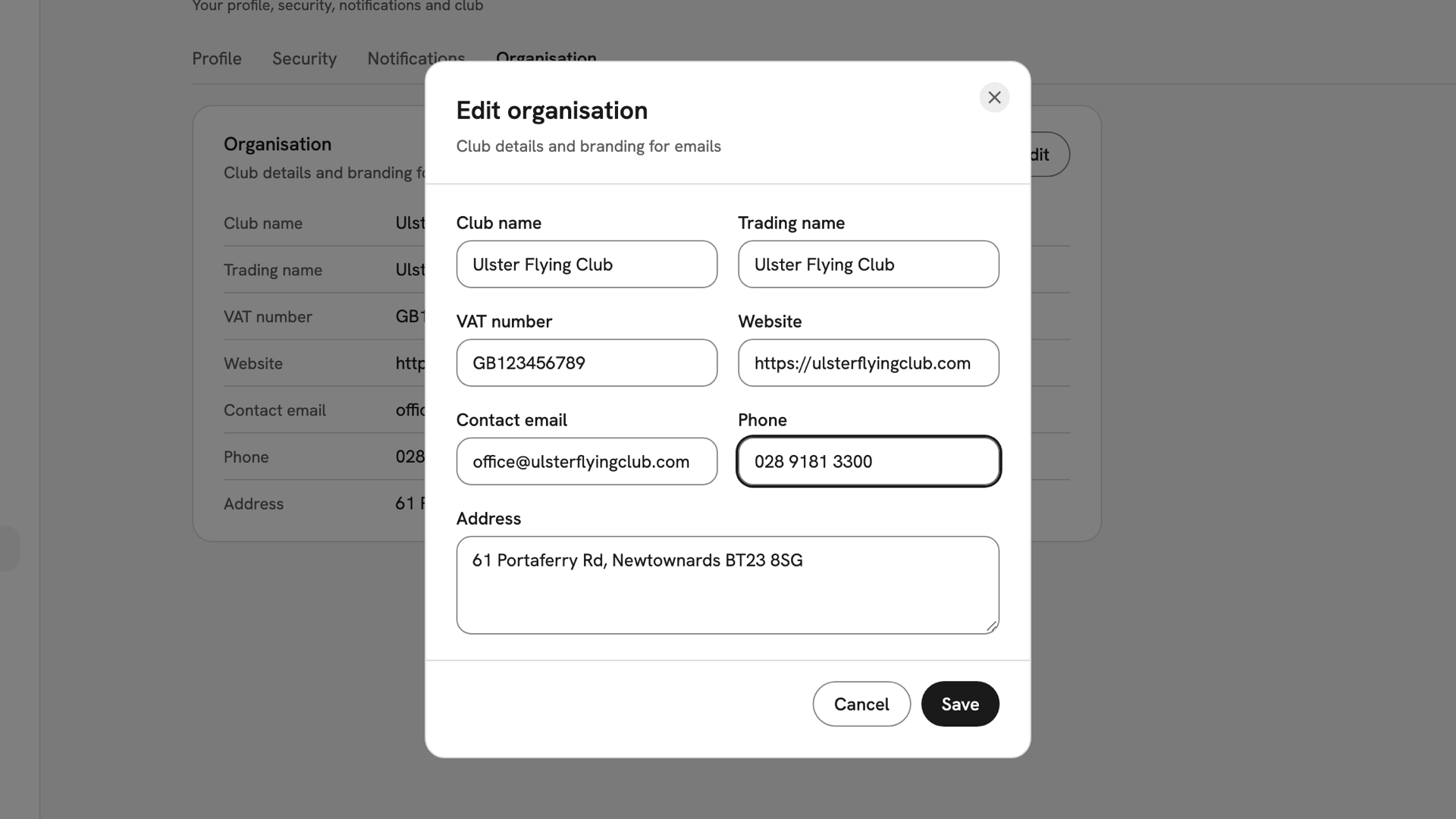
The Edit organisation dialog with the club's phone number changed and the Save button now available. Save or discard
Press Save. INDEX Club confirms with Organisation saved, and the card shows the new details. To back out, press Cancel: Discard changes? asks first, and Keep editing returns you to the form.
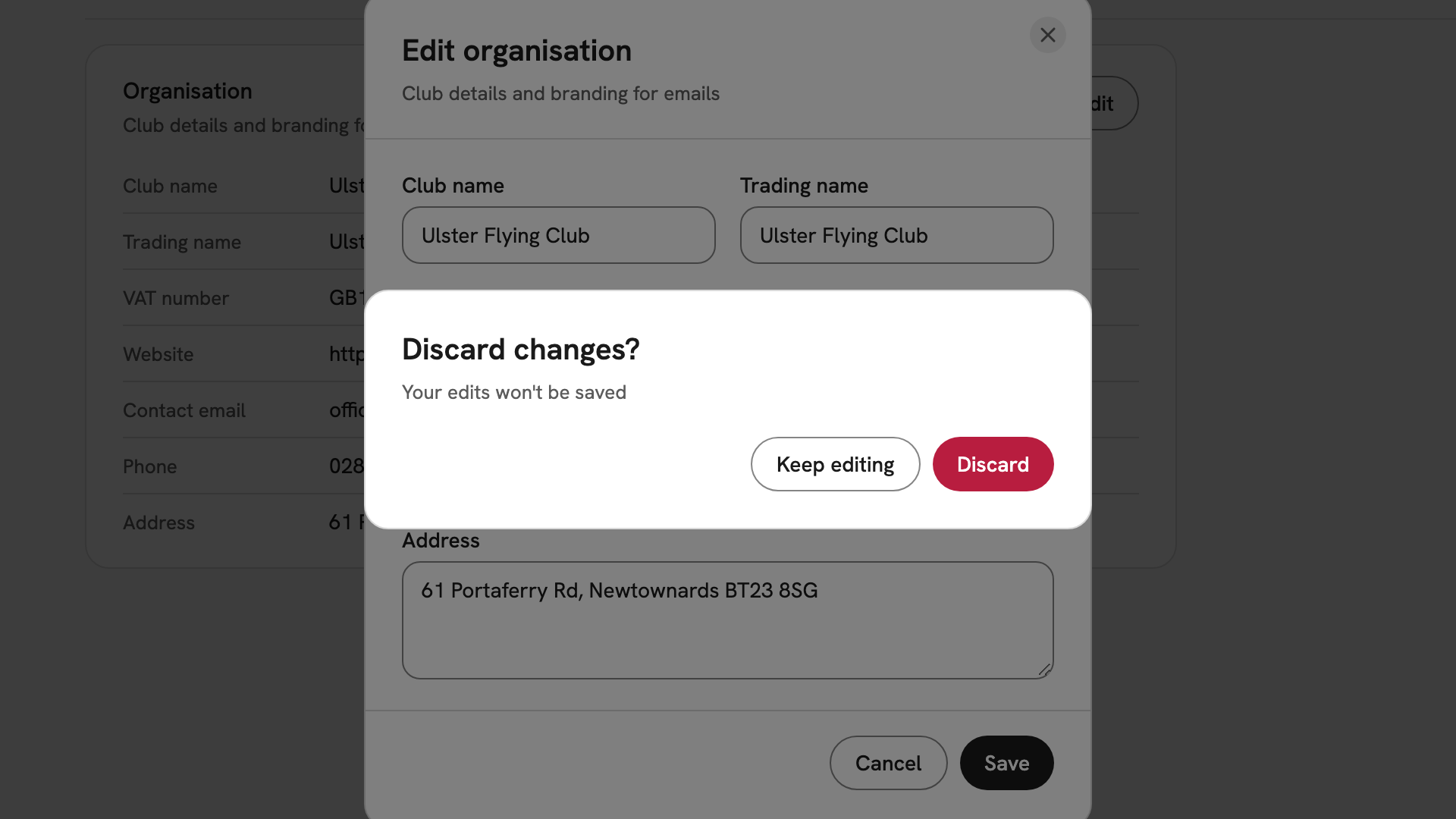
Discard changes? over the Edit organisation dialog, offering Keep editing or Discard after the phone number was changed.
After you have saved
The club name changes everywhere at once: in the app, in invitation emails and on closure banners. Changes to the club record are listed in The audit log. Your own name and phone are on the Profile tab; see Your profile.
If something goes wrong
- There is no Organisation tab. You do not hold Edit account settings. If you open the page anyway, it says Admins only.
- "Couldn't save organisation". Read the message under it. If it mentions two-factor authentication, sign out, sign in again with your code and save again.
- "Changed by someone else". Somebody saved the club record while you had it open. INDEX Club loads their version; reapply your change and save.
- The website will not save. "Enter a full http:// or https:// address":
write
https://ulsterflyingclub.com, notulsterflyingclub.com.
Still stuck? Your club's owner holds every permission on this page.
Last updated 1 October 2026