The fleet
The fleet list, each aircraft's record, and which roles can open or change them.
The fleet is the club's list of aircraft and the record behind each one. Every active aircraft on it is bookable, so the fleet decides what the timetable can offer.
Who can open it
Aircraft appears in the sidebar under Workspace for owners, admins and instructor-admins. They can open every record and change it.
Instructors and students do not have it. They see each aircraft's registration and model on the timetable instead; see What instructors can see.
The list
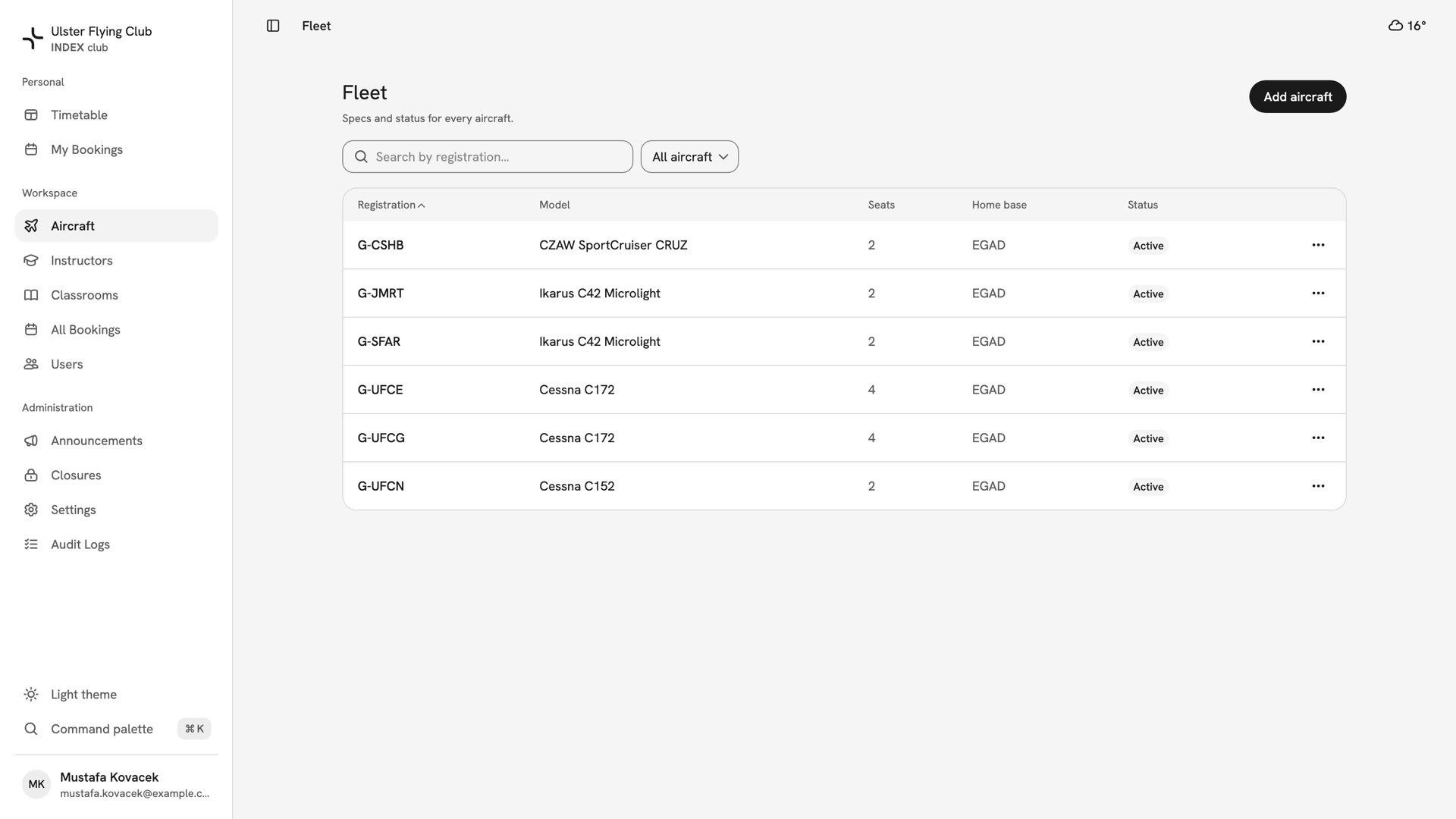
Aircraft opens Fleet, with one row per aircraft: Registration, Model, Seats, Home base and Status. Status reads Active or Inactive. An inactive aircraft is out of service and cannot be booked; see Retiring an aircraft.
Search by registration or model. The filter offers All aircraft, Active or Inactive, and starts on all of them, so retired aircraft are listed too. The ⋯ at the end of a row deactivates, reactivates or deletes that aircraft.
One aircraft's record
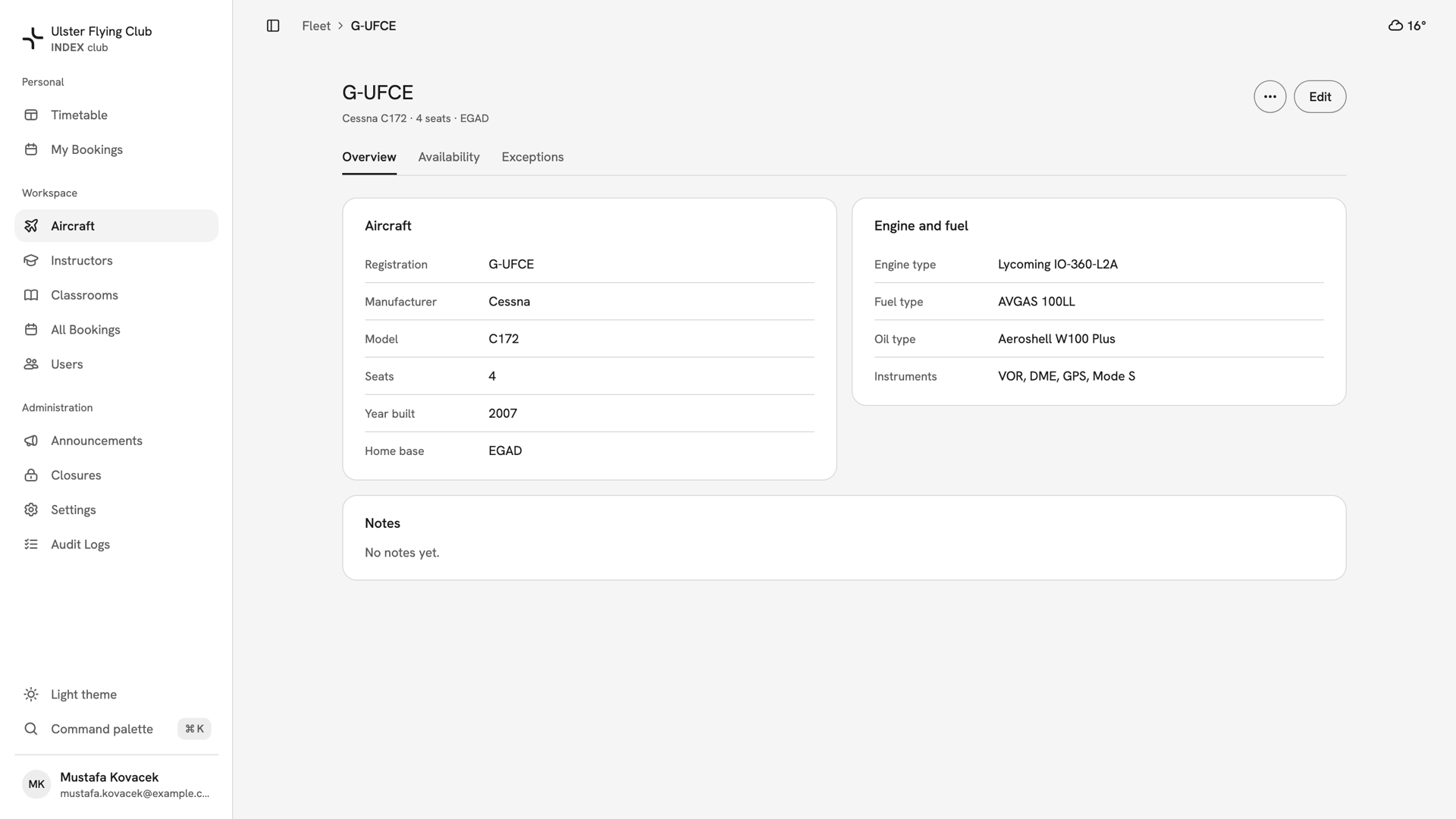
Press a registration to open its record. The header shows the registration, then the type, seats and home base, such as "Cessna C172 · 4 seats · EGAD". A retired aircraft carries an Inactive chip. The record has three tabs:
- Overview: the Aircraft and Engine and fuel cards, and Notes for the next person who flies it.
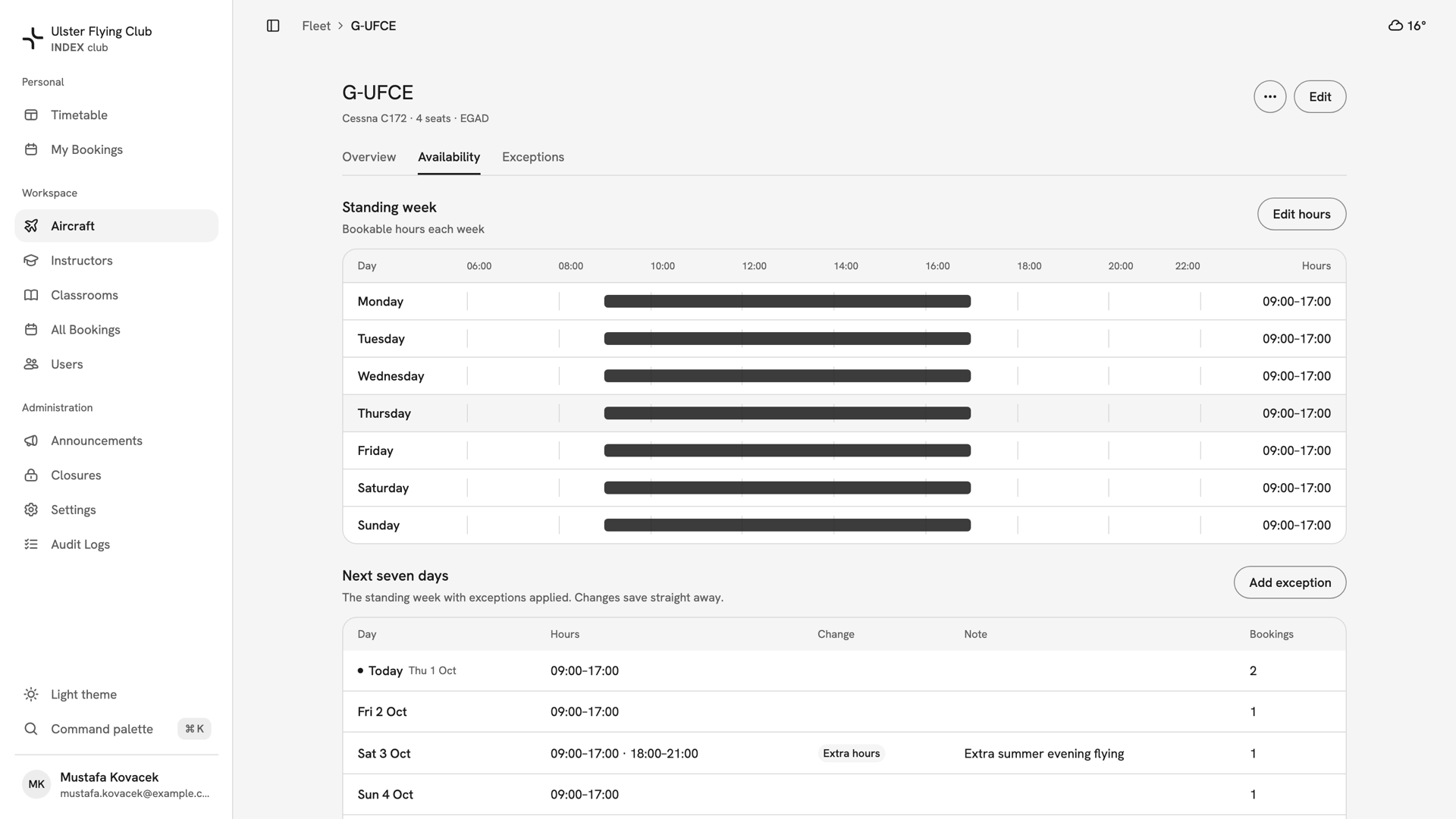
- Availability: the Standing week and the Next seven days.
- Exceptions: days that differ from the standing week.
The cards are read only. Edit in the header changes the specs; see Adding or editing an aircraft. The ⋯ beside it holds Deactivate aircraft and Delete aircraft.
When it can be booked
The Availability tab shows the hours each day, and the Bookings column counts what is already booked. Changing the hours is covered in Aircraft availability and maintenance.
If something looks wrong
- Aircraft is not in your sidebar. Your role does not have fleet access. Instructors and students never do.
- A link to an aircraft says "Aircraft not found". The aircraft was removed, or you cannot read it. INDEX Club gives the same answer for both.
- An aircraft is missing from the list. Set the filter to All aircraft and clear the search box.
Still stuck? Your club's owner and admins can open and edit every aircraft record.
Last updated 1 October 2026