Instructor aircraft clearances
Choosing which aircraft an instructor may be booked on, from their Aircraft card to the booking form.
Choose which aircraft an instructor may be booked to teach on. INDEX Club refuses any booking that pairs them with another aircraft. It takes about a minute.
Before you start
- Owner, admin or instructor-admin role. Only they see the Edit clearances button. See Roles and what they allow.
Setting the clearances
Open the instructor's record
Open Instructors from the sidebar and press the instructor's name. The Overview tab has an Aircraft card saying how many aircraft they are cleared on, with a chip for each. Press Edit clearances. ⌘K reaches Instructors from anywhere.
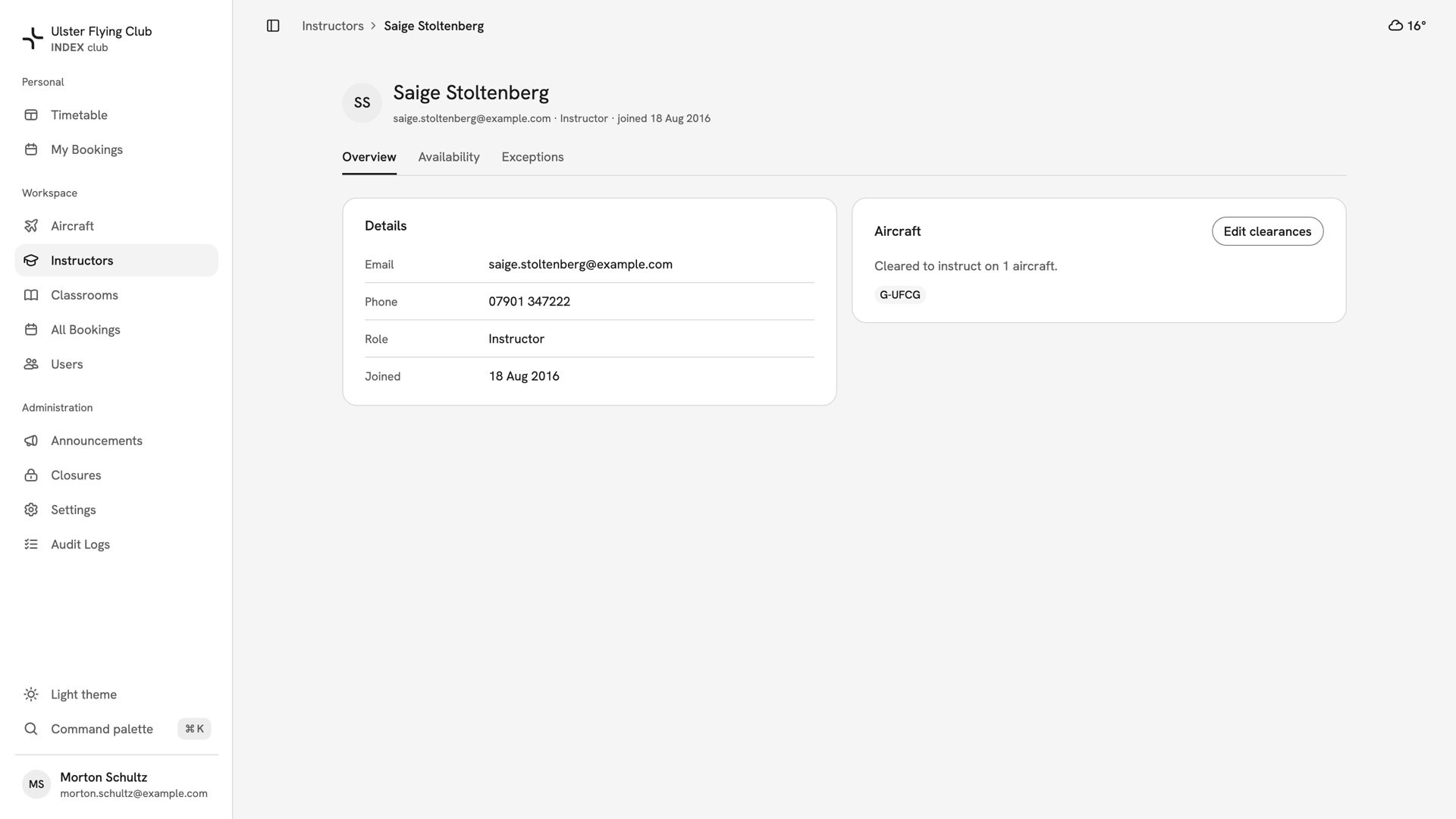
Saige Stoltenberg's Overview tab before the edit, with the Aircraft card showing her cleared on G-UFCG alone. Tick the aircraft
The Aircraft dialog lists the fleet, ticked where the instructor is already cleared. An inactive aircraft is marked inactive. Tick each aircraft they may teach on and untick the rest.
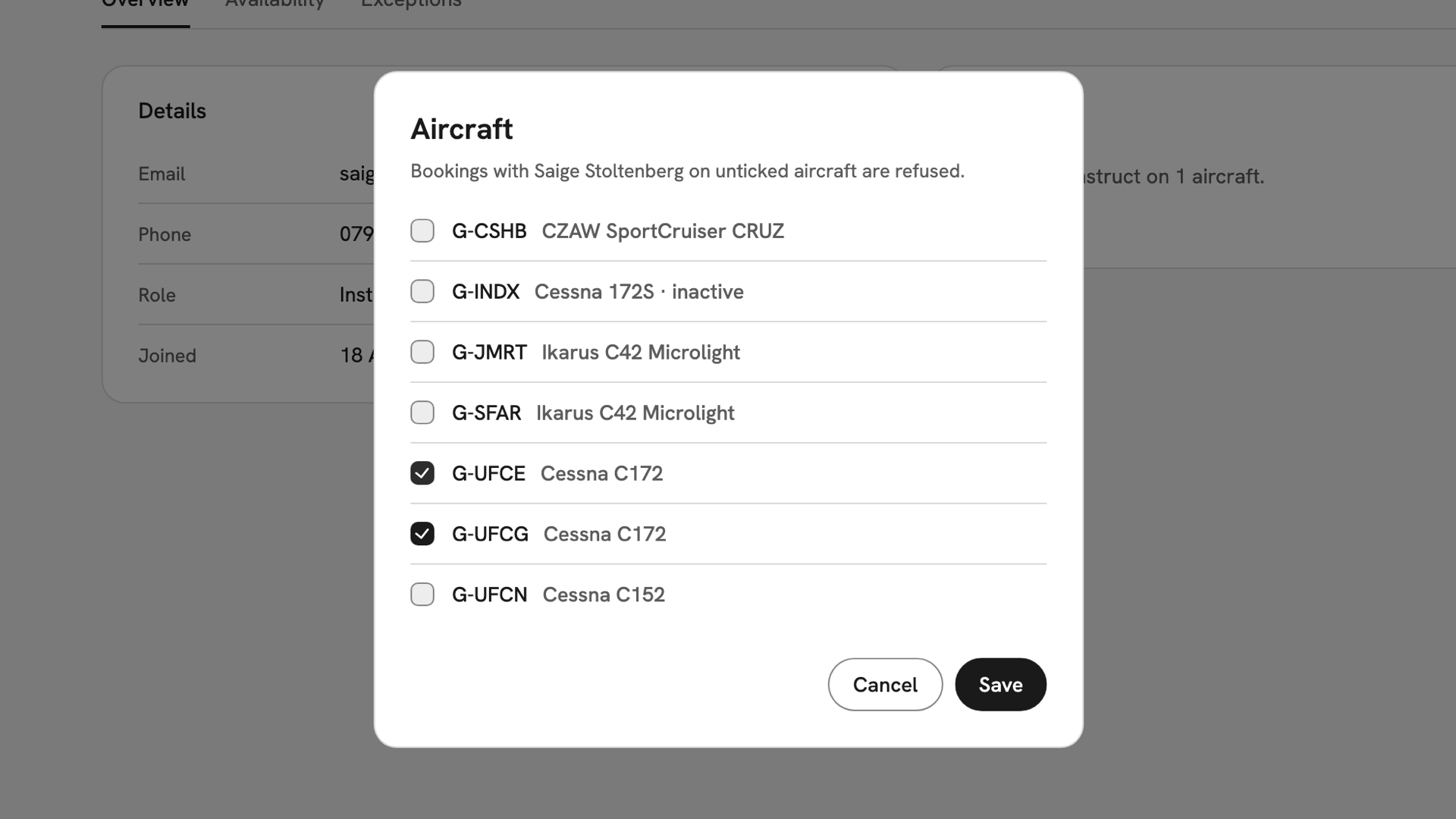
The Aircraft dialog for Saige Stoltenberg, with G-UFCE newly ticked beside G-UFCG and the rest of the fleet clear. Check before clearing them all
If you untick every box, the dialog shows No aircraft selected. You can save that, for an instructor who only teaches ground school. It means cleared on nothing, not everything: every dual booking with them is refused.
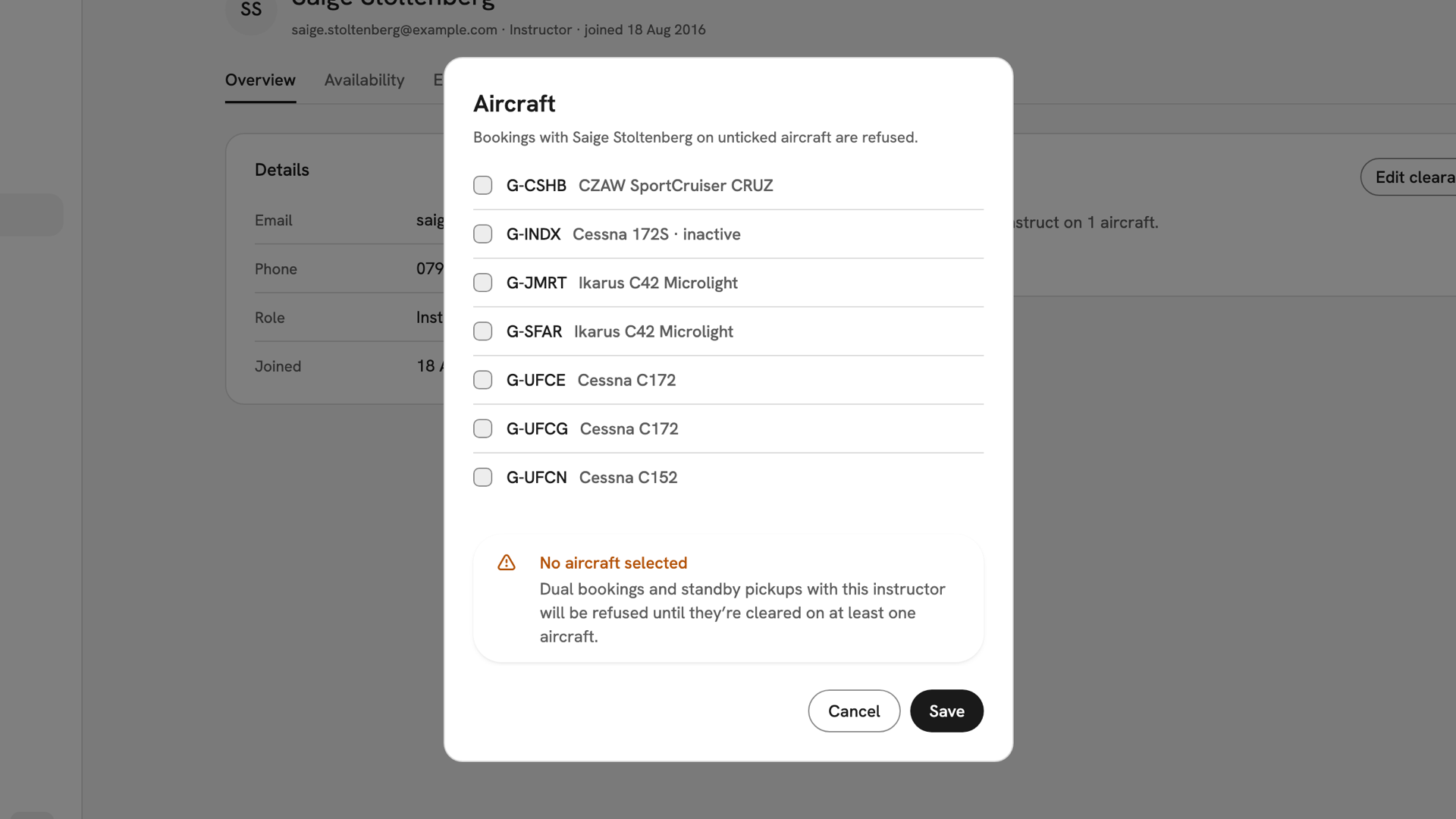
Every box cleared, and the No aircraft selected warning that dual bookings and standby pickups will be refused. Save it
Press Save. INDEX Club shows Clearances saved, and the Aircraft card lists the new set. In the booking form, an instructor not cleared on the chosen aircraft is greyed out, with the reason under their name.
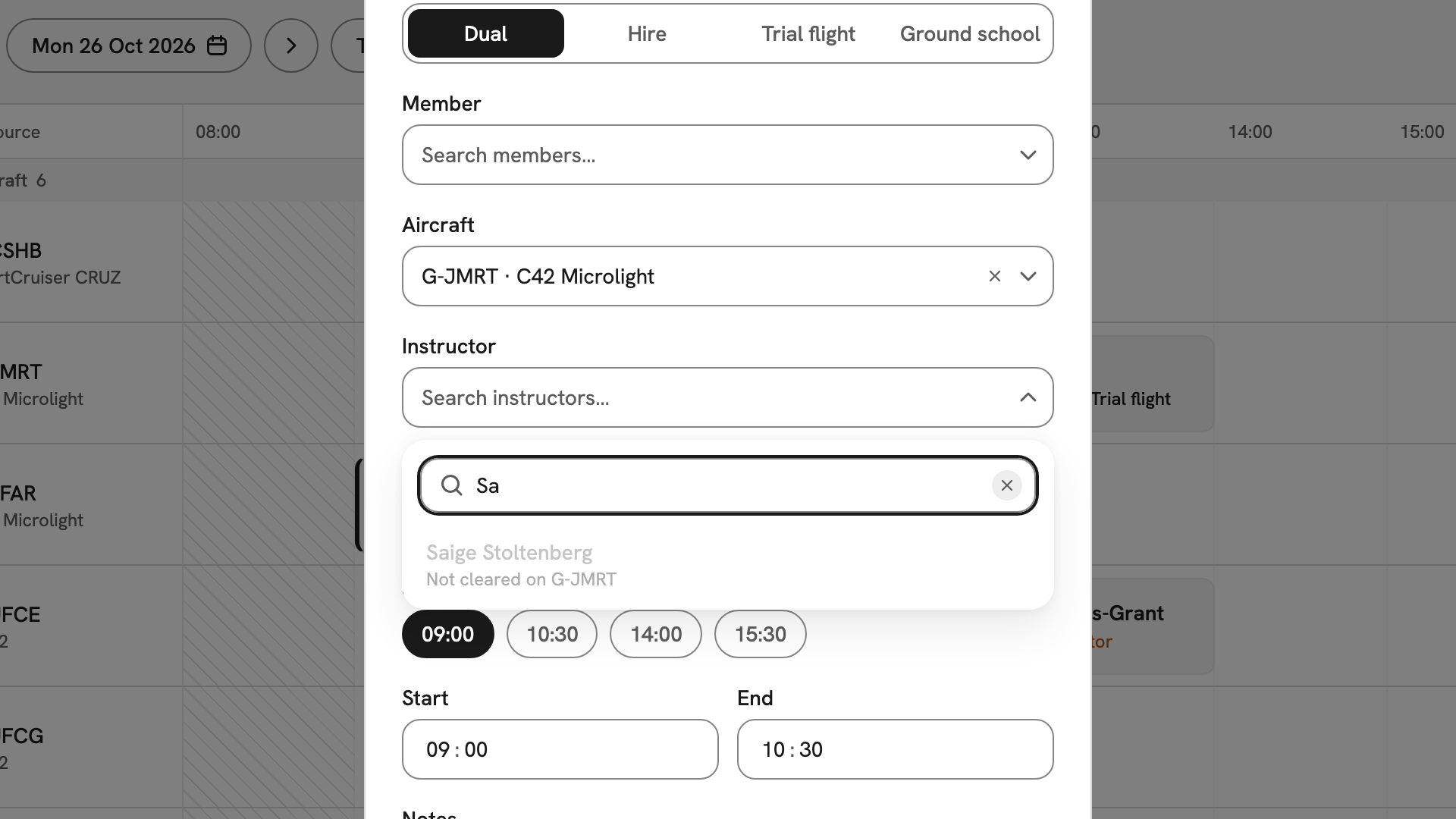
The booking form with G-JMRT chosen, and Saige Stoltenberg greyed out in the instructor list as Not cleared on G-JMRT.
After you have set them
Clearances stop new bookings and changes to bookings, and stop an instructor picking up an open seat; see Picking up a booking. Existing bookings are not touched, so move any on an aircraft you removed; see Reopening an instructor seat. A new aircraft has nobody cleared on it until you tick it here.
If something goes wrong
- There is no Edit clearances button. Only owners, admins and instructor-admins can change clearances.
- Save stays disabled. Your ticks match what is already saved.
- An instructor cannot be picked in the booking form. They are not cleared on that aircraft or are busy then. The reason is under their greyed name.
- An instructor is missing from the booking form altogether. They have no teaching hours that day. Check their Availability tab.
Still stuck? Your club's owner and admins can set any instructor's clearances.
Last updated 1 October 2026