Creating a booking
Taking a slot on an aircraft, from opening the timetable to seeing your request on it.
Book an aircraft, instructor or classroom from the timetable. It takes about two minutes.
Before you start
- An account that can book. Every member can book.
- A free slot. If somebody takes the slot while you are filling in the form, the save is refused and nothing is booked. See Reading the timetable.
Taking the slot
Open the form
Open Timetable from the sidebar and go to the day you want. A gap in a row is free time. Press New booking. The form opens on that day, at the next free time. On a phone it opens as a sheet from the bottom of the screen.
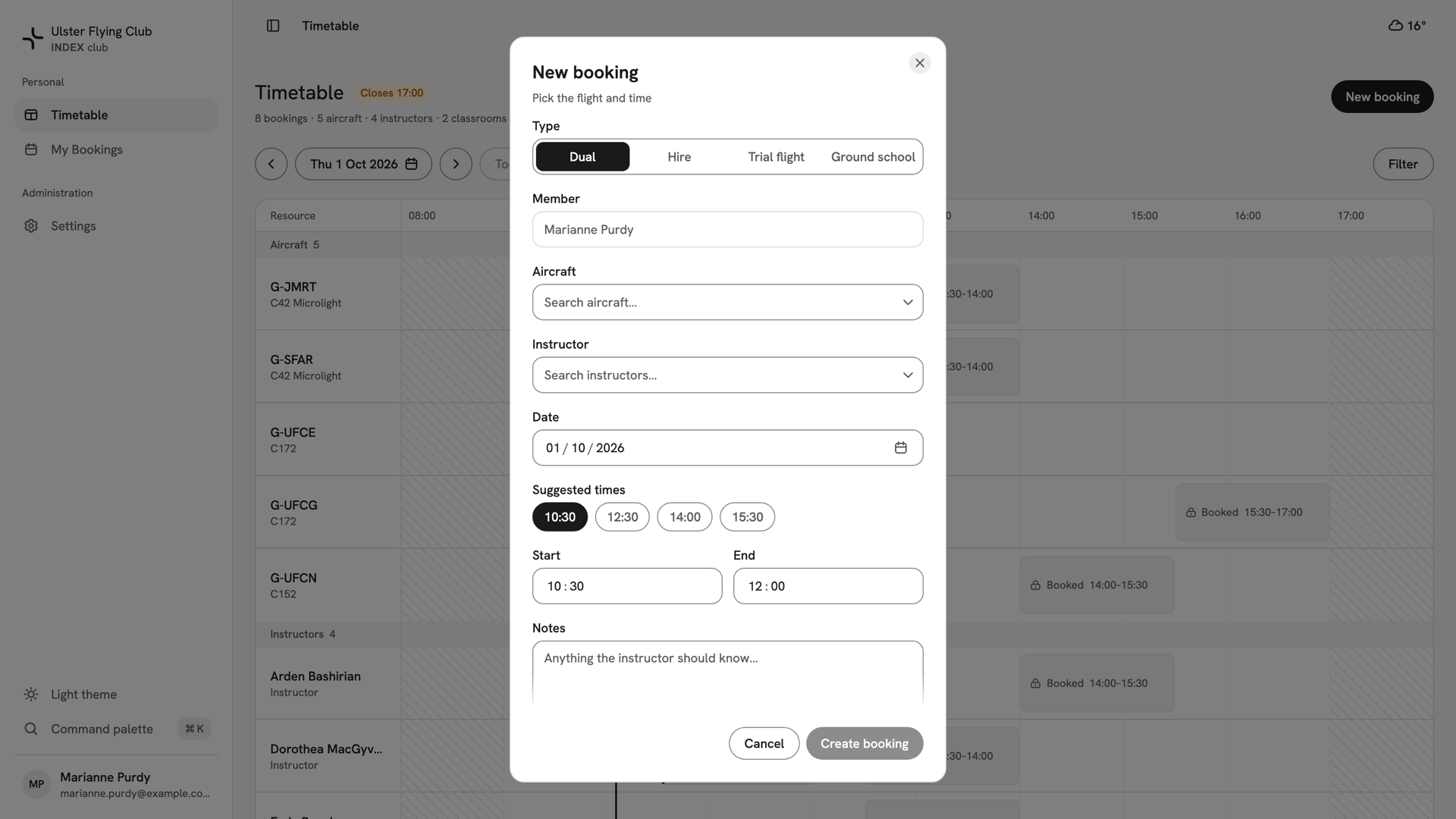
The New booking form as it opens over the timetable, headed Pick the flight and time. Choose the type
Pick a type from the row at the top. Dual needs an aircraft and an instructor, Hire an aircraft only, and Ground school a classroom and an instructor. For visitors, see Booking a trial flight. Member shows your name. Admins see a picker here instead, to book for someone else.
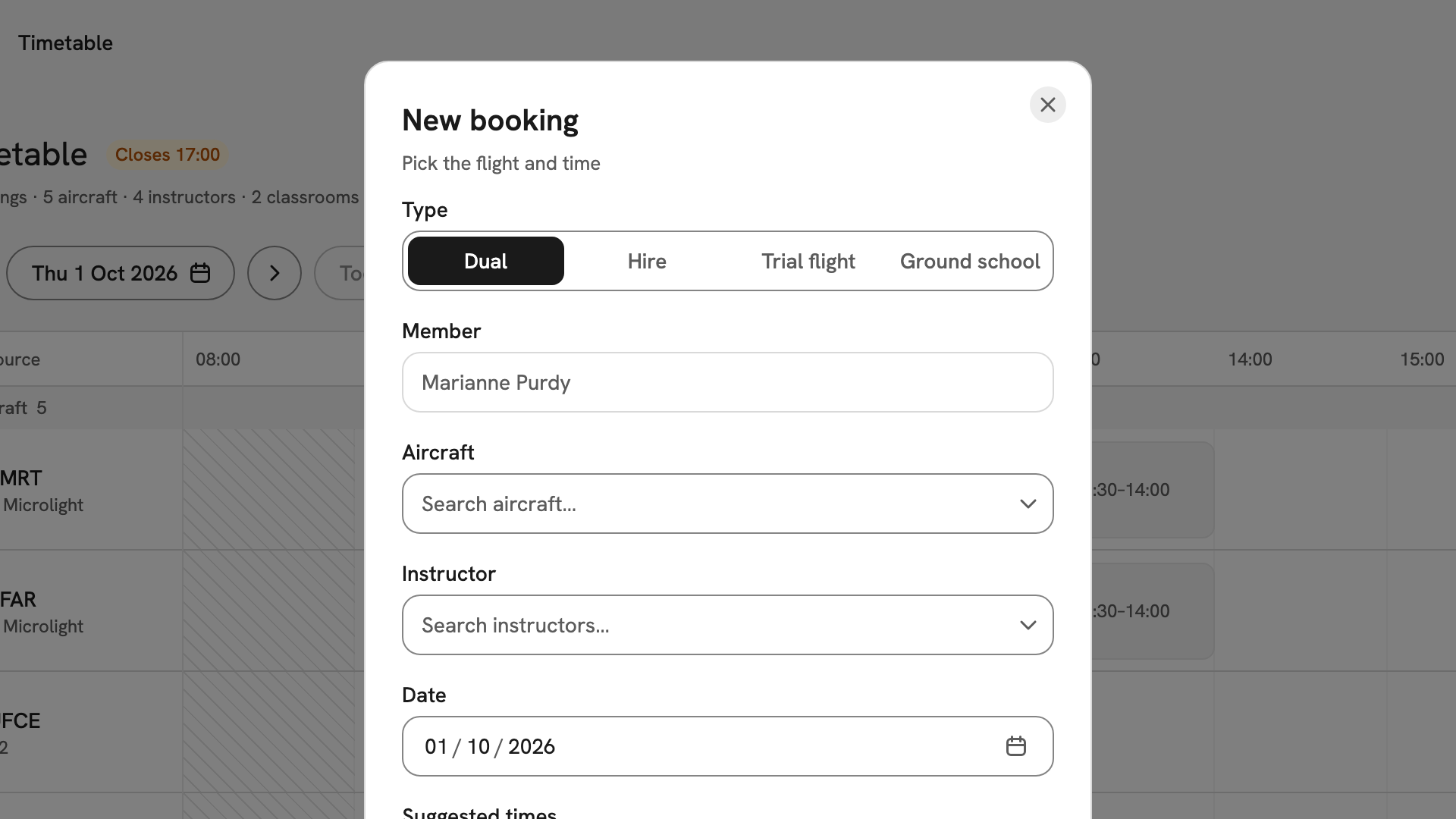
Dual selected in the type row, with Member showing Marianne Purdy as a locked field beneath it. Pick the aircraft and instructor
Type part of a registration or name to search. The best free choice is marked Recommended. Anything you cannot book is greyed out with the reason, such as Already booked at this time or Not cleared on the aircraft.
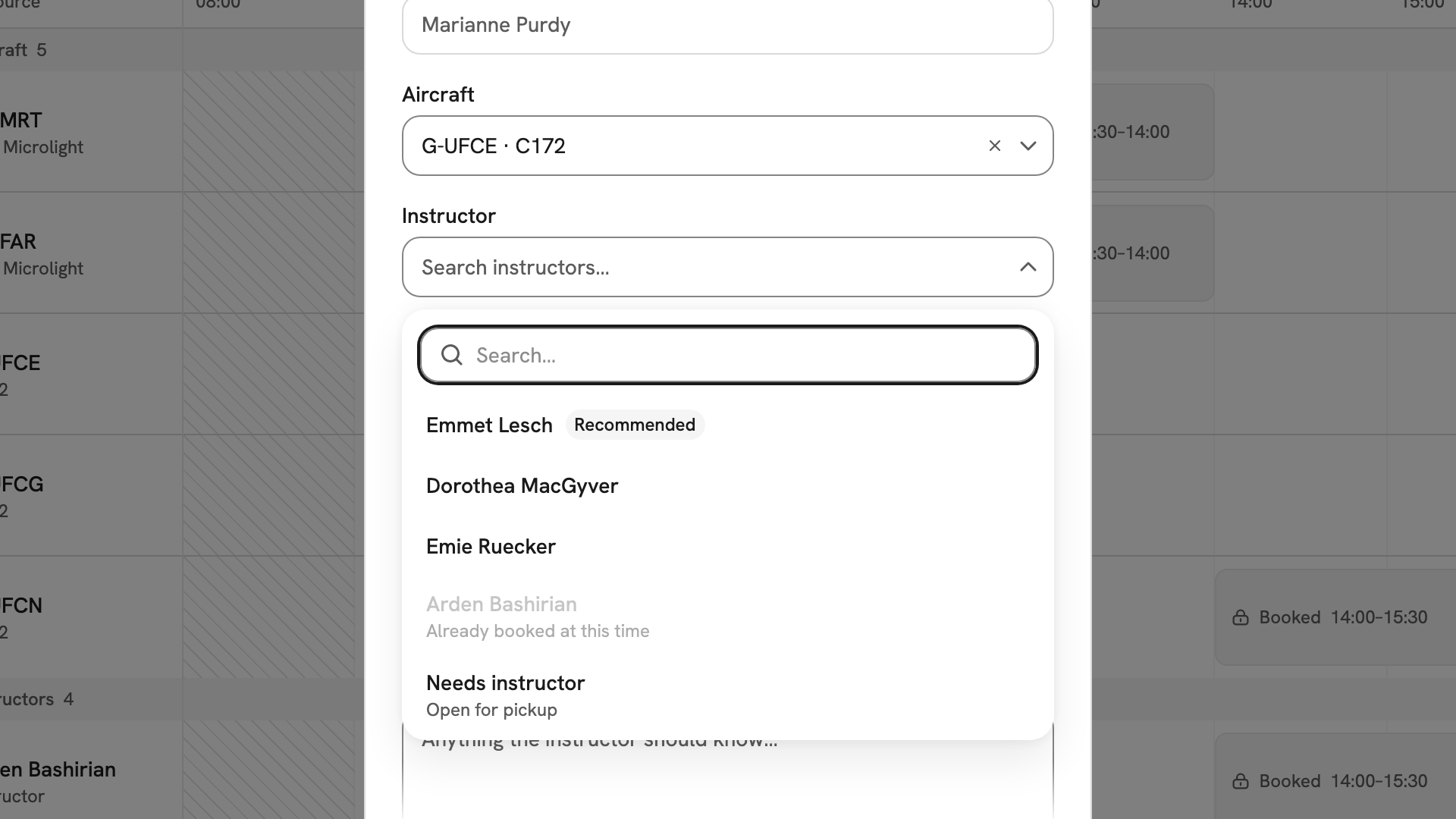
G-UFCE chosen, and the instructor list open on Emmet Lesch, Recommended, with Needs instructor pinned at the bottom. Set the time
Check the Date. On a computer, press one of the Suggested times: each one sets Start and End to a slot where everything is free. To use another window, or on a phone, type the times instead. If a time will not work, the form says why and Create booking stays disabled.
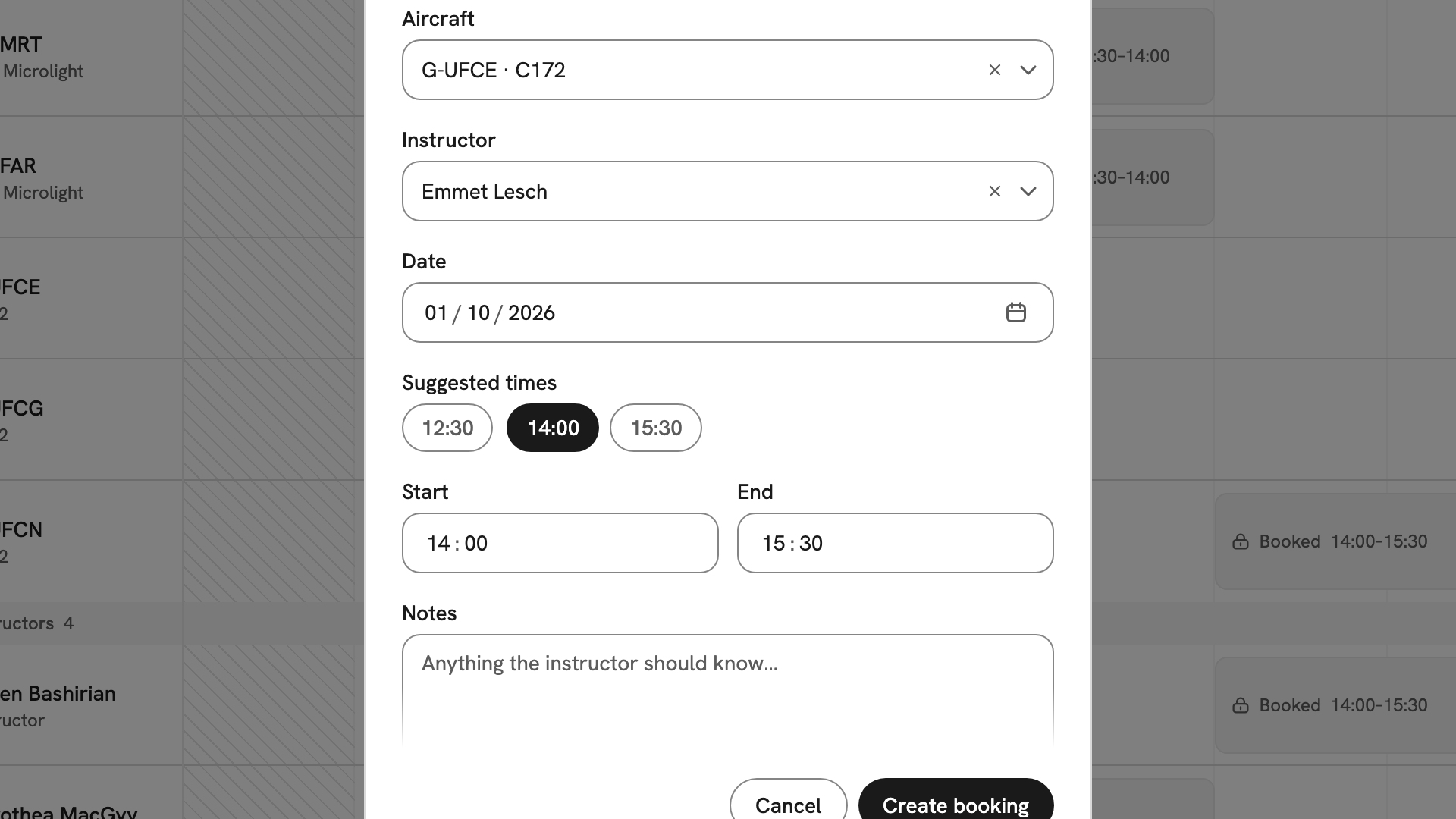
The Date over the suggested times, with 14:00 chosen and 14:00–15:30 filled into Start and End. Create the booking
Press Create booking. Students see Booking requested: the slot is held on the timetable as Pending until the club approves it, and you hear once it is. Bookings made by instructors and admins are confirmed straight away.
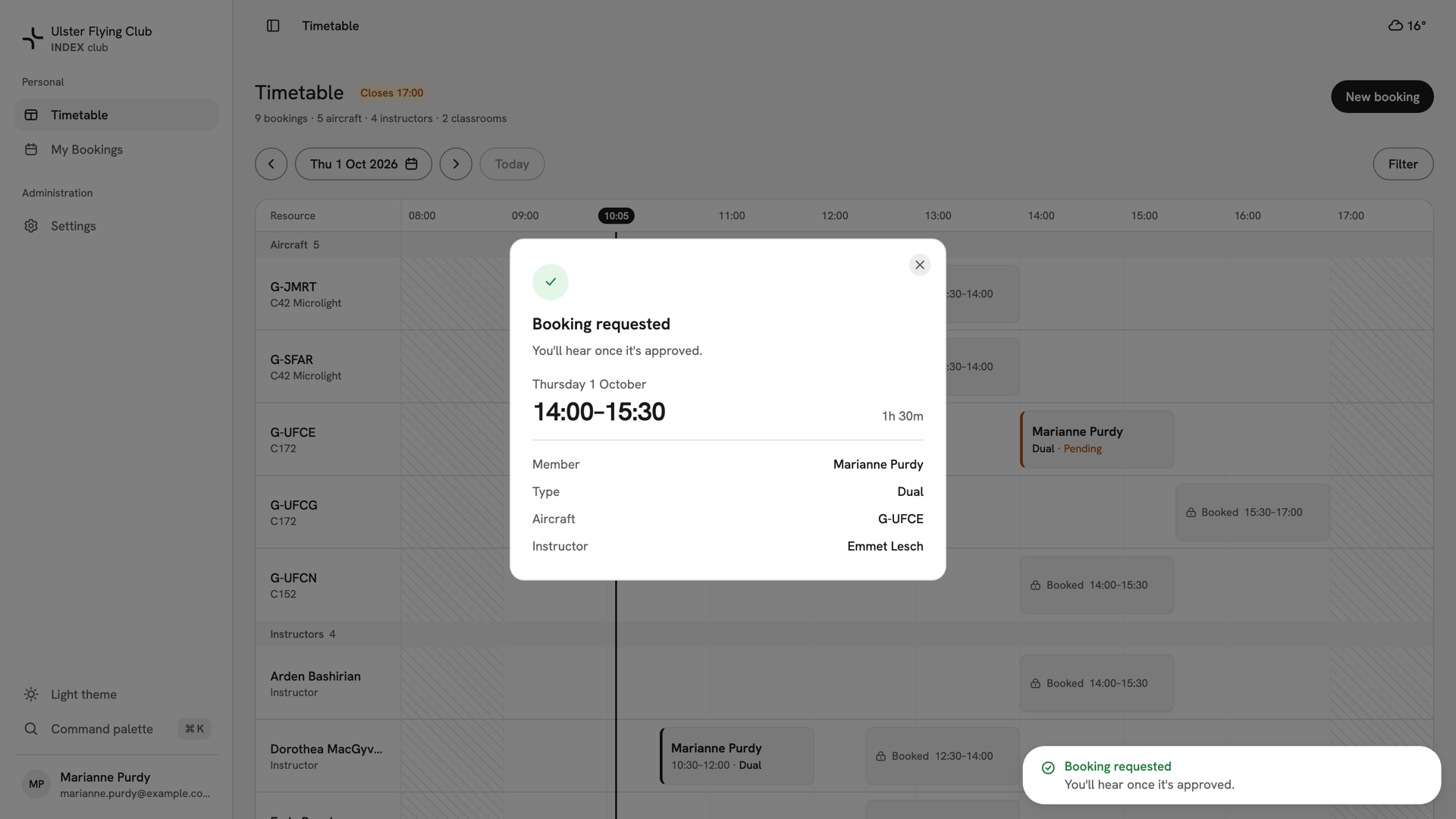
Booking requested over the timetable, with the new request already drawn Pending on G-UFCE at 14:00.
After you have booked
The slot is on the timetable in the aircraft's and instructor's rows, and in Your own bookings under Upcoming. A pending request waits for Approving a booking request. You can withdraw it at any time; see Cancelling a booking. To move it, see Changing a booking.
If something goes wrong
- Every instructor is greyed out. They are busy, or none is cleared on your aircraft. Choose Needs instructor or a different aircraft.
- "Outside operating hours". A resource is shut at that time, and the message names it. An admin can add extra hours for one day.
- "The club is closed". A closure covers that window, and the message says when it lifts. Only an admin can lift it.
- "This member already has a booking during that time". The member cannot be in two places at once. Move or cancel the other booking first.
Still stuck? Your club's admins see every booking in the club and can make, confirm or release any of them.
Last updated 1 October 2026