Picking up a booking
Taking a booking that needs an instructor, from spotting it on the timetable to being on it.
When a booking has no instructor, the seat stays open and any cleared instructor can take it. It takes about 30 seconds.
Before you start
- An active instructor record linked to your login. That link is the only permission you need; nobody has to assign the booking to you.
- Clearance on the aircraft. You can only take seats on aircraft an admin has cleared you for. See Instructor aircraft clearances.
- A booking that has not started. A lesson already under way cannot be picked up.
Taking the seat
Find a seat that needs an instructor
Open Timetable and look for an amber block reading Needs instructor. The aircraft and time are already held, so nobody else can take them. There is no separate list of open seats.
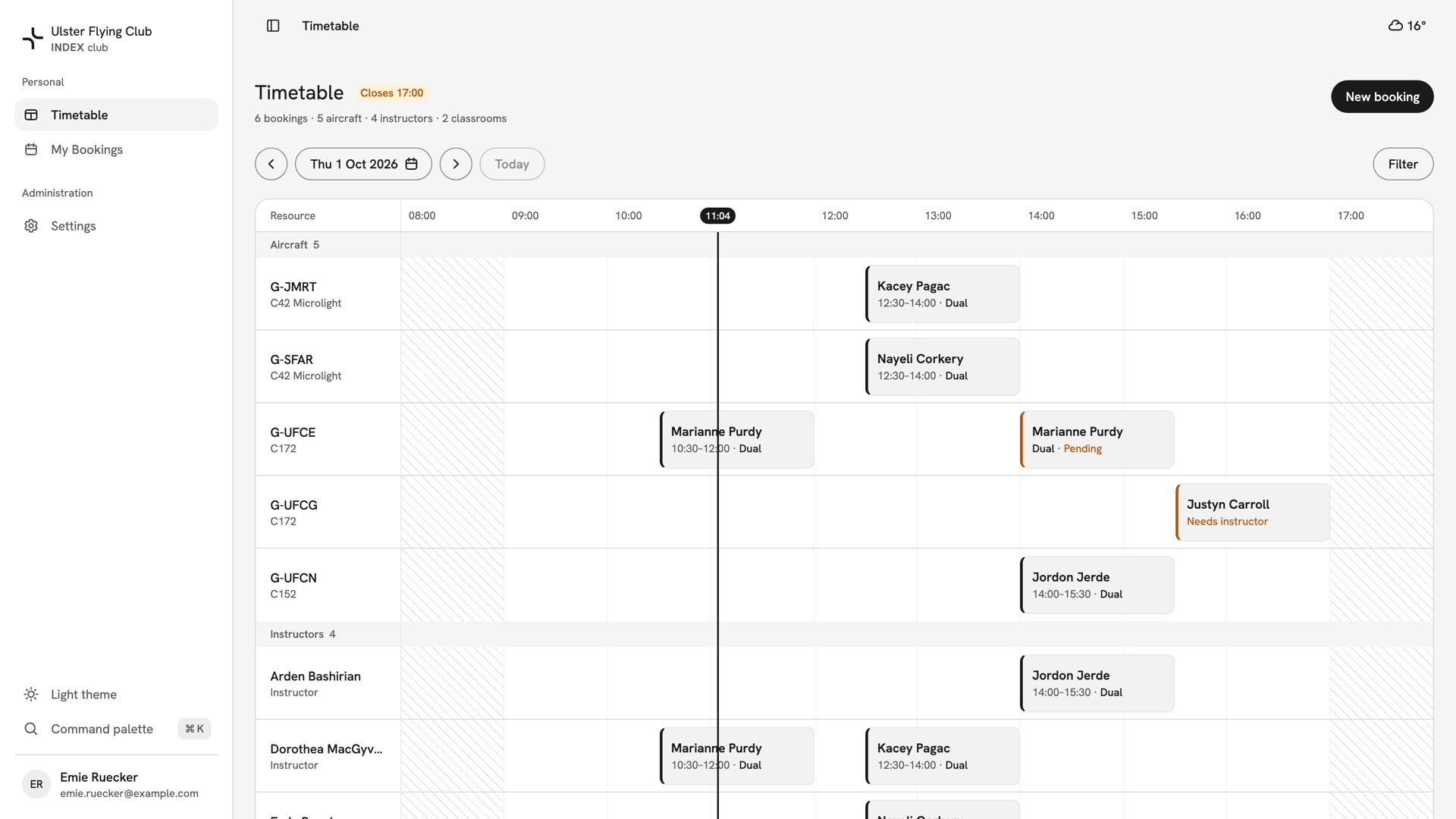
The timetable on 1 October, with Justyn Carroll's 15:30 block on G-UFCG reading Needs instructor in amber. Open the pick-up
Press the block, then Pick up booking. Pick up this booking reads the booking back: the day, the time and length, then the Member, Type and Aircraft. On a phone it opens as a sheet from the bottom of the screen.
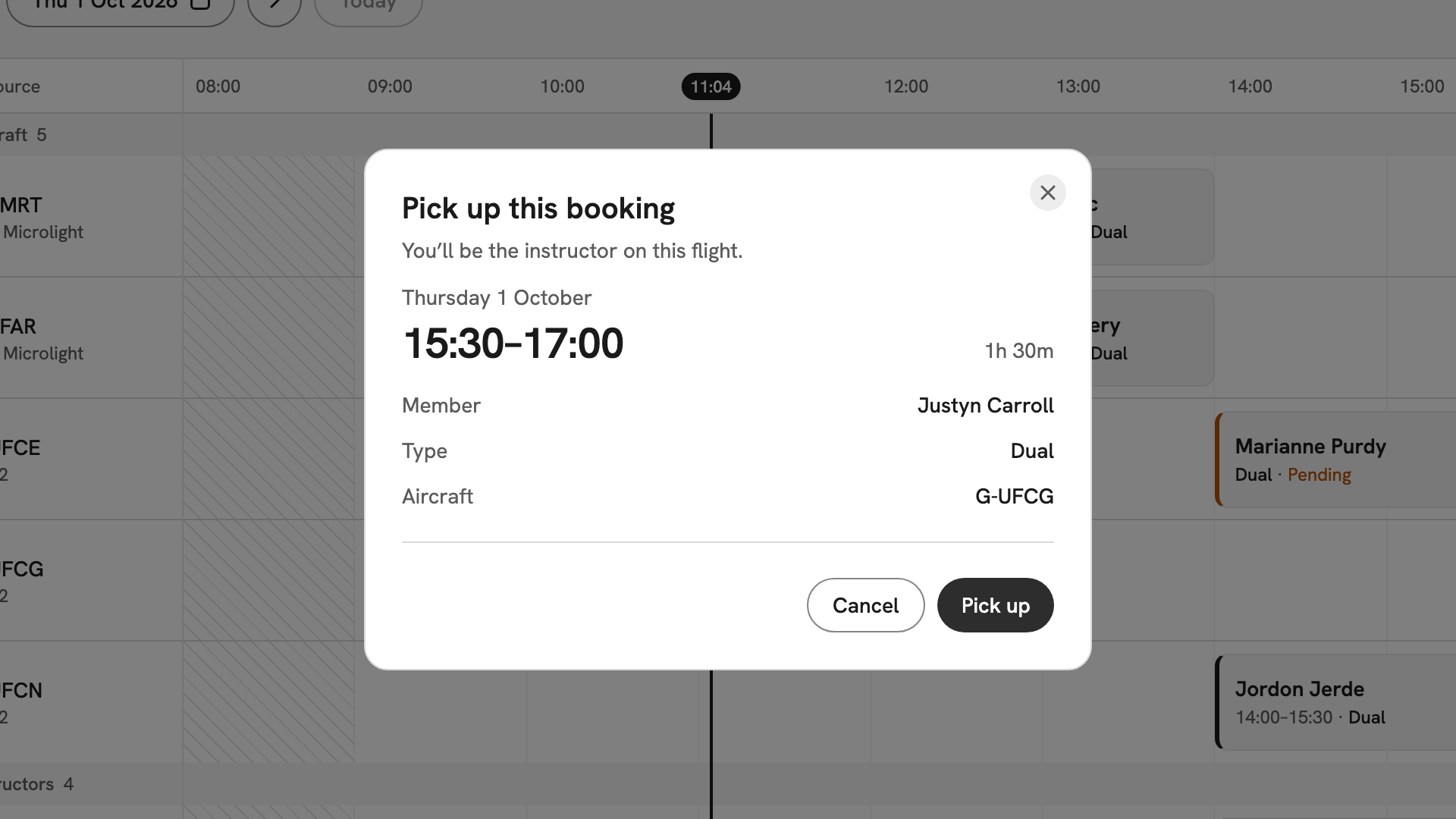
Pick up this booking for Justyn Carroll's Dual on G-UFCG, Thursday 1 October, 15:30–17:00. Check the clearance
If you are not cleared on the aircraft, the dialog says Not cleared on this aircraft and Pick up stays grey. Another instructor must take it, or an owner or admin must clear you first.
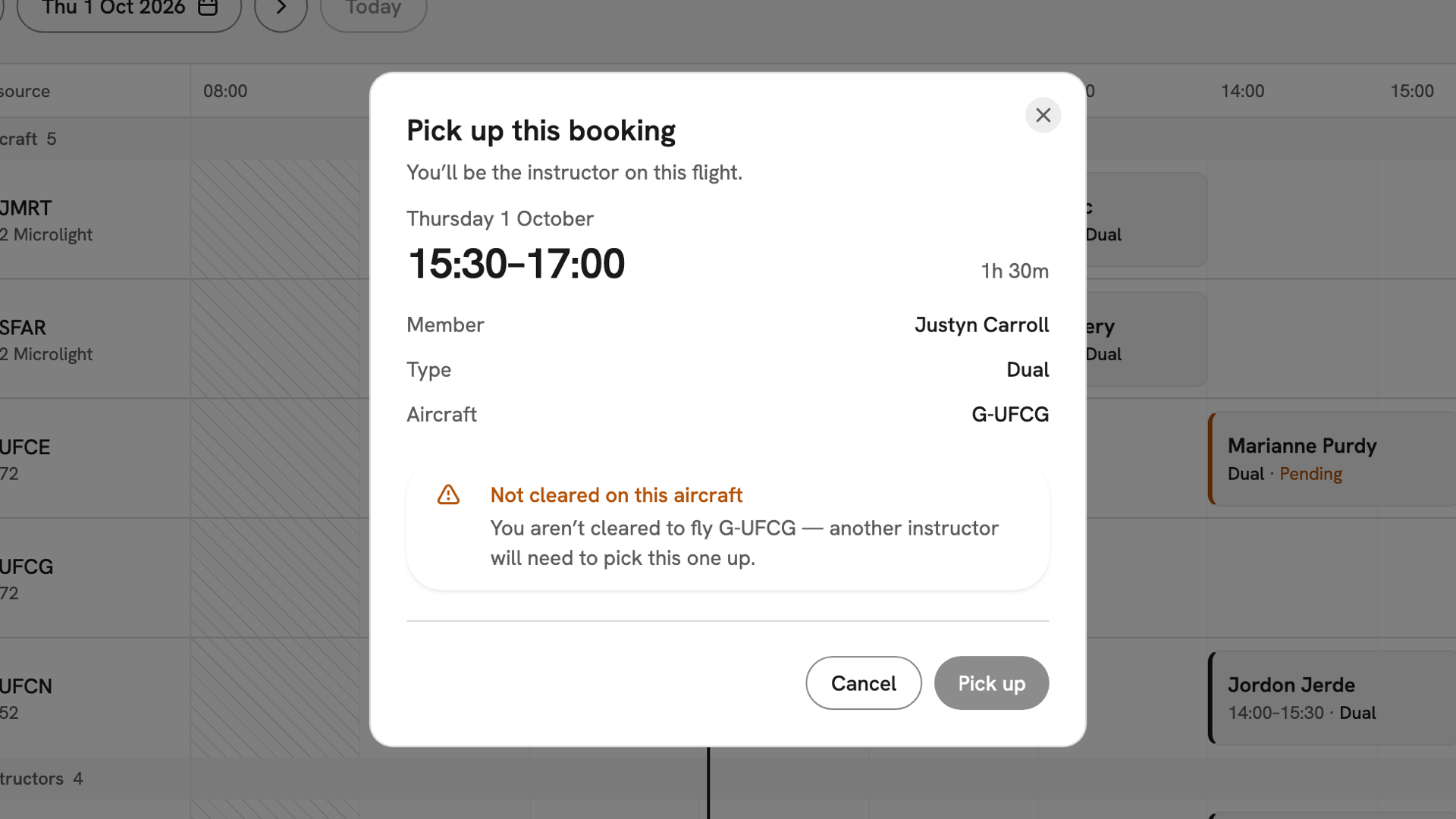
The same booking opened by Laurel Hand, who is not cleared on G-UFCG: the warning is shown and Pick up is greyed out. Pick it up
Press Pick up. Booking picked up confirms you are on it, and INDEX Club lets the member know. If the booking was still a pending request, picking it up confirms it too.
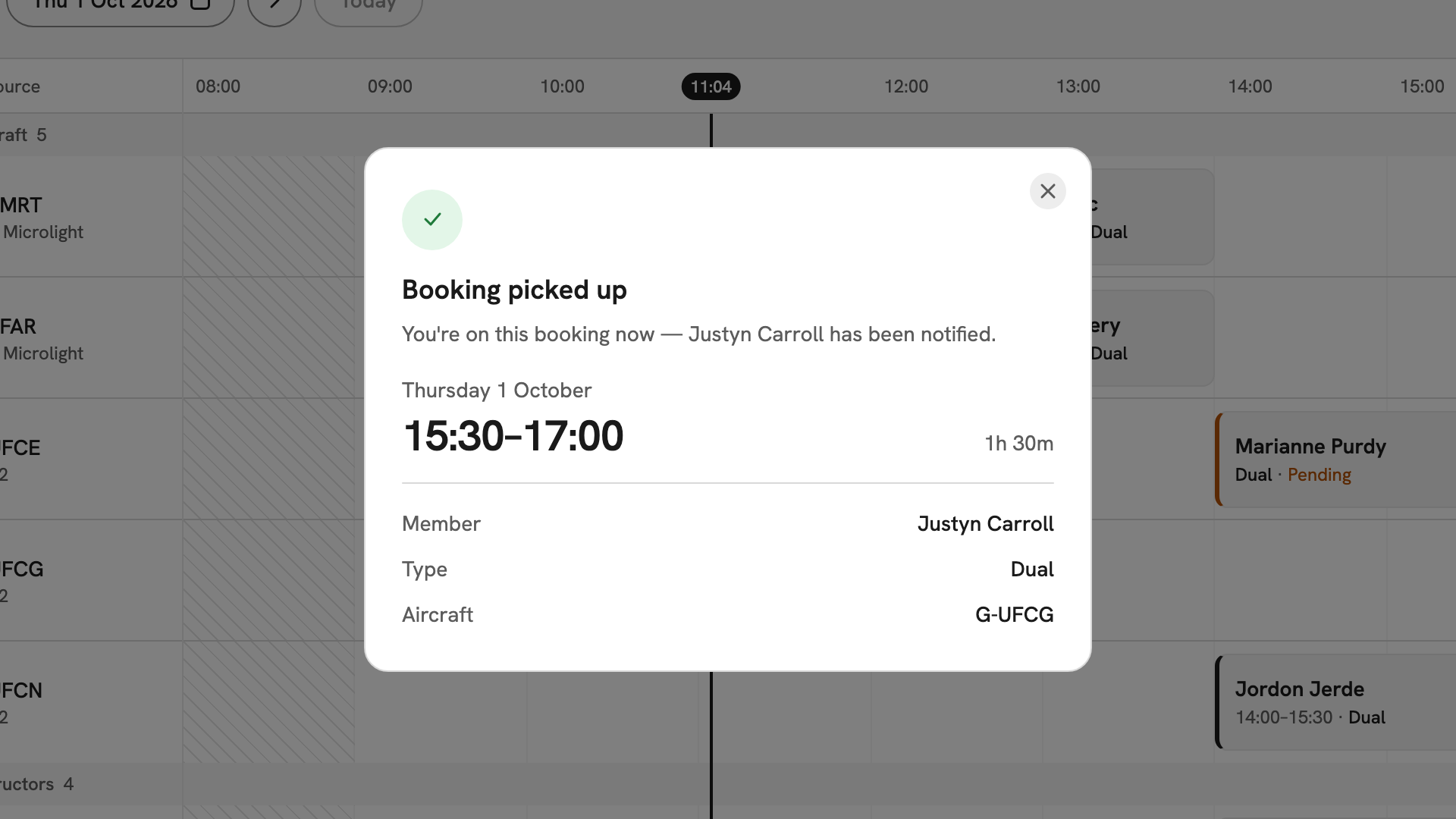
Booking picked up: Emie is on Justyn Carroll's lesson, and he has been notified.
After you have picked it up
The block now shows the lesson's time instead of Needs instructor, and the lesson is in your My Bookings, marked Instructing. You can edit, cancel and sign it off. If you later cannot take it, do not cancel it: reopen the seat instead, as in Reopening an instructor seat.
If something goes wrong
- There is no Pick up booking button. The seat has an instructor, the booking has started, or your instructor record is not active.
- "This booking has already been picked up or changed." Someone took it first. Refresh the timetable.
- "This booking's instructor isn't cleared to fly its aircraft." Your clearance changed after the page loaded. Ask an owner or admin to clear you, or leave the seat for another instructor.
- "That aircraft, instructor or classroom is already held for this time." You already have something in that window. Check your own day first.
Still stuck? Your club's admins can put any instructor on any booking, and see every seat that needs one.
Last updated 1 October 2026